


What You’ll Learn
In this lesson, you’ll learn how to combine strings and variables to create readable usernames and messages in Python. This is a common use of Python string formatting in profile pages, welcome messages, and account systems.
- Understand what string formatting does.
- Use f-strings to place variables inside text.
- Format parts of a username with string methods.
- Avoid common formatting mistakes.
The Concept
A string is text surrounded by quotation marks. For example, a user’s first name and username are both strings.
String formatting means creating a new string by combining fixed text with values stored in variables. Instead of joining many strings with plus signs, Python lets you use an f-string.
An f-string begins with the letter f before the opening quotation mark. Variables or expressions can be placed inside curly braces.
For example, if a variable stores a user’s name, placing that variable inside curly braces lets Python insert its value into the message. This is useful when creating usernames, labels, greetings, and account summaries.
Basic Example
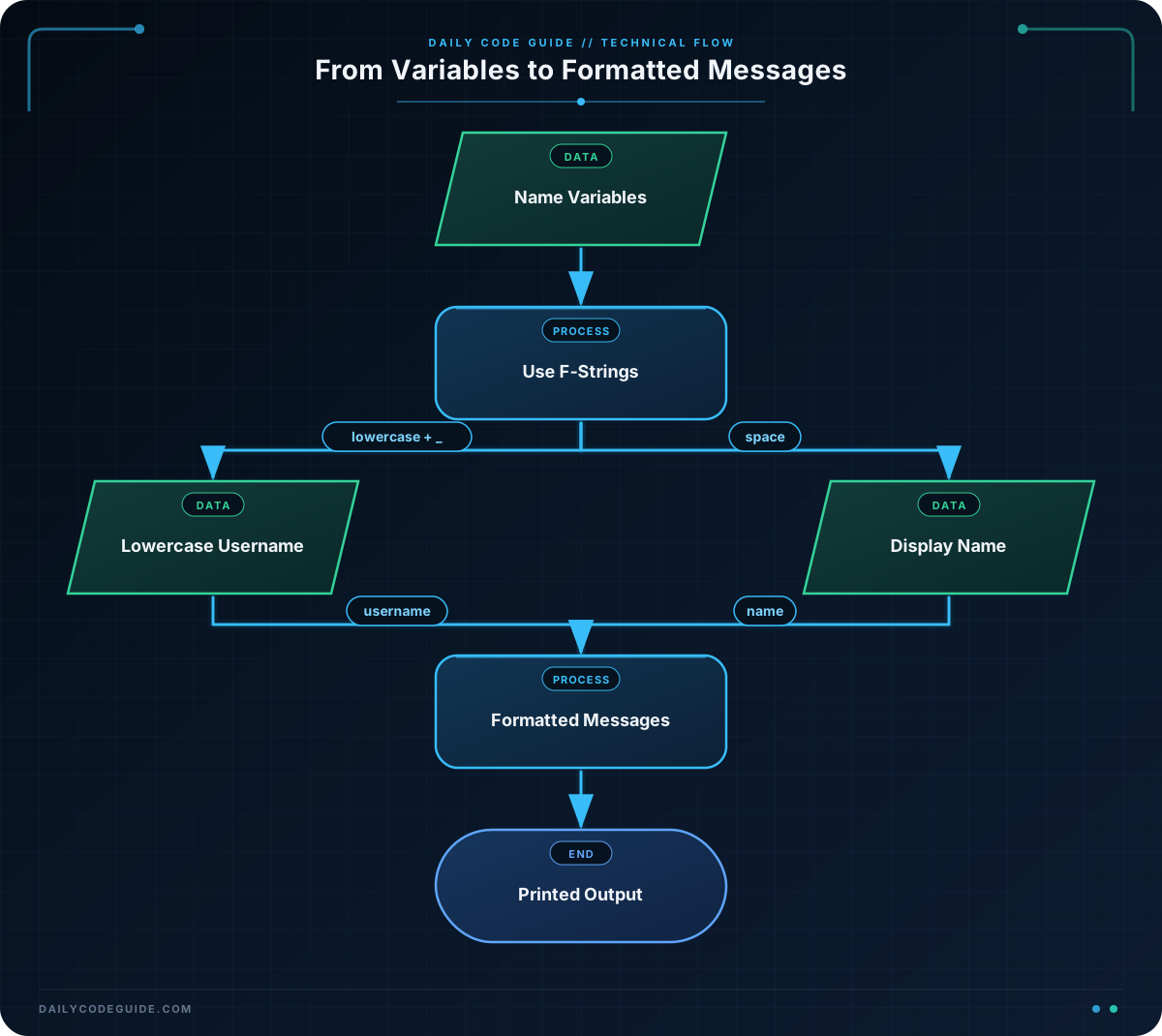
The following program creates a username from a user’s first and last names. The lower method changes letters to lowercase, which helps make the username consistent.
first_name = "Maya"
last_name = "Chen"

username = f"{first_name.lower()}_{last_name.lower()}"
display_name = f"{first_name} {last_name}"

print(f"Display name: {display_name}")
print(f"Username: @{username}")
Expected Output
Display name: Maya Chen
Username: @maya_chen
How the Code Works
The first two lines store the user’s name in two variables:
- first_name stores the string “Maya”.
- last_name stores the string “Chen”.
This line creates the username:
The letter f tells Python that the string is an f-string. The expressions inside curly braces are evaluated and inserted into the final string.
The expression first_name.lower() changes “Maya” to “maya”. Similarly, last_name.lower() changes “Chen” to “chen”. The underscore between the two expressions becomes part of the username.
The result is the string “maya_chen”. The @ symbol is not part of the username variable; it is added when the username is displayed.
This line creates a readable display name:
Both variables are inserted into the string with a space between them, producing “Maya Chen”. The same technique is used in the two print statements to add labels and other text around the values.
Another Example
String formatting can also create a short profile label and a welcome message. Here, the username already exists, so the program formats it into different pieces of text.
member_name = "Jordan Lee"
username = "jlee2024"
member_level = "Community Member"

profile_label = f"{member_name} (@{username})"
welcome_message = f"Welcome, {member_name}! You are a {member_level}."

print(profile_label)
print(welcome_message)
The values inside the curly braces are inserted wherever they appear. The parentheses, at-sign symbol, punctuation, and other text remain part of the finished strings.
Common Mistakes
Forgetting the f before the string
Without the f, Python treats the curly braces as ordinary characters instead of replacing them with variable values. Always place f directly before the opening quotation mark when using an f-string.
Using a variable name that does not exist
Every variable inside an f-string must be defined before the string is created. Check the spelling and make sure the assignment appears earlier in the program.
Expecting f-strings to change the original variable
Formatting creates a new string. It does not change the original variables. For example, converting a name to lowercase inside an f-string only affects the formatted result, not the original name stored in the variable.
Leaving spaces in usernames by accident
When creating usernames, decide which characters should separate the name parts. An underscore can be included directly between expressions, as in the basic example. If you place a space there instead, the resulting username will contain a space.
Try It Yourself
Complete this program so it creates a lowercase username using an underscore between the first and last names. Then create a greeting that includes the person’s display name.
first_name = "Aisha"
last_name = "Patel"

username = ""
greeting = ""

print(f"Username: @{username}")
print(greeting)
For the sample values, the username should be “aisha_patel”, and the greeting should say “Welcome, Aisha Patel!”
Challenge
Create a profile summary for a new website member.
- Store the member’s first name, last name, and favorite topic in separate variables.
- Create a username from the lowercase first and last names, separated by an underscore.
- Create a welcome message that includes the member’s display name.
- Create a topic message that says what the member enjoys learning.
- Print all three results with clear labels.
Use the following sample data:
- First name: “Liam”
- Last name: “Garcia”
- Favorite topic: “Python strings”
Solution
first_name = "Liam"
last_name = "Garcia"
favorite_topic = "Python strings"

display_name = f"{first_name} {last_name}"
username = f"{first_name.lower()}_{last_name.lower()}"
welcome_message = f"Welcome, {display_name}!"

print(f"Username: @{username}")
print(welcome_message)
print(f"Favorite topic: {favorite_topic}")
The solution uses an f-string for each formatted result. The username uses the lower method so that both name parts are lowercase, while the display name keeps the original capitalization.
Key Takeaways
- String formatting combines fixed text with values stored in variables.
- An f-string starts with f before its quotation mark.
- Place variables or expressions inside curly braces in an f-string.
- String methods such as lower can format values while creating a username.
- Formatted strings create new results without changing the original variables.

