


What You’ll Learn
In this lesson, you’ll learn how to pass information into a Python function using arguments. You will use arguments to calculate order totals without repeating the same calculation code.
- Understand the difference between parameters and arguments.
- Pass values into a function.
- Use multiple arguments in an order calculation.
- Return and display a calculated result.
The Concept
A function argument is a value that you send to a function when you call it. Arguments let the same function work with different data.
For example, an order total function should not be limited to one product price or one quantity. Instead, you can pass the item price, quantity, and shipping fee into the function.
The names listed when you define a function are called parameters. The actual values supplied when you call the function are called arguments.
In this example, item_price, quantity, and shipping_fee are parameters:
def calculate_order_total(item_price, quantity, shipping_fee):
    subtotal = item_price * quantity
    return subtotal + shipping_fee
When the function is called, 12.50, 3, and 4.99 are arguments:
calculate_order_total(12.50, 3, 4.99)Python assigns the arguments to the parameters in the same order. The first value goes to the first parameter, the second value goes to the second parameter, and so on.
Basic Example
The following function calculates an order subtotal and then adds the shipping fee. The function uses three arguments so it can calculate totals for different orders.
def calculate_order_total(item_price, quantity, shipping_fee):
    subtotal = item_price * quantity
    return subtotal + shipping_fee


total = calculate_order_total(12.50, 3, 4.99)
print(f"Order total: ${total:.2f}")
Expected Output
Order total: $42.49How the Code Works
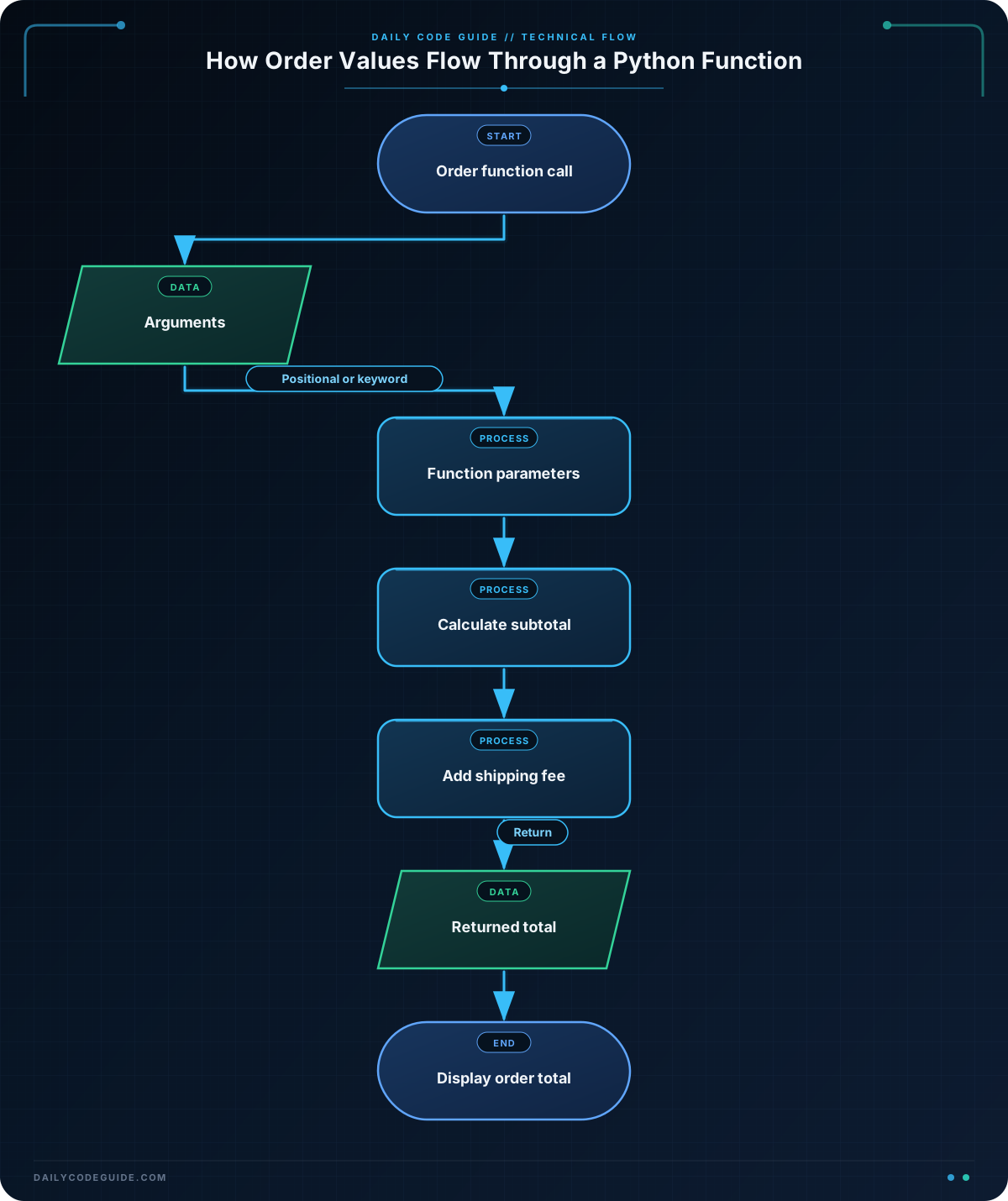
The function definition begins with the def keyword:
def calculate_order_total(item_price, quantity, shipping_fee):This creates a function named calculate_order_total. The three names inside the parentheses are parameters. They represent the information the function needs.
Inside the function, the item price is multiplied by the quantity:
subtotal = item_price * quantityFor this order, the subtotal is 12.50 * 3, which equals 37.50.
The return statement sends a result back to the line that called the function:
return subtotal + shipping_feeThe function call provides the arguments in parameter order:
total = calculate_order_total(12.50, 3, 4.99)Python assigns 12.50 to item_price, 3 to quantity, and 4.99 to shipping_fee. The returned value is stored in the total variable.
The formatted string {total:.2f} displays the total with exactly two digits after the decimal point, which is useful for displaying money.
You can also pass arguments by parameter name. These are called keyword arguments:
total = calculate_order_total(
    item_price=12.50,
    quantity=3,
    shipping_fee=4.99
)
Keyword arguments make the purpose of each value clear. They also let you provide the arguments in a different order.
Another Example
Arguments can be used for more than product quantities and shipping. This function accepts a cart subtotal and a discount percentage, then returns the amount after the discount.
def calculate_discounted_total(subtotal, discount_percent):
    discount_amount = subtotal * discount_percent / 100
    return subtotal - discount_amount


cart_subtotal = 48.00
discounted_total = calculate_discounted_total(
    subtotal=cart_subtotal,
    discount_percent=10
)

print(f"Discounted order total: ${discounted_total:.2f}")
Here, keyword arguments show that the value 10 represents a percentage discount. The function can be reused for a five-percent, ten-percent, or any other discount.
Common Mistakes
Forgetting a required argument
If a function requires three arguments, you must provide all three when calling it. Calling calculate_order_total(12.50, 3) leaves out the shipping fee and causes a TypeError.
Using the wrong argument order
With positional arguments, order matters. This call treats 4.99 as the quantity and 3 as the shipping fee:
calculate_order_total(12.50, 4.99, 3)The code may run, but the result will be incorrect. Use the correct order or use keyword arguments when the values could be confusing.
Printing instead of returning
A function that uses print() only displays a result. A function that uses return sends the result back so the calling code can store it, print it, or use it in another calculation.
Try It Yourself
Write a function named calculate_item_total with two parameters: unit_price and quantity. The function should return the price of all the items.
Call the function with a unit price of 8.75 and a quantity of 4. Store the returned value in a variable and print it using two decimal places.
Challenge
Create a function named calculate_final_total with these four parameters:
item_pricequantitytax_rateshipping_fee
The function should:
- Calculate the subtotal.
- Calculate the tax using the tax rate as a percentage.
- Add the subtotal, tax, and shipping fee.
- Return the final total.
Call the function with an item price of 18.00, a quantity of 2, a tax rate of 8, and a shipping fee of 5.00. Print the result with two decimal places.
Solution
def calculate_final_total(item_price, quantity, tax_rate, shipping_fee):
    subtotal = item_price * quantity
    tax = subtotal * tax_rate / 100
    return subtotal + tax + shipping_fee


final_total = calculate_final_total(
    item_price=18.00,
    quantity=2,
    tax_rate=8,
    shipping_fee=5.00
)

print(f"Final order total: ${final_total:.2f}")
The function receives four arguments, calculates the subtotal and tax, adds the shipping fee, and returns the final amount. The subtotal is $36.00, the tax is $2.88, and the final order total is $43.88.
Key Takeaways
- Arguments are values passed into a function when it is called.
- Parameters are the names that receive those values inside the function.
- Positional arguments are matched according to their order.
- Keyword arguments identify values by parameter name.
- Use
returnwhen a function should send a calculated result back to the calling code.

