


What You’ll Learn
In this lesson, you will learn how to create and use SQL views. A view saves a query under a name so you can reuse a customer-order report without repeating its joins and calculations every time.
- Understand what a view is and why it is useful.
- Create a view that combines customers and orders.
- Query a view like a regular table.
- Update or remove a view safely.
The Concept
A view is a named SQL query that you can query like a table. Instead of storing a separate copy of the result, most database systems store the query definition and run it when you use the view.
Views are useful when a report contains complexity that you do not want to repeat. For example, a customer-order report might require:
- A
JOINbetween thecustomersandorderstables. - A
COUNTcalculation for the number of orders. - A
SUMcalculation for the total amount spent. - A
GROUP BYclause.
You can place that query inside a view and then run a much simpler query such as SELECT * FROM customer_order_report;.
The basic syntax is:
CREATE VIEW view_name AS
SELECT columns
FROM table_name
WHERE condition;
A view does not usually replace the original tables. It provides a convenient, reusable way to read data from them.
Basic Example
Suppose an online store has customers and orders. The following example creates sample tables, inserts data, creates a customer-order report view, and then queries the view.
CREATE TABLE customers (
    customer_id INTEGER PRIMARY KEY,
    customer_name VARCHAR(100) NOT NULL
);

CREATE TABLE orders (
    order_id INTEGER PRIMARY KEY,
    customer_id INTEGER NOT NULL,
    order_date DATE NOT NULL,
    order_total DECIMAL(10, 2) NOT NULL,
    FOREIGN KEY (customer_id) REFERENCES customers(customer_id)
);

INSERT INTO customers (customer_id, customer_name) VALUES
    (1, 'Alice Johnson'),
    (2, 'Brian Smith'),
    (3, 'Carla Davis');

INSERT INTO orders (order_id, customer_id, order_date, order_total) VALUES
    (101, 1, '2025-01-10', 120.00),
    (102, 1, '2025-02-14', 80.00),
    (103, 2, '2025-02-20', 45.00);

CREATE VIEW customer_order_report AS
SELECT
    c.customer_id,
    c.customer_name,
    COUNT(o.order_id) AS order_count,
    COALESCE(SUM(o.order_total), 0.00) AS total_spent
FROM customers AS c
LEFT JOIN orders AS o
    ON c.customer_id = o.customer_id
GROUP BY c.customer_id, c.customer_name;

SELECT
    customer_id,
    customer_name,
    order_count,
    total_spent
FROM customer_order_report
ORDER BY customer_id;
Expected Output
The view includes customers who have not placed an order because the report uses a LEFT JOIN.
customer_id | customer_name  | order_count | total_spent
------------+----------------+-------------+------------
1           | Alice Johnson   | 2           | 200.00
2           | Brian Smith     | 1           | 45.00
3           | Carla Davis     | 0           | 0.00
How the Code Works
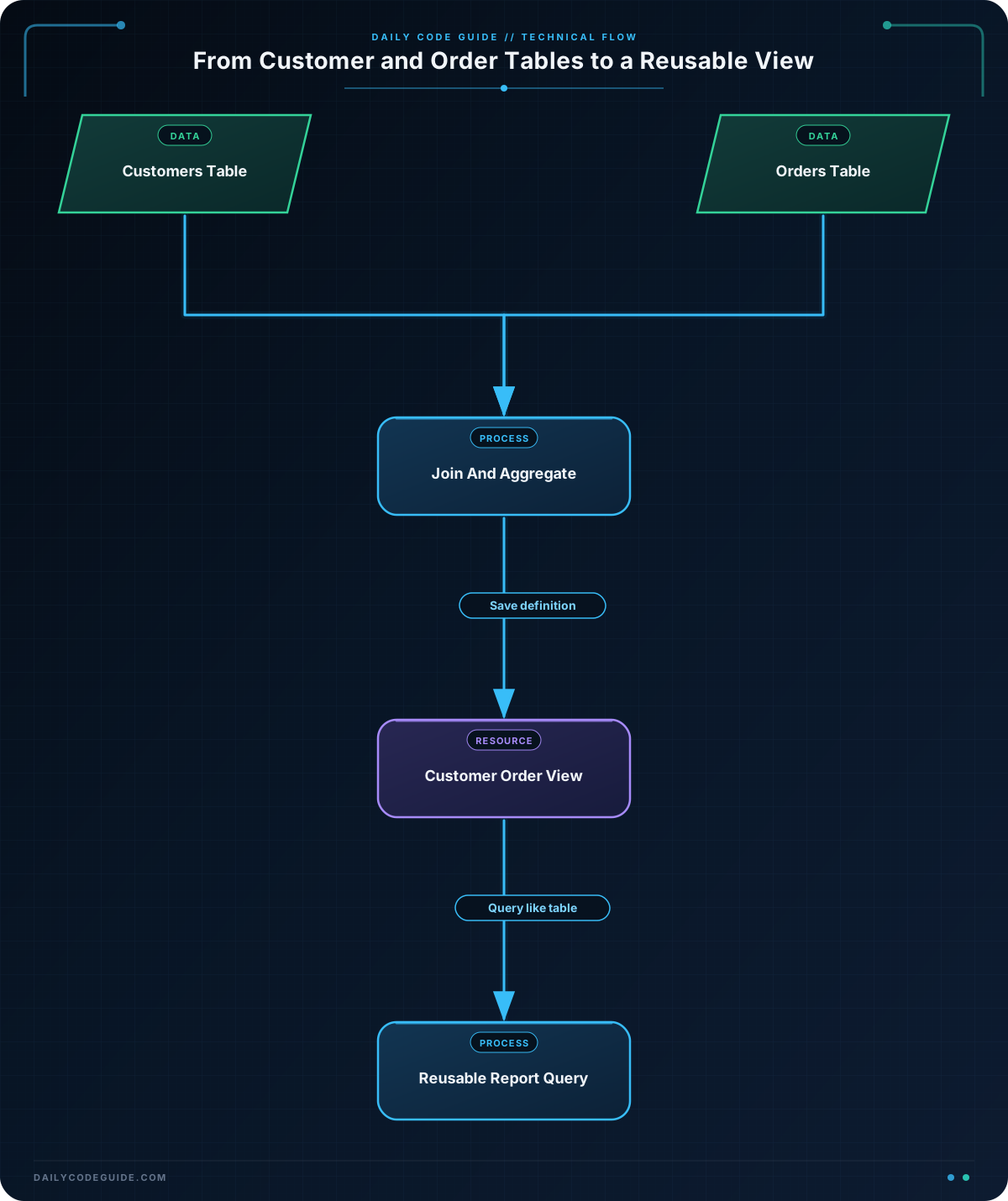
The first two statements create the source tables. The customers table stores one row per customer, while the orders table stores one row per order.
This statement creates the reusable view:
CREATE VIEW customer_order_report ASgives the saved query the namecustomer_order_report.LEFT JOINconnects each customer to matching orders while keeping customers who have no orders.COUNT(o.order_id)counts orders for each customer. Because it counts the order ID rather than usingCOUNT(*), a customer with no order receives a count of zero.SUM(o.order_total)adds each customer’s order totals.COALESCE(..., 0.00)changes a missing sum into zero. Without it, a customer with no orders might displayNULL.GROUP BYcreates one result row per customer.
After the view exists, the final query does not need to repeat the join, aggregate functions, or grouping. It treats the view as a table:
SELECT *
FROM customer_order_report
WHERE total_spent >= 100
ORDER BY total_spent DESC;
You can manage a view with SQL statements such as these:
DROP VIEW customer_order_report;Dropping a view removes the saved query, not the underlying customer or order data. If you need to change a view, many database systems support CREATE OR REPLACE VIEW, although the exact view-management features can vary between database systems.
Another Example
A customer support team may need a simple list of orders that still require attention. Instead of repeating the join and status filter in every support query, you can create a view for open orders.
CREATE VIEW open_customer_orders AS
SELECT
    o.order_id,
    c.customer_name,
    o.order_date,
    o.order_total,
    o.status
FROM orders AS o
JOIN customers AS c
    ON o.customer_id = c.customer_id
WHERE o.status IN ('Pending', 'Processing');

SELECT
    order_id,
    customer_name,
    order_date,
    order_total,
    status
FROM open_customer_orders
ORDER BY order_date;
This view has a different purpose from the first report. It does not group rows or calculate totals. It presents individual orders whose status means that the support or fulfillment team may still need to act.
Common Mistakes
- Forgetting that a view depends on its source tables: If you rename or remove a column used by a view, the view may stop working. Update dependent views when you change table structures.
- Using
COUNT(*)with aLEFT JOIN: This can count the customer row even when there is no matching order. UseCOUNT(o.order_id)when you want zero for customers without orders. - Expecting a view to permanently store results: A regular view normally reads current data from its source tables. When an order changes, a later query of the view normally reflects that change.
- Assuming every database has identical view syntax: Creating and querying views is widely supported, but options such as replacing an existing view can differ. Check the documentation for your database system.
- Removing a view when you meant to remove data:
DROP VIEWremoves the saved query, not the rows in the underlying tables.
Try It Yourself
Using the customers and orders tables from the first example, create a view named large_customer_orders.
The view should:
- Show the order ID, customer name, order date, and order total.
- Include only orders with a total of at least 100.00.
- Sort results by the order total from highest to lowest when you query the view.
Then query the view and select all of its columns.
Challenge
Create a view named completed_customer_totals for a completed-order report.
Your view must:
- Include the customer ID and customer name.
- Count only orders whose status is
'Completed'. - Calculate the total value of completed orders for each customer.
- Return one row per customer with at least one completed order.
After creating the view, query it so that the customer with the largest completed-order total appears first.
Solution
CREATE VIEW completed_customer_totals AS
SELECT
    c.customer_id,
    c.customer_name,
    COUNT(o.order_id) AS completed_order_count,
    SUM(o.order_total) AS completed_total
FROM customers AS c
JOIN orders AS o
    ON c.customer_id = o.customer_id
WHERE o.status = 'Completed'
GROUP BY c.customer_id, c.customer_name;

SELECT
    customer_id,
    customer_name,
    completed_order_count,
    completed_total
FROM completed_customer_totals
ORDER BY completed_total DESC;
The inner join removes customers who have no matching orders. The WHERE clause keeps only completed orders before the rows are grouped. As a result, each view row represents one customer with at least one completed order, and the final query sorts the report by the total completed value.
Key Takeaways
- A view is a named, reusable SQL query that can be queried like a table.
- Views hide repeated joins, filters, and calculations behind a simple name.
- A regular view usually shows current data from its underlying tables rather than storing a separate copy.
- Use
COUNT(column)carefully withLEFT JOINwhen customers without orders should receive a count of zero. DROP VIEWremoves the view definition but does not remove the underlying customer or order data.

