


What You’ll Learn
In this lesson, you will learn how to display a large SQL result set across multiple report pages using LIMIT and OFFSET. You will also learn why a consistent ORDER BY clause is important for keeping records in the correct order from page to page.
- Use
LIMITto control how many rows a query returns. - Use
OFFSETto skip rows from earlier pages. - Combine pagination with stable ordering.
- Calculate the offset for a requested page.
The Concept
Pagination means splitting a large result set into smaller groups called pages. For example, a customer-orders report might show five orders at a time instead of displaying every order in one long list.
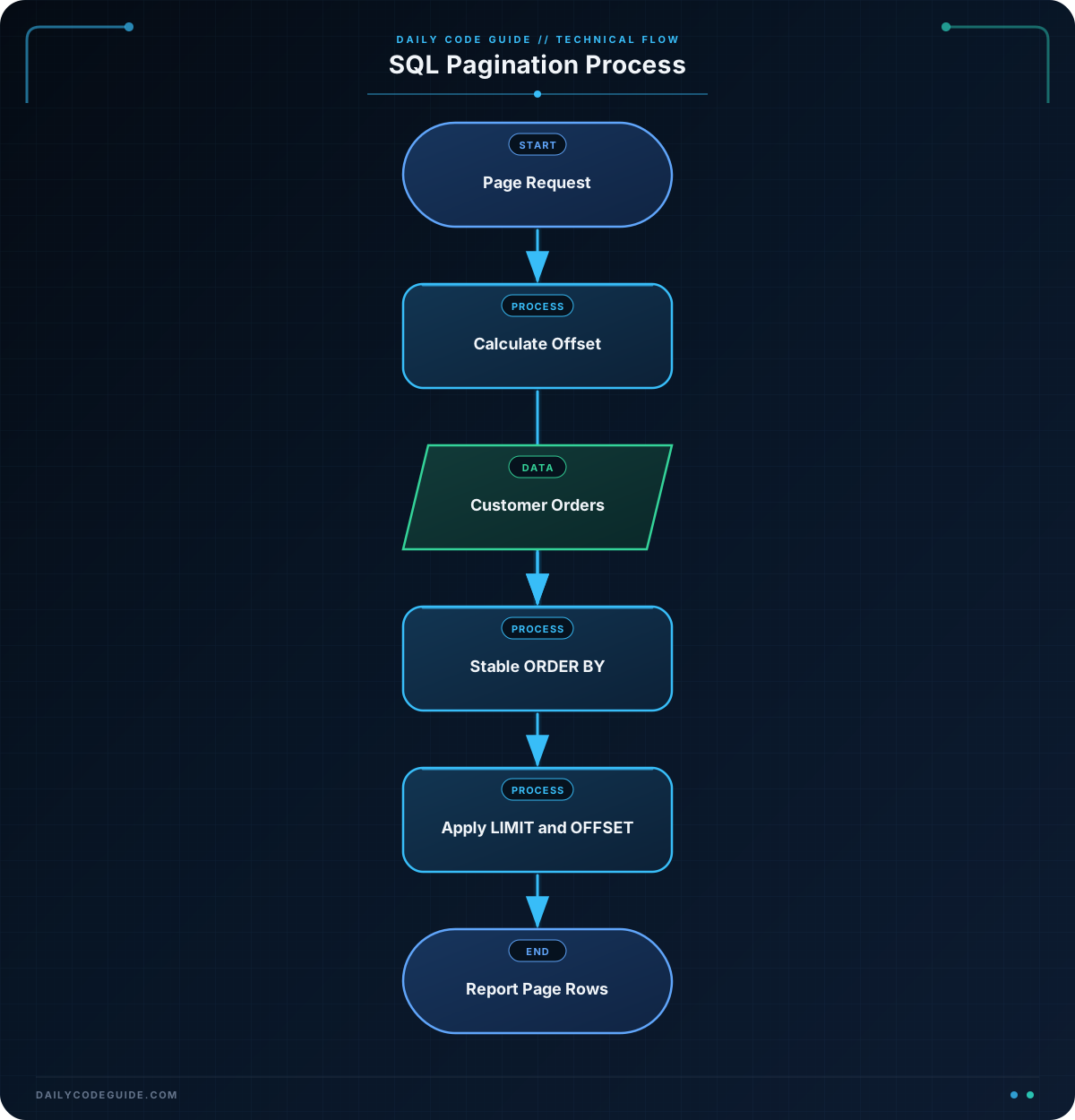
LIMIT specifies the maximum number of rows to return. OFFSET specifies how many rows to skip before returning results.
A basic paginated query looks like this:
SELECT order_id, customer_name, order_date, total_amount
FROM customer_orders
ORDER BY order_date DESC, order_id DESC
LIMIT 5 OFFSET 10;
This query skips the first 10 rows and returns the next 5 rows. If each page contains 5 rows, that would be page 3:
- Page 1 skips 0 rows.
- Page 2 skips 5 rows.
- Page 3 skips 10 rows.
The general formula is:
OFFSET = (page number – 1) × page size
Always include an ORDER BY clause when paginating. Without a defined order, the database is not required to return rows in the same order every time. That can cause an order to appear on two pages or be missed when a user moves between pages.
Basic Example
The following example creates a small customer-orders table and displays the first three orders in a report. The orders are sorted from newest to oldest. The second sort column, order_id, makes the order stable when two orders have the same date.
CREATE TABLE customer_orders (
    order_id INTEGER PRIMARY KEY,
    customer_name VARCHAR(100),
    order_date DATE,
    total_amount DECIMAL(10, 2)
);

INSERT INTO customer_orders (order_id, customer_name, order_date, total_amount)
VALUES
    (1001, 'Ava Patel', '2025-03-12', 84.50),
    (1002, 'Noah Williams', '2025-03-11', 129.99),
    (1003, 'Mia Garcia', '2025-03-10', 45.00),
    (1004, 'Liam Chen', '2025-03-09', 210.75),
    (1005, 'Emma Johnson', '2025-03-08', 67.25),
    (1006, 'Oliver Smith', '2025-03-07', 98.40);

SELECT order_id, customer_name, order_date, total_amount
FROM customer_orders
ORDER BY order_date DESC, order_id DESC
LIMIT 3 OFFSET 0;
Expected Output
order_id  customer_name  order_date  total_amount
1001      Ava Patel      2025-03-12   84.50
1002      Noah Williams  2025-03-11   129.99
1003      Mia Garcia     2025-03-10   45.00
How the Code Works
The CREATE TABLE statement defines the columns used by the report. Each order has an ID, a customer name, an order date, and a total amount.
The INSERT statement adds six sample orders. In a real application, these rows would already exist in the database.
The query contains these important parts:
SELECTchooses the columns that should appear in the report.FROM customer_orderstells SQL which table contains the data.ORDER BY order_date DESCplaces the newest orders first., order_id DESCprovides a second sorting rule when dates are equal.LIMIT 3returns at most three rows.OFFSET 0skips no rows, so this is the first page.
For a report with three rows per page, page 2 would use an offset of 3, and page 3 would use an offset of 6. The database still applies ORDER BY before the pagination is applied, so the pages follow the same overall order.
If your report requires several preparation steps before pagination, SQL temporary tables for multi-step reports can help you stage the report data first and paginate the prepared result.
Another Example
Suppose the report now displays four orders per page and the user requests page 2. The offset is:
(2 – 1) × 4 = 4
The query skips the first four newest orders and returns the next four orders. This is a different report page size and demonstrates how the requested page affects the offset.
SELECT order_id, customer_name, order_date, total_amount
FROM customer_orders
ORDER BY order_date DESC, order_id DESC
LIMIT 4 OFFSET 4;
Expected Output
order_id  customer_name  order_date  total_amount
1005      Emma Johnson   2025-03-08   67.25
1006      Oliver Smith   2025-03-07   98.40
Only two rows remain after the first four rows, so the database returns two rows even though LIMIT 4 allows up to four.
Common Mistakes
- Leaving out
ORDER BY: Without an explicit order, page contents may not be consistent. Add an order that reflects how the report should be displayed. - Using the wrong offset: The offset is the number of rows to skip, not the page number. For page 4 with 5 rows per page, use
OFFSET 15, notOFFSET 4. - Using an unstable sort: Sorting only by a column that contains duplicate values can make the order of tied rows unpredictable. Add a unique column, such as
order_id, as a final sorting column. - Expecting every page to contain the full limit: The final page may contain fewer rows when there are not enough remaining records.
Try It Yourself
Using the customer_orders table from the first example, write a query that displays page 2 of a report with 3 orders per page. Show the order ID, customer name, and total amount. Sort newest orders first and use the order ID as a stable tie-breaker.
Challenge
Create a query for page 3 of the customer-orders report when each page contains 2 orders. The query must:
- Return the order ID, customer name, order date, and total amount.
- Sort orders from newest to oldest.
- Use
order_idas a secondary sort column. - Return no more than 2 rows.
- Skip the rows belonging to pages 1 and 2.
Solution
SELECT order_id, customer_name, order_date, total_amount
FROM customer_orders
ORDER BY order_date DESC, order_id DESC
LIMIT 2 OFFSET 4;
There are 2 orders per page, and page 3 must skip the 4 orders from pages 1 and 2. Therefore, the query uses OFFSET 4. It returns orders 1005 and 1006 from the sample data.
Key Takeaways
LIMITcontrols the maximum number of rows on a page.OFFSETskips rows from earlier pages.- Use
(page number - 1) × page sizeto calculate the offset. - Always use a consistent
ORDER BYclause when paginating. - Add a unique tie-breaker such as
order_idfor stable page boundaries.

