


What You’ll Learn
In this lesson, you will learn how to use COALESCE in SQL to replace missing customer contact values with useful fallback data in query results and reports.
- Understand what
NULLmeans in a database. - Use
COALESCEto return the first available value. - Combine multiple contact fields into one readable report column.
- Choose a final fallback message when every value is missing.
The Concept
NULL represents a missing or unknown value in SQL. It is not the same as an empty string, a space, or the number zero.
For example, a customer may have an email address but no phone number. If you select the phone column directly, the report displays NULL. That may not be useful to someone reading the report.
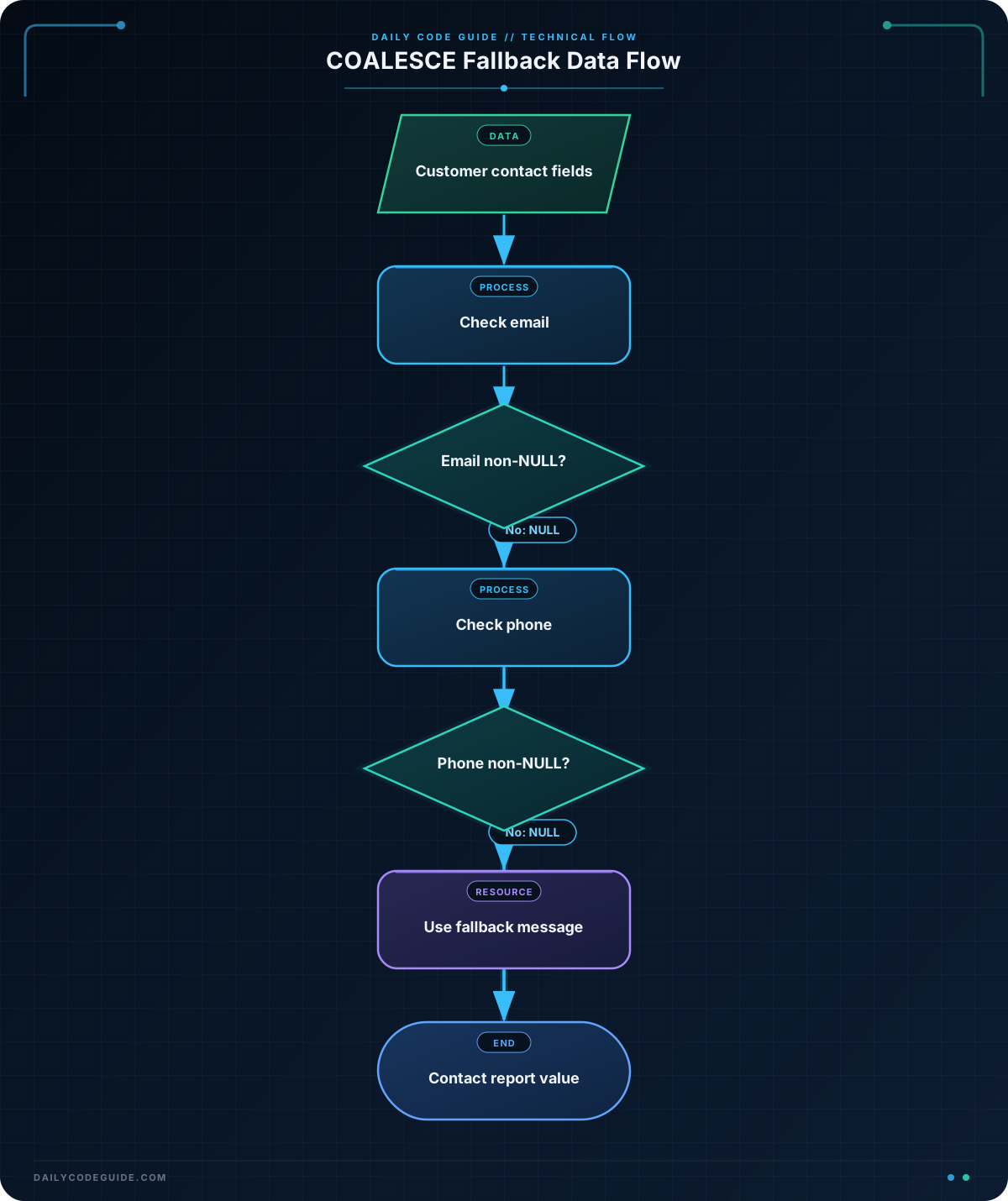
COALESCE solves this problem by checking values from left to right and returning the first value that is not NULL:
COALESCE(first_value, second_value, fallback_value)If first_value is available, SQL returns it. If it is NULL, SQL checks second_value. If all listed values are NULL, SQL returns the final fallback value, if one was provided.
This is useful in customer reports. For example, you can show an email address when available, use a phone number when the email is missing, and display No contact available when both fields are missing.
Basic Example
The following query creates a small set of customer data and selects the best available contact value. The WITH section provides sample rows so the query can be run as a complete example in databases that support common table expressions.
WITH customer_contacts AS (
    SELECT 101 AS customer_id, 'Ava Martinez' AS customer_name, 'ava@example.com' AS email, NULL AS phone
    UNION ALL
    SELECT 102, 'Ben Carter', NULL, '555-0142'
    UNION ALL
    SELECT 103, 'Carla Singh', NULL, NULL
)
SELECT
    customer_id,
    customer_name,
    COALESCE(email, phone, 'No contact available') AS contact_value
FROM customer_contacts
ORDER BY customer_id;
Expected Output
customer_id  customer_name  contact_value
101          Ava Martinez   ava@example.com
102          Ben Carter     555-0142
103          Carla Singh    No contact available
How the Code Works
The sample data has three customer contact situations:
- Ava has an email address but no phone number.
- Ben has a phone number but no email address.
- Carla has neither an email address nor a phone number.
Inside the SELECT statement, this expression chooses the contact value:
COALESCE(email, phone, 'No contact available') AS contact_valueSQL checks email first. For Ava, that value is not NULL, so SQL returns ava@example.com and does not need to check the other values.
For Ben, email is NULL, so SQL checks phone and returns 555-0142.
For Carla, both contact columns are NULL. SQL therefore returns the text No contact available.
The AS contact_value part gives the calculated column a clear name in the report. This changes only the query result; it does not update the stored customer data.
Another Example
You can use more than two possible values with COALESCE. This example creates a customer support report that prefers a support email, then a direct phone number, and finally a general support message.
WITH support_contacts AS (
    SELECT 201 AS customer_id, 'Northwind Books' AS customer_name, 'help@northwind.example' AS support_email, '555-0188' AS phone
    UNION ALL
    SELECT 202, 'Green Valley Market', NULL, '555-0199'
    UNION ALL
    SELECT 203, 'Riverbend Cafe', NULL, NULL
)
SELECT
    customer_name,
    COALESCE(support_email, phone, 'Call the main support line') AS support_contact
FROM support_contacts
ORDER BY customer_name;
Here, the order of the arguments expresses the report’s preference. An email address is preferred over a phone number. The final message is used only when neither contact field has a value.
Common Mistakes
Expecting COALESCE to replace empty strings
COALESCE checks for NULL, not for an empty string such as ''. If a database contains empty strings in a contact column, COALESCE may return that empty string because it is not NULL.
For this beginner example, make sure missing values are stored as NULL. Handling empty strings as well can require database-specific functions or expressions.
Putting fallback values in the wrong order
SQL returns the first non-NULL value. These two expressions can produce different results:
COALESCE(email, phone, 'No contact available')
COALESCE(phone, email, 'No contact available')
Use the order that matches the report’s requirements.
Using = NULL to test for missing data
SQL does not use ordinary equality to test for NULL. Use IS NULL or IS NOT NULL when you need to filter missing values. Use COALESCE when you want to choose a replacement value in the result.
Try It Yourself
Create a query for a customer report with these columns:
customer_nameemailphone- A calculated column named
contact_value
Make the calculated column use the email first, the phone second, and No contact details when both values are missing. Test your query with at least one customer in each situation.
Challenge
Write a query for a delivery report using the sample data below. The report must:
- Show each customer’s name.
- Prefer a mobile phone number.
- Use an email address when the mobile number is missing.
- Display
Contact customer servicewhen both values are missing. - Name the calculated column
delivery_contact.
Solution
WITH delivery_customers AS (
    SELECT 301 AS customer_id, 'Lena Brooks' AS customer_name, NULL AS mobile_phone, 'lena@example.com' AS email
    UNION ALL
    SELECT 302, 'Omar Wilson', '555-0127', NULL
    UNION ALL
    SELECT 303, 'Priya Shah', NULL, NULL
)
SELECT
    customer_name,
    COALESCE(mobile_phone, email, 'Contact customer service') AS delivery_contact
FROM delivery_customers
ORDER BY customer_id;
The expression checks mobile_phone first, then email. If both fields are NULL, the query returns the specified customer service message. The result is a convenient contact column for the delivery report without changing any stored customer data.
Key Takeaways
NULLrepresents a missing or unknown database value.COALESCEreturns the first non-NULLvalue in its argument list.- The order of the values determines which fallback is preferred.
- Always include a final fallback message when a report should never display
NULL. COALESCEchanges the query result, not the data stored in the table.

