


What You’ll Learn
In this lesson, you will learn how to use a Python for loop to process each item in a list. You will use server names as a practical example and see how one loop can handle many values without repeating the same code.
- Understand what a
forloop does. - Write a loop that visits each server name in a list.
- Use the current item inside the loop.
- Recognize common indentation and variable-name mistakes.
The Concept
A for loop runs the same block of code once for every item in a collection, such as a list. Instead of writing separate code for every server, you can place the server names in a list and let Python process them one at a time.
Here is the basic pattern:
for item in collection:
    # Code that runs for each item
The name item is a loop variable. During each repetition, Python assigns the next value from collection to that variable.
For example, if a list contains three server names, the loop runs three times. On the first repetition, the loop variable contains the first server name. On the next repetition, it contains the second name, and so on.
For loops are useful when you need to perform the same action for multiple servers, files, users, log entries, or other pieces of data.
Basic Example
This program checks each server name and prints a message for it:
server_names = ["web-01", "api-01", "db-01"]

for server_name in server_names:
    print(f"Checking {server_name}")
Expected Output
Checking web-01
Checking api-01
Checking db-01
How the Code Works
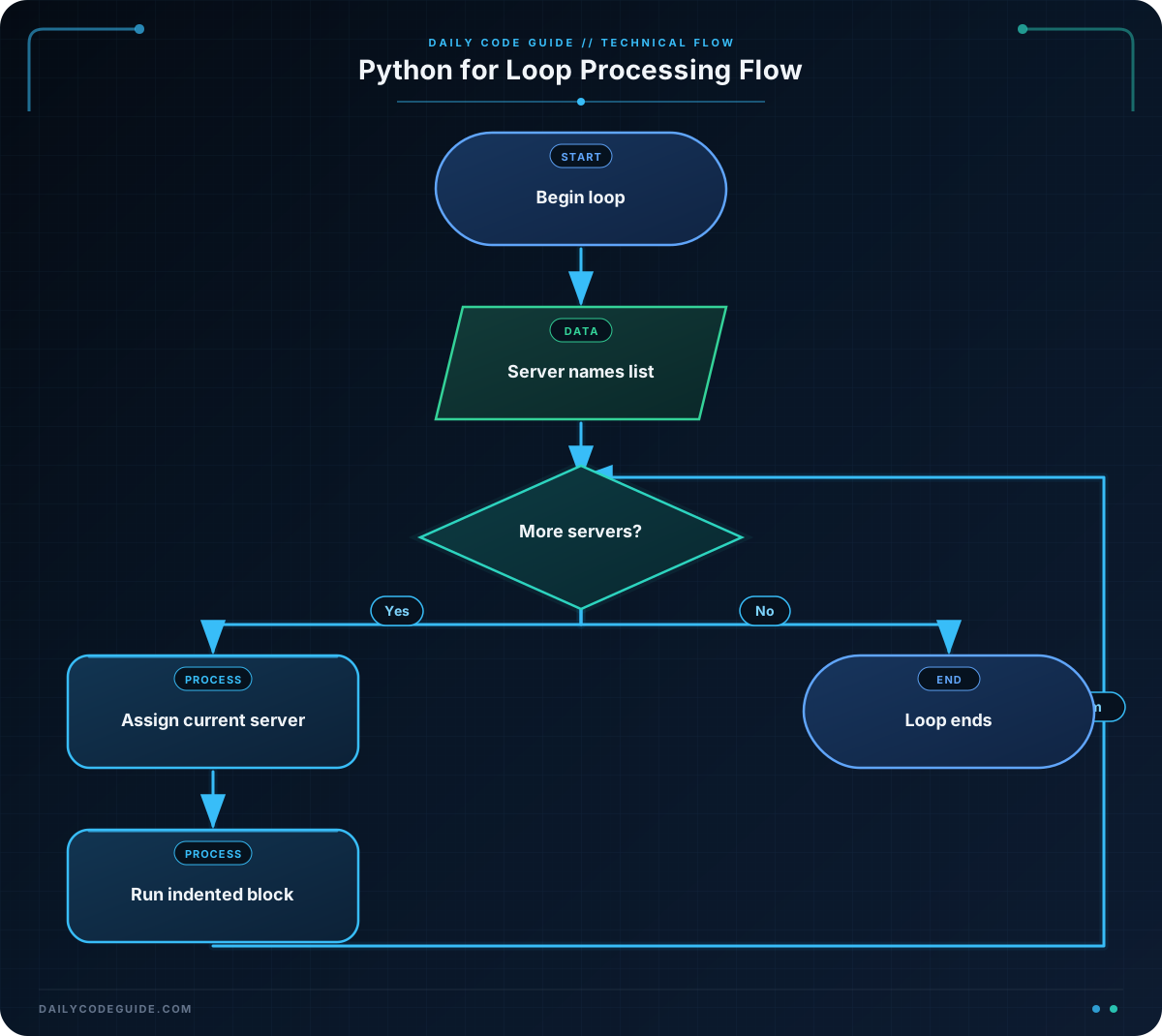
The first line creates a list named server_names. The list contains three strings, each representing a server name.
The next line starts the for loop:
fortells Python to begin a loop.server_nameis the loop variable. It stores the current server name.intells Python where to get the values.server_namesis the list Python will visit.
The indented print() line is the loop body. The loop body runs once for every item in the list.
The f before the string creates an f-string. It lets you place the current value inside the message using curly braces. For example, when server_name is "web-01", Python prints Checking web-01.
Python uses indentation to identify the code that belongs to the loop. The four spaces before print() are required. Without that indentation, Python will not treat the line as part of the loop.
Another Example
A loop can also create a simple inventory label for every server. The upper() method changes the server name to uppercase while the original list remains available:
servers_for_inventory = ["cache-01", "web-02", "worker-01"]

for server in servers_for_inventory:
    inventory_label = server.upper()
    print(f"Inventory label: {inventory_label}")
This example is different from the first one because it calculates a new label for each server before printing it. The loop still follows the same process: take one item, run the loop body, then move to the next item.
Common Mistakes
Forgetting the colon
The first line of a for loop must end with a colon:
for server_name in server_names:The colon tells Python that an indented block of code follows.
Forgetting to indent the loop body
Every statement that should run for each server must be indented consistently:
for server_name in server_names:
    print(f"Checking {server_name}")
If a line is not indented, it is outside the loop. In beginner programs, using four spaces for each indentation level is a clear and common practice.
Using the wrong variable name
The variable name in the loop must match the name used inside the loop body. In this example, Python creates server_name, so the print statement should use server_name as well.
Try It Yourself
Create a list named production_servers containing three server names. Use a for loop to print a message like Ready for deployment: server-name for each server.
Test your program with names such as "web-03", "api-02", and "worker-02". Confirm that the message appears once for each item.
Challenge
A team needs a list of servers that require a backup. Write a Python program that:
- Creates a list named
backup_serverswith four server names. - Uses a for loop to process every name in the list.
- Prints
Backup required: SERVER_NAMEfor each server.
Each server should produce one line of output.
Solution
backup_servers = ["web-04", "api-03", "db-02", "cache-02"]

for server_name in backup_servers:
    print(f"Backup required: {server_name}")
The list contains four server names, so the loop runs four times. On each repetition, server_name contains the next name, and the program prints one backup message for that server.
Key Takeaways
- A Python for loop repeats code for every item in a collection.
- The loop variable stores the current item during each repetition.
- Code inside a loop must be indented.
- A colon is required at the end of the for loop statement.
- For loops help you process many server names without repeating code manually.

