


What You’ll Learn
Imported data often contains extra spaces, inconsistent capitalization, or unwanted characters. In this lesson, you’ll learn how Python string methods can clean that data before your program uses it.
- Understand what a string method is.
- Remove unwanted whitespace with
strip(). - Standardize capitalization with
lower()andtitle(). - Replace characters with
replace(). - Combine several methods to create consistent data.
The Concept
A string is text stored in Python, such as a person’s name, an email address, or a status value. A string method is an operation that works on a string.
String methods are written after the string, followed by a dot and parentheses:
text.strip()The method name tells Python what to do. For example, strip() removes whitespace from the beginning and end of a string.
String methods do not usually change the original string. Instead, they return a cleaned version. This means you normally save the result in a variable:
cleaned_text = text.strip()Some useful methods for cleaning imported data include:
strip()removes spaces, tabs, and line breaks from both ends.lower()changes all letters to lowercase.upper()changes all letters to uppercase.title()capitalizes the first letter of each word.replace(old, new)replaces one piece of text with another.
Basic Example
Imagine that names have been imported from a text file. The names contain extra spaces and inconsistent capitalization. We can clean each name before displaying it.
imported_names = [
    "  alice johnson ",
    "BOB SMITH",
    "  carol lee\n"
]

cleaned_names = []

for name in imported_names:
    cleaned_name = name.strip().title()
    cleaned_names.append(cleaned_name)

for name in cleaned_names:
    print(name)
Expected Output
Alice Johnson
Bob Smith
Carol Lee
How the Code Works
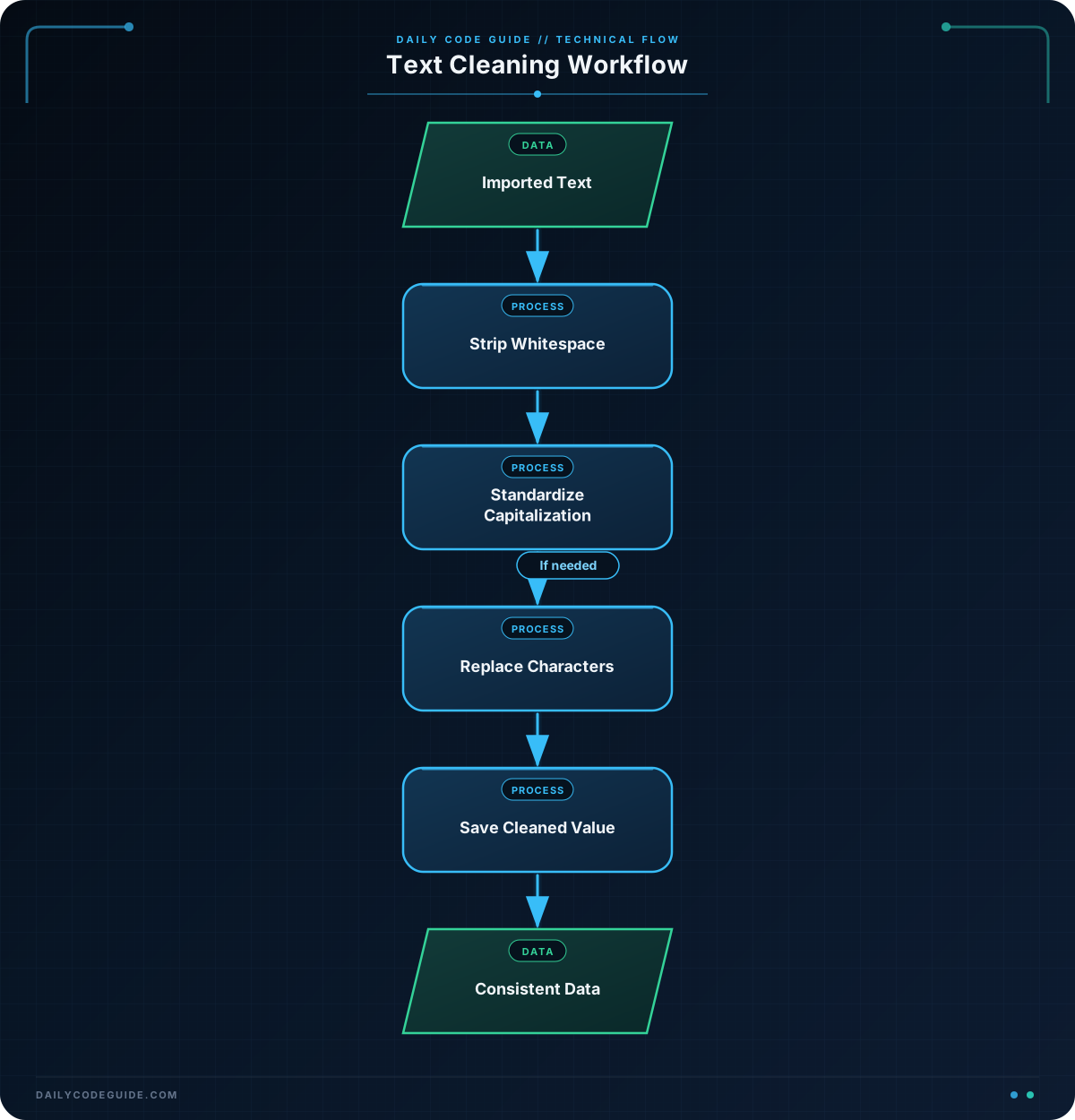
The imported_names list represents data that came from another source. The first name has spaces around it, the second uses uppercase letters, and the third has a line break at the end.
This loop processes one name at a time:
for name in imported_names:
    cleaned_name = name.strip().title()
    cleaned_names.append(cleaned_name)
strip() removes whitespace at the beginning and end of the name. It removes the line break from " carol lee\n" as well as the spaces.
Next, title() changes the capitalization so that each word starts with an uppercase letter. The methods are connected with a dot:
name.strip().title()Python evaluates this from left to right. First, it strips the original name. Then, it applies title() to the stripped result.
The cleaned value is stored in cleaned_name. We append it to cleaned_names so that the original imported list remains unchanged.
Another Example
Imported status values may contain different capitalization or punctuation. For example, one system might provide "IN-PROGRESS", while your program expects lowercase values with underscores.
imported_statuses = [
    " Active ",
    "IN-PROGRESS",
    " inactive\n",
    " Pending "
]

standard_statuses = []

for status in imported_statuses:
    cleaned_status = status.strip().lower().replace("-", "_")
    standard_statuses.append(cleaned_status)

print(standard_statuses)
In this example, strip() removes outside whitespace, lower() makes the letters lowercase, and replace("-", "_") changes hyphens to underscores.
The output is a list of consistent values:
['active', 'in_progress', 'inactive', 'pending']Common Mistakes
Forgetting to save the returned value
String methods return a new string. Calling a method without assigning the result does not clean the original variable:
customer_name = "  Dana Ruiz  "
customer_name.strip()

print(customer_name)
The output still contains the spaces because the result of strip() was ignored. Assign the result instead:
customer_name = "  Dana Ruiz  "
customer_name = customer_name.strip()

print(customer_name)
Using the wrong capitalization method
lower() makes every letter lowercase, while title() capitalizes each word. Choose the method based on how the cleaned data will be used. A person’s name may be displayed with title(), but a status used by a program is often easier to compare in lowercase.
Assuming strip() removes characters everywhere
strip() removes whitespace from the ends of a string. It does not remove spaces between words. For example, the space in "Dana Ruiz" is part of the name and should remain.
Try It Yourself
Clean the product categories below. Remove extra whitespace and convert each category to lowercase. Then print the resulting list.
imported_categories = [
    "  Office Supplies ",
    "ELECTRONICS",
    "  Home Goods\n"
]

cleaned_categories = []

# Add a loop that cleans each category.
# Print cleaned_categories when you are finished.
Challenge
Clean a list of imported department names so they can be used as simple identifiers.
- Remove whitespace from the beginning and end of each department.
- Convert every letter to lowercase.
- Replace spaces inside a department name with hyphens.
- Store the cleaned values in a new list.
- Print the new list.
For example, " Customer Support " should become "customer-support".
Solution
imported_departments = [
    " Customer Support ",
    "HUMAN RESOURCES",
    "  Information Technology\n"
]

cleaned_departments = []

for department in imported_departments:
    cleaned_department = department.strip().lower().replace(" ", "-")
    cleaned_departments.append(cleaned_department)

print(cleaned_departments)
The solution applies three methods in sequence. strip() removes outside whitespace, lower() standardizes capitalization, and replace(" ", "-") changes spaces between words to hyphens. The cleaned values are stored separately from the imported data.
Key Takeaways
- String methods perform useful operations on text.
strip()removes whitespace from the beginning and end of a string.lower(),upper(), andtitle()standardize capitalization.replace(old, new)changes one piece of text into another.- You can chain methods, but remember to save the returned cleaned string.

