


What You’ll Learn
In this lesson, you’ll learn how Terraform providers connect Terraform to external platforms such as Amazon Web Services (AWS). You will configure the AWS provider, choose a deployment region, and provide credentials safely through environment variables.
- Understand what a Terraform provider does.
- Configure the AWS provider and its required version.
- Set the AWS region with a Terraform variable.
- Authenticate with AWS without placing secret keys in Terraform files.
- Verify that Terraform can connect to your AWS account.
The Concept
A provider is a Terraform plugin that allows Terraform to communicate with an external service. For example, the AWS provider understands how to create and manage AWS resources such as S3 buckets, networks, and virtual machines.
Before Terraform can create an AWS resource, it needs two important pieces of information:
- Credentials: Permission to make requests to your AWS account.
- Region: The AWS geographic area where Terraform should work, such as
us-east-1oreu-west-1.
The provider configuration usually belongs in a .tf file. Credentials should normally come from environment variables, an AWS shared credentials file, or another supported credential source. Avoid placing access keys directly in Terraform configuration because Terraform files may be committed to source control.
Basic Example
This example configures the AWS provider and asks AWS for the identity of the authenticated account. The identity lookup gives us a simple way to verify the provider configuration before creating infrastructure.
Save the following as main.tf:
terraform {
    required_providers {
        aws = {
            source  = "hashicorp/aws"
            version = "~> 5.0"
        }
    }
}

variable "aws_region" {
    description = "AWS region where Terraform will operate"
    type        = string
    default     = "us-east-1"
}

provider "aws" {
    region = var.aws_region
}

data "aws_caller_identity" "current" {}

output "aws_account_id" {
    description = "ID of the authenticated AWS account"
    value       = data.aws_caller_identity.current.account_id
}
Before running Terraform, set credentials using the AWS environment variables supported by the AWS provider. The following Bash commands use temporary values as placeholders; replace them with credentials from your own AWS setup.
export AWS_ACCESS_KEY_ID="your-access-key-id"
export AWS_SECRET_ACCESS_KEY="your-secret-access-key"
export AWS_DEFAULT_REGION="us-east-1"

terraform init
terraform plan
Expected Output
Terraform should initialize the AWS provider and produce a plan containing a data lookup. Because this example does not define a resource to create, Terraform should not plan to add, change, or destroy infrastructure. After applying the configuration, Terraform will display the authenticated AWS account ID.
terraform applyHow the Code Works
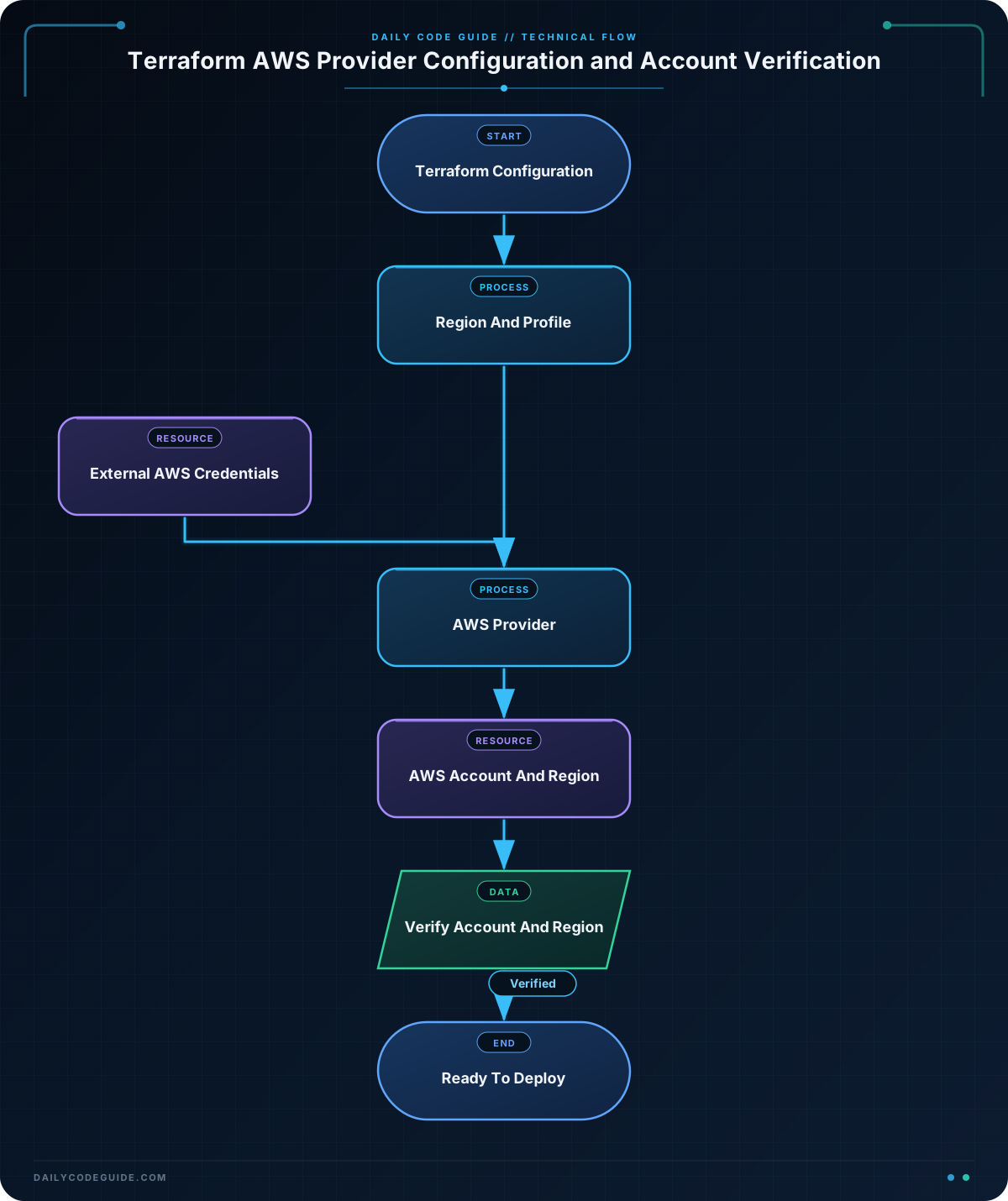
The terraform block declares which provider this configuration needs:
awsis the local name used for the provider.hashicorp/awsidentifies the provider published by HashiCorp."~> 5.0"allows compatible versions in the 5.x release series.
The aws_region variable stores the region setting. Its default value is us-east-1, so Terraform can use that region when no other value is supplied. You can override the default without changing the file:
terraform plan -var="aws_region=eu-west-1"The provider block connects the AWS provider to the selected region:
provider "aws" {
    region = var.aws_region
}
The provider reads credentials from several supported sources. In the example, Terraform receives the access key and secret key from environment variables. The provider also uses AWS_DEFAULT_REGION as an environment-based region setting, although the explicit region = var.aws_region setting in the provider block is the setting used by this configuration.
The data "aws_caller_identity" "current" block is a data source. Instead of creating something, it reads information that already exists in AWS. Here, it confirms which account Terraform is authenticated to.
Finally, the output block displays the account ID after Terraform retrieves it. The account ID is not a credential, but it is useful for checking that you are connected to the intended AWS account.
Another Example
AWS also supports named profiles in the AWS shared credentials file, commonly located at ~/.aws/credentials. Profiles are useful when you work with multiple AWS accounts, such as a development account and a production account.
First, create or configure a profile with the AWS CLI or your organization’s approved AWS credential process. Then use the profile name as a Terraform variable:
terraform {
    required_providers {
        aws = {
            source  = "hashicorp/aws"
            version = "~> 5.0"
        }
    }
}

variable "aws_region" {
    description = "AWS region for the deployment"
    type        = string
    default     = "eu-west-1"
}

variable "aws_profile" {
    description = "AWS shared credentials profile to use"
    type        = string
    default     = "development"
}

provider "aws" {
    profile = var.aws_profile
    region  = var.aws_region
}

data "aws_region" "current" {}

output "configured_region" {
    description = "Region selected by the provider"
    value       = data.aws_region.current.name
}
You can select a different profile or region when running Terraform:
terraform plan \
  -var="aws_profile=production" \
  -var="aws_region=us-west-2"
This configuration uses the production profile and operates in the us-west-2 region for that run. The profile must already exist in your AWS shared credentials or configuration files.
Common Mistakes
Putting secret keys in Terraform files
Do not write access keys directly inside a provider block or variable file that could be committed to Git. Use environment variables, AWS profiles, or an approved credential-management system instead.
Choosing the wrong region
AWS resources belong to specific regions. If you deploy to us-east-1 but inspect eu-west-1 in the AWS console, the resources may appear to be missing. Keep the region in a variable so it is easy to see and change.
Forgetting to initialize Terraform
The provider plugin is downloaded during terraform init. Run initialization after creating a new configuration or after changing the required provider settings.
Using credentials for the wrong account
Valid credentials can still point to an unintended AWS account. The caller identity data source in the basic example helps you verify the account ID before provisioning resources.
Confusing the AWS CLI region with the Terraform region
Your AWS CLI may have one default region while a Terraform provider block explicitly selects another. The provider’s region setting determines where Terraform operates for that provider configuration.
Try It Yourself
Create a Terraform configuration that uses the AWS provider with these requirements:
- Require the
hashicorp/awsprovider in the 5.x series. - Define an
aws_regionstring variable with a default ofap-southeast-1. - Use the variable in the provider’s
regionargument. - Read the current AWS region with the
aws_regiondata source. - Output the selected region.
Run terraform init and then terraform plan to check the configuration.
Challenge
Build a provider configuration for a shared development environment. It should:
- Require the AWS provider in the 5.x series.
- Use an
aws_regionvariable with a default ofus-west-2. - Use an
aws_profilevariable with a default ofdevelopment. - Configure the provider with both the profile and region variables.
- Look up the current AWS account identity.
- Output the account ID and selected region.
Do not put any access keys in the Terraform configuration.
Solution
terraform {
    required_providers {
        aws = {
            source  = "hashicorp/aws"
            version = "~> 5.0"
        }
    }
}

variable "aws_region" {
    description = "AWS region for the development environment"
    type        = string
    default     = "us-west-2"
}

variable "aws_profile" {
    description = "AWS shared credentials profile"
    type        = string
    default     = "development"
}

provider "aws" {
    profile = var.aws_profile
    region  = var.aws_region
}

data "aws_caller_identity" "current" {}

data "aws_region" "current" {}

output "aws_account_id" {
    description = "ID of the AWS account used by Terraform"
    value       = data.aws_caller_identity.current.account_id
}

output "aws_region" {
    description = "AWS region used by Terraform"
    value       = data.aws_region.current.name
}
The solution keeps credentials outside the Terraform files by using the named AWS profile. The provider receives both settings from variables, while the two data sources verify the account and region that Terraform is using.
Key Takeaways
- A Terraform provider connects Terraform to a platform such as AWS.
- The AWS provider needs credentials and a region before it can manage AWS infrastructure.
- Use environment variables or AWS profiles instead of hardcoding secret keys.
- Variables make region and profile settings easy to change between environments.
- Data sources such as
aws_caller_identitycan help verify your configuration before provisioning resources.

