


What You’ll Learn
In this lesson, you will learn how to sort SQL query results and limit the number of rows returned. These skills are useful when you need answers such as the three highest-value recent orders.
- Use ORDER BY to sort query results.
- Choose ascending or descending order.
- Use LIMIT to return only a specific number of rows.
- Combine WHERE, ORDER BY, and LIMIT in one query.
The Concept
A basic SQL query can return many rows, but the rows may not appear in the order you need. The ORDER BY clause sorts the results using one or more columns.
For example, sorting by an order’s amount from highest to lowest helps you find the most valuable orders first. Sorting by an order date from newest to oldest helps you see the latest orders first.
Use DESC for descending order, such as highest to lowest or newest to oldest. Use ASC for ascending order, such as lowest to highest or oldest to newest. ASC is the default, so it can usually be omitted.
The LIMIT clause restricts how many rows SQL returns. It is especially useful after sorting because it lets you select the first few rows in the sorted list.
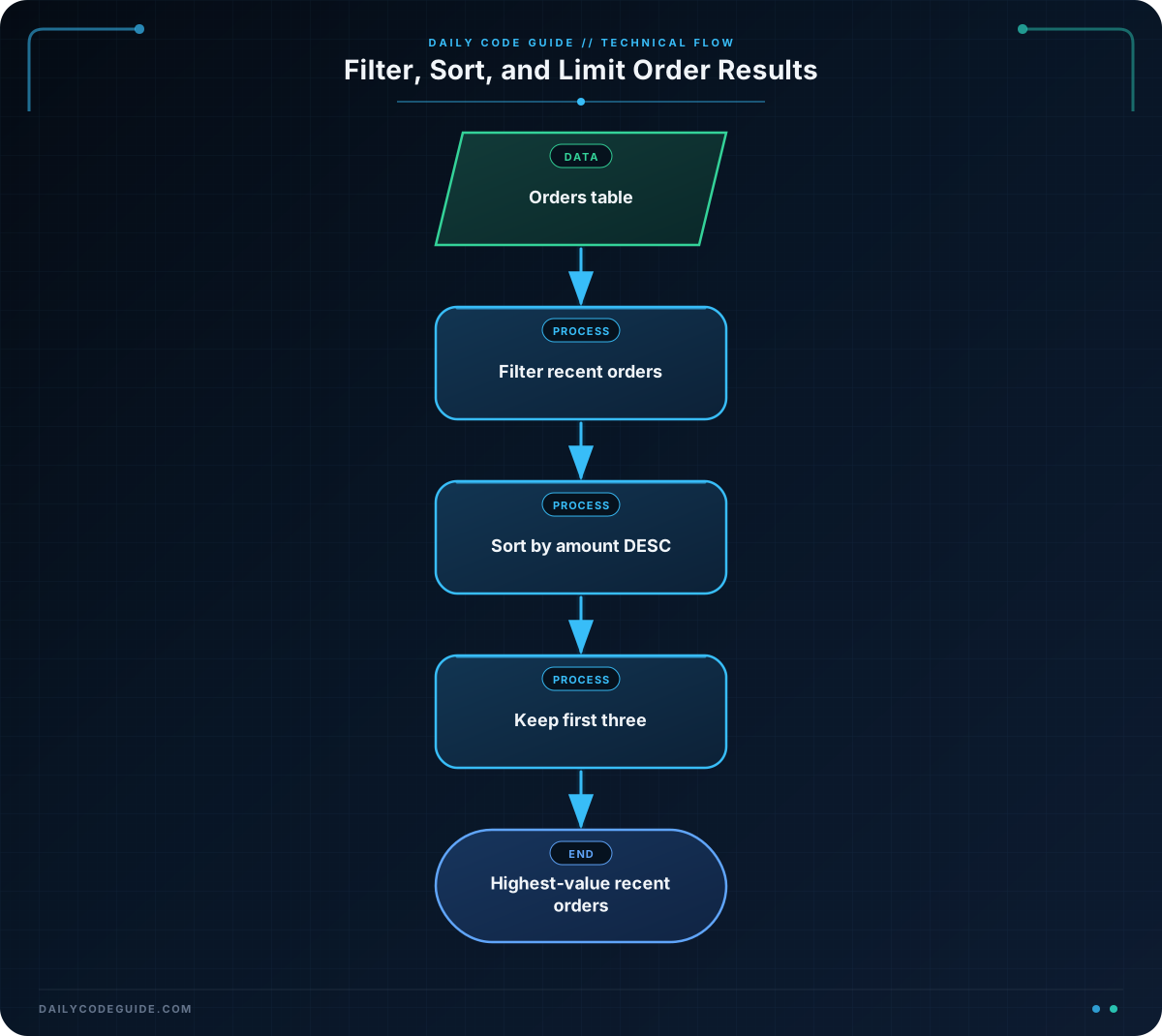
A query commonly follows this order:
- WHERE filters the rows.
- ORDER BY sorts the remaining rows.
- LIMIT keeps only the requested number of rows.
Basic Example
Imagine an orders table with these columns:
- order_id: the order’s ID
- customer_name: the customer’s name
- order_date: the date of the order
- total_amount: the total value of the order
The following query finds the three highest-value orders placed on or after January 1, 2025:
SELECT order_id, customer_name, order_date, total_amount
FROM orders
WHERE order_date >= '2025-01-01'
ORDER BY total_amount DESC
LIMIT 3;
Expected Output
The exact rows depend on the data in the table. With suitable sample data, the result could look like this:
order_id  customer_name  order_date  total_amount
1042      Maya Chen       2025-03-18   899.00
1037      Luis Gomez      2025-02-27   645.50
1045      Priya Shah      2025-04-02   512.25
How the Code Works
SELECT chooses the columns that should appear in the result. This query displays the order ID, customer name, order date, and total amount.
FROM orders tells SQL to read the data from the orders table.
WHERE order_date >= ‘2025-01-01’ keeps orders from January 1, 2025, onward. The greater-than-or-equal comparison includes the date January 1 itself.
ORDER BY total_amount DESC sorts the filtered orders by total amount. Because the query uses DESC, the largest amount appears first.
LIMIT 3 returns only the first three rows after sorting. Without ORDER BY, limiting the results would not reliably give you the three most valuable orders.
The order of the clauses matters. In a typical query, place WHERE before ORDER BY, and place LIMIT after ORDER BY.
Another Example
Sometimes the goal is not to find the most expensive orders. You may instead need a short list of the newest orders for a customer-service dashboard. This query finds the five latest orders placed by customers named in the table:
SELECT order_id, customer_name, order_date, total_amount
FROM orders
WHERE order_date >= '2025-04-01'
ORDER BY order_date DESC
LIMIT 5;
Here, the WHERE clause keeps orders from April 1, 2025, onward. The ORDER BY clause sorts by date from newest to oldest, and LIMIT 5 keeps the dashboard focused on five rows.
You can also write ORDER BY order_date ASC when you want the oldest matching orders first. Since ascending order is the default, ORDER BY order_date has the same effect.
Common Mistakes
- Forgetting DESC: If you want the highest-value orders first, use descending order. Without DESC, SQL sorts amounts from lowest to highest.
- Using LIMIT before ORDER BY: The usual clause order is WHERE, then ORDER BY, then LIMIT. SQL sorts the matching rows before selecting the limited number of results.
- Limiting without sorting: A query with only LIMIT does not guarantee which rows will be returned. Add ORDER BY when the selected rows matter.
- Filtering the wrong dates: Check whether your date condition should include the starting date. The >= operator includes it, while > does not.
- Expecting a unique order when values tie: If two orders have the same amount or date, their relative order may vary. For beginner queries, this is usually acceptable, but you can add another sort column when a consistent tie-breaker is needed.
Try It Yourself
Write a query that returns the two lowest-value orders placed on or after January 1, 2025. Display the order ID, customer name, and total amount.
Use the orders table and combine a date filter with ascending sorting and a row limit.
Challenge
Find the three highest-value orders placed on or after March 1, 2025, where the order total is greater than 100.
Your result should:
- Display order_id, customer_name, order_date, and total_amount.
- Include only orders from March 1, 2025, onward.
- Exclude orders with a total of 100 or less.
- Show the largest orders first.
- Return no more than three rows.
Solution
SELECT order_id, customer_name, order_date, total_amount
FROM orders
WHERE order_date >= '2025-03-01'
  AND total_amount > 100
ORDER BY total_amount DESC
LIMIT 3;
The WHERE clause applies both filters: the date must be March 1, 2025, or later, and the total must be greater than 100. The remaining orders are sorted from highest to lowest amount, and LIMIT 3 keeps only the first three.
Key Takeaways
- ORDER BY sorts SQL results by one or more columns.
- Use DESC for highest-to-lowest or newest-to-oldest results.
- Use ASC, or omit the direction, for lowest-to-highest or oldest-to-newest results.
- LIMIT restricts how many rows are returned.
- For results such as the highest-value recent orders, use WHERE, then ORDER BY, then LIMIT.

