

What You’ll Learn
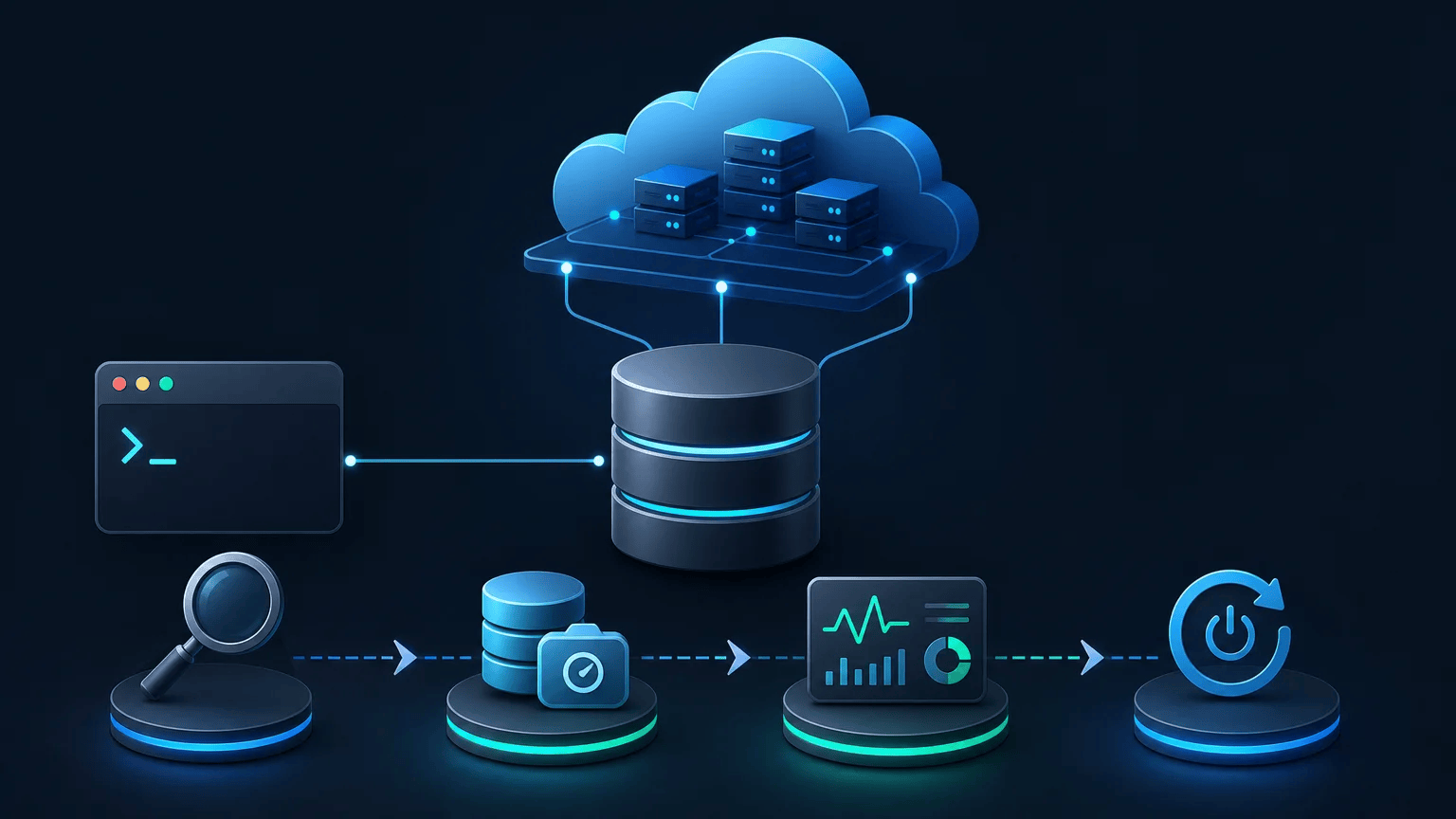
In this lesson, you will use the AWS CLI to inspect Amazon RDS database instances, create a manual DB snapshot, and perform a routine management operation from the command line.
- Read basic information about an RDS DB instance.
- Create a manual snapshot before maintenance or other changes.
- Reboot an RDS instance safely from the AWS CLI.
- Recognize identifiers, regions, and commands that can affect cloud resources.
The Concept
Amazon Relational Database Service (RDS) runs managed relational databases such as MySQL, PostgreSQL, and MariaDB. An RDS DB instance is the running database environment that applications connect to.
The AWS CLI provides the aws rds command group for working with these instances. You can use it to inspect an instance, create backups called manual DB snapshots, and perform routine operations such as rebooting an instance.
A snapshot is a point-in-time backup of an RDS instance. Creating one before maintenance gives you a recovery point if something goes wrong. A snapshot does not immediately change the running database, but creating and storing snapshots can incur AWS charges.
The examples use these common options:
--db-instance-identifieridentifies the RDS instance.--regionselects the AWS Region containing the instance.--queryuses JMESPath to select useful fields from the response.--output tableformats selected results as a readable table.
Basic Example
The following Bash commands inspect an RDS instance and then create a manual snapshot of it. Replace the sample identifier and region with values from your AWS account.
DB_INSTANCE_IDENTIFIER="sales-db"
REGION="us-east-1"
SNAPSHOT_IDENTIFIER="sales-db-before-maintenance"

aws rds describe-db-instances \
    --db-instance-identifier "$DB_INSTANCE_IDENTIFIER" \
    --region "$REGION" \
    --query 'DBInstances[0].{Identifier:DBInstanceIdentifier,Status:DBInstanceStatus,Engine:Engine,Class:DBInstanceClass,Endpoint:Endpoint.Address}' \
    --output table

aws rds create-db-snapshot \
    --db-instance-identifier "$DB_INSTANCE_IDENTIFIER" \
    --db-snapshot-identifier "$SNAPSHOT_IDENTIFIER" \
    --region "$REGION"
Expected Output
The instance information will vary by account. The table should contain details similar to these, followed by a JSON response describing the new snapshot:
---------------------------------------------------------------
|                    DescribeDBInstances                     |
+------------+----------------+---------+----------+----------+
|  Class     |  Engine        |  Identifier | Status | Endpoint |
+------------+----------------+---------+----------+----------+
|  db.t3.micro | postgres     | sales-db | available | sales-db.abc123.us-east-1.rds.amazonaws.com |
+------------+----------------+---------+----------+----------+

{
    "DBSnapshot": {
        "DBSnapshotIdentifier": "sales-db-before-maintenance",
        "DBInstanceIdentifier": "sales-db",
        "Status": "creating"
    }
}
The snapshot may initially have a status of creating. AWS continues creating it in the background until its status becomes available.
How the Code Works
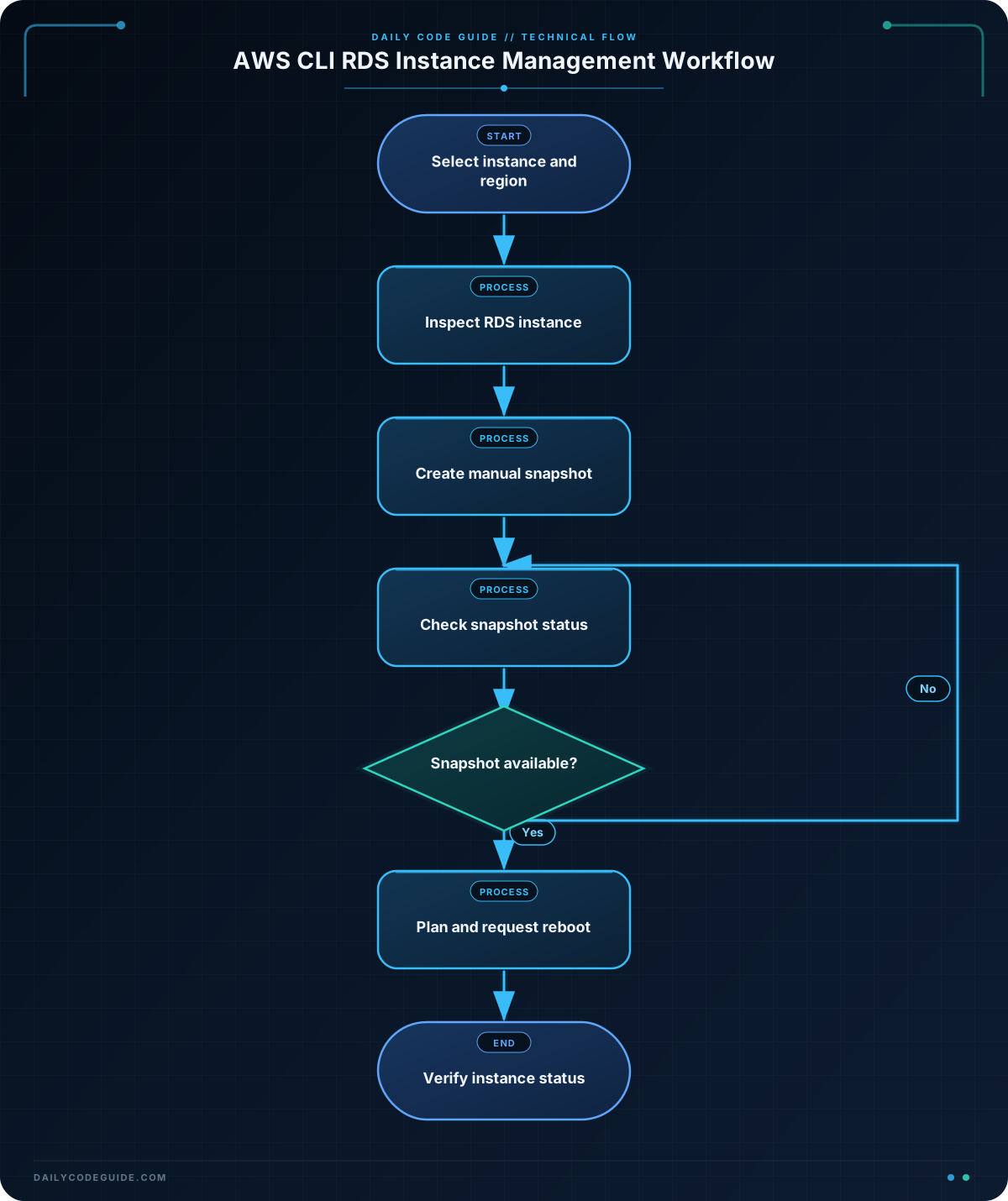
DB_INSTANCE_IDENTIFIER, REGION, and SNAPSHOT_IDENTIFIER are Bash variables. Storing these values once makes the commands easier to read and reduces the chance of typing different identifiers accidentally.
The describe-db-instances command retrieves information about a running DB instance. The --query expression selects the first item in the returned DBInstances list and gives several fields shorter display names:
DBInstanceIdentifieris the instance name.DBInstanceStatusshows a state such asavailable,backing-up, orrebooting.Engineidentifies the database engine.DBInstanceClassshows the compute size.Endpoint.Addressis the DNS address applications use to connect.
The backslash at the end of a line continues the Bash command on the next line. It is only for readability; the command is still one AWS CLI command.
The create-db-snapshot command creates a manual snapshot for the selected instance. The snapshot identifier must be unique in the AWS account and Region. You can check its progress with describe-db-snapshots.
Before running commands against a real database, verify the AWS profile and Region. You also need IAM permissions such as rds:DescribeDBInstances and rds:CreateDBSnapshot.
Another Example
Rebooting is a routine management operation that can be needed after certain database changes or when troubleshooting. A reboot briefly interrupts connections, so use it only during an appropriate maintenance window.
This example reboots an instance and then checks its status. The --no-cli-pager option prevents long output from opening in a terminal pager.
DB_INSTANCE_IDENTIFIER="orders-db"
REGION="us-west-2"

aws rds reboot-db-instance \
    --db-instance-identifier "$DB_INSTANCE_IDENTIFIER" \
    --region "$REGION" \
    --no-cli-pager \
    --query 'DBInstance.{Identifier:DBInstanceIdentifier,Status:DBInstanceStatus}' \
    --output table

aws rds describe-db-instances \
    --db-instance-identifier "$DB_INSTANCE_IDENTIFIER" \
    --region "$REGION" \
    --query 'DBInstances[0].{Identifier:DBInstanceIdentifier,Status:DBInstanceStatus}' \
    --output table
The first command requests the reboot. The follow-up command reports the current state, which may be rebooting immediately after the request. Run the status command again later to confirm that the instance returns to available.
Common Mistakes
- Using the wrong Region: An instance identifier is looked up within a Region. If the command says the instance cannot be found, check
--regionfirst. - Confusing an instance identifier with a snapshot identifier: The instance identifier names the running database. The snapshot identifier names the backup and must be unique.
- Reusing a snapshot identifier: You cannot create another manual snapshot with the same identifier in the same Region. Choose a new name for each snapshot.
- Assuming a snapshot is immediately ready: A newly created snapshot commonly starts with
creating. Wait until its status isavailablebefore relying on it for restoration. - Rebooting without planning for downtime: A reboot can interrupt active database connections. Confirm the instance and maintenance timing before running
reboot-db-instance. - Running commands with the wrong AWS credentials: Check the configured identity with
aws sts get-caller-identityif you are unsure which account the CLI is using.
Try It Yourself
Choose a test or development RDS instance and complete these tasks:
- Use
describe-db-instancesto display its identifier, engine, status, and endpoint. - Create a manual snapshot with a unique identifier such as
test-db-before-practice. - Use
describe-db-snapshotsto display the snapshot identifier and status.
Do not reboot a production instance for this exercise. If you do not have an RDS instance, study the command structure without running the resource-changing command.
Challenge
Write a Bash command sequence for an RDS instance named inventory-db in the eu-west-1 Region.
Your sequence must:
- Create a manual snapshot named
inventory-db-before-upgrade. - Display the snapshot identifier, source DB instance, and current status.
- Use a JMESPath query and table output for the status display.
Solution
DB_INSTANCE_IDENTIFIER="inventory-db"
REGION="eu-west-1"
SNAPSHOT_IDENTIFIER="inventory-db-before-upgrade"

aws rds create-db-snapshot \
    --db-instance-identifier "$DB_INSTANCE_IDENTIFIER" \
    --db-snapshot-identifier "$SNAPSHOT_IDENTIFIER" \
    --region "$REGION" \
    --no-cli-pager

aws rds describe-db-snapshots \
    --db-snapshot-identifier "$SNAPSHOT_IDENTIFIER" \
    --region "$REGION" \
    --query 'DBSnapshots[0].{Snapshot:DBSnapshotIdentifier,SourceInstance:DBInstanceIdentifier,Status:Status}' \
    --output table
The first command creates the manual snapshot using the required instance and snapshot identifiers. The second command retrieves that snapshot and uses --query to show only its name, source instance, and status. The status may be creating at first and should eventually become available.
Key Takeaways
aws rds describe-db-instancesis useful for inspecting an RDS instance from the command line.aws rds create-db-snapshotcreates a manual recovery point before maintenance.- Snapshot identifiers must be unique within an AWS account and Region.
--queryand--output tablemake AWS CLI responses easier to read.- Commands such as
reboot-db-instancecan interrupt service, so verify the target and plan the timing carefully.

