

What You’ll Learn
In this lesson, you’ll learn how to use PostgreSQL’s EXPLAIN statement to inspect a query execution plan. You will diagnose a slow customer search, recognize inefficient sequential scans, and verify whether an index is being used.
- Read the main parts of a SQL execution plan.
- Distinguish a sequential scan from an index scan.
- Use estimated costs and row counts to investigate slow queries.
- Understand when a query can prevent an existing index from being used.
The Concept
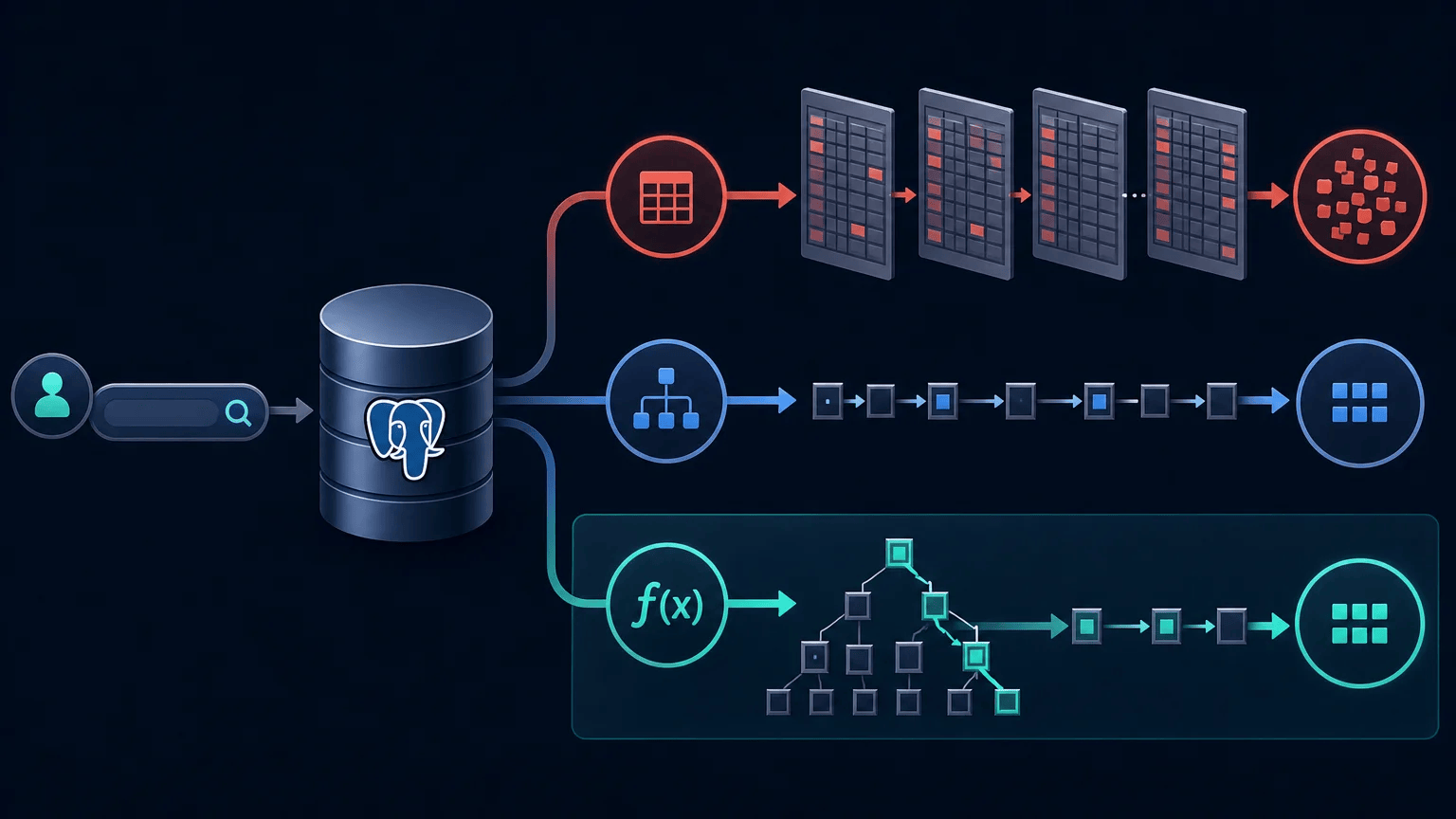
A database does not necessarily execute a SQL query in the same order that it appears in the statement. Instead, the query planner evaluates possible strategies and chooses an execution plan.
For example, when searching for a customer by email, PostgreSQL might:
- Read every row in the
customerstable and test theemailvalue. - Use an index to find the matching email quickly and then fetch the customer row.
The first strategy is a sequential scan, sometimes shown as Seq Scan. It can be reasonable for a small table, but it becomes expensive as the table grows. The second strategy is commonly shown as an Index Scan or Index Only Scan.
Use EXPLAIN before a query to see the planner’s estimated strategy without running the query:
EXPLAIN SELECT customer_id, first_name, last_name
FROM customers
WHERE email = 'maya.chen@example.com';
For PostgreSQL, a plan includes values such as:
- Cost: the planner’s estimate of how expensive the operation is. It is not measured in milliseconds.
- Rows: the estimated number of rows returned by an operation.
- Width: the estimated average size of each returned row.
- Plan node: the operation PostgreSQL selected, such as
Seq ScanorIndex Scan.
EXPLAIN shows estimates. To compare estimates with what really happened, use EXPLAIN ANALYZE. Be careful: EXPLAIN ANALYZE executes the query, so do not use it casually with data-changing statements or an expensive production query.
Basic Example
Assume the application searches the customers table by email. The following index supports exact email lookups:
CREATE INDEX IF NOT EXISTS idx_customers_email
ON customers (email);

EXPLAIN
SELECT customer_id, first_name, last_name, email
FROM customers
WHERE email = 'maya.chen@example.com';
On a sufficiently large table, PostgreSQL may produce a plan similar to this:
Expected Output
Index Scan using idx_customers_email on customers  (cost=0.42..8.44 rows=1 width=86)
  Index Cond: ((email)::text = 'maya.chen@example.com'::text)
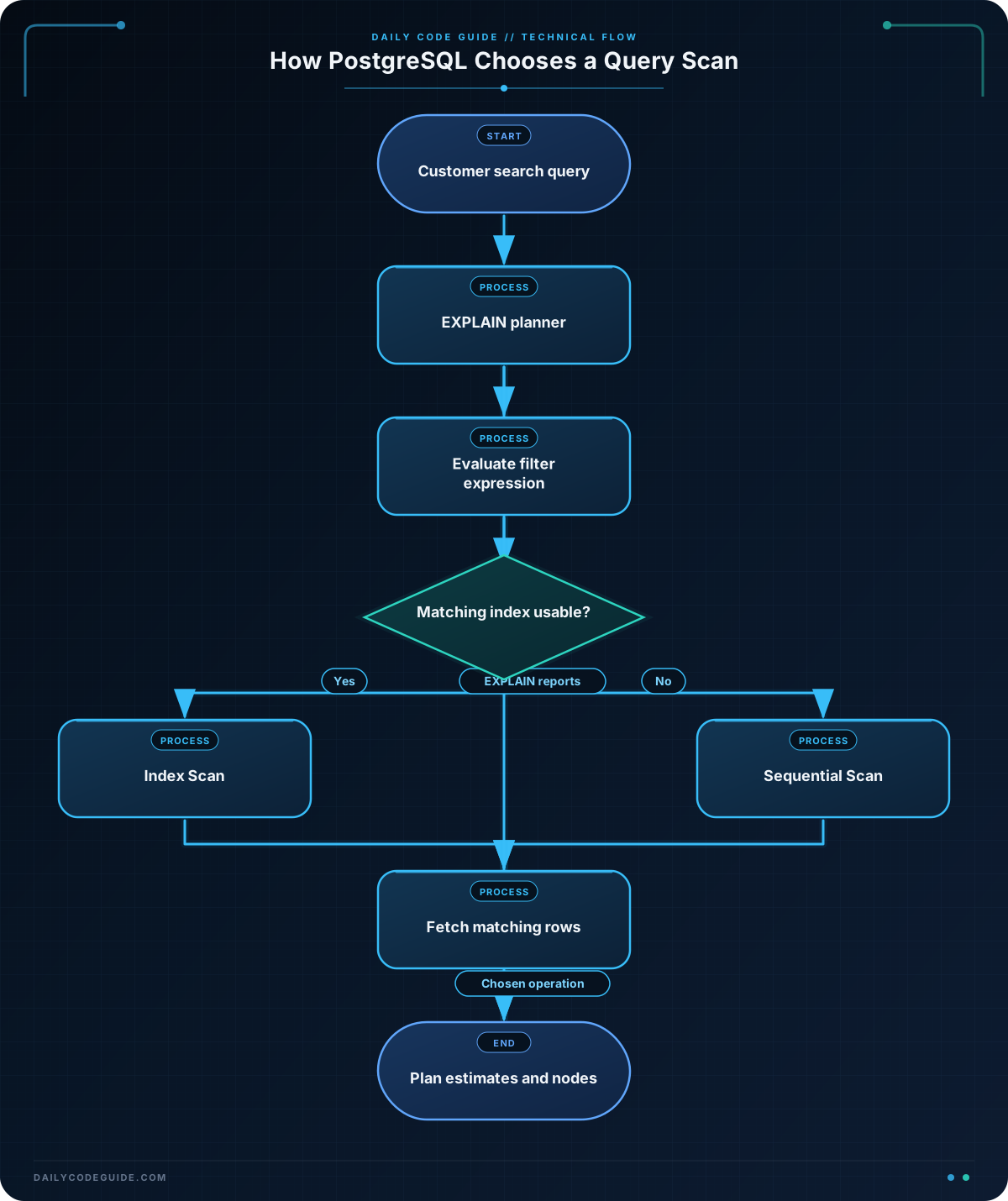
The exact cost, row width, and formatting can vary by PostgreSQL version, table statistics, and database contents. The important detail is Index Scan using idx_customers_email. It shows that the planner selected the email index instead of reading the entire table.
How the Code Works
The CREATE INDEX statement creates a searchable structure for the email column. The database can use that structure to locate matching values without checking every customer row.
The EXPLAIN keyword changes the behavior of the statement: PostgreSQL reports its planned operations rather than returning the customer records. The underlying query still contains an ordinary SELECT with a WHERE condition.
Compare these two common plan nodes:
Seq Scan on customersmeans PostgreSQL plans to inspect rows from the table sequentially.Index Scan using idx_customers_emailmeans PostgreSQL plans to use the named index to locate matching rows.
An index scan is not automatically better in every situation. If a query returns a large percentage of a small table, reading the table sequentially may be cheaper than following many index entries. The planner chooses based on estimated cost, so a sequential scan is not by itself proof of a problem.
For a real performance investigation, inspect actual execution details:
EXPLAIN (ANALYZE, BUFFERS)
SELECT customer_id, first_name, last_name, email
FROM customers
WHERE email = 'maya.chen@example.com';
This version adds actual timing, actual row counts, and buffer information. Compare rows= with actual rows=. A large difference can indicate stale statistics or a condition whose selectivity is difficult for the planner to estimate.
Another Example
Now consider an administration search that ignores letter case by applying LOWER to the email column:
EXPLAIN
SELECT customer_id, first_name, last_name, email
FROM customers
WHERE LOWER(email) = 'maya.chen@example.com';
An ordinary index on email may not help with this expression because the query is searching for the result of LOWER(email), not the original stored value. A plan might therefore contain a sequential scan:
Seq Scan on customers  (cost=0.00..2450.00 rows=500 width=86)
  Filter: (lower((email)::text) = 'maya.chen@example.com'::text)
If case-insensitive email searches are a normal application requirement, create an expression index that matches the expression used by the query:
CREATE INDEX IF NOT EXISTS idx_customers_lower_email
ON customers (LOWER(email));

EXPLAIN
SELECT customer_id, first_name, last_name, email
FROM customers
WHERE LOWER(email) = 'maya.chen@example.com';
After PostgreSQL updates its statistics and chooses the new index, the plan should contain an index-based operation involving idx_customers_lower_email. Always verify with EXPLAIN rather than assuming the index will be selected.
Common Mistakes
- Assuming every sequential scan is a bug: A sequential scan can be the least expensive choice for a small table or a query returning many rows.
- Looking only at the first line: A plan can contain nested operations. Read the child nodes and inspect filters, row estimates, and actual rows when using
ANALYZE. - Confusing cost with elapsed time: Values such as
0.42..8.44are planner cost units, not milliseconds. Useactual timefromEXPLAIN ANALYZEfor measured execution time. - Wrapping an indexed column in an unsupported expression: Conditions such as
LOWER(email)can prevent an ordinaryemailindex from being useful. Use a matching expression index when the search pattern is intentional. - Running
EXPLAIN ANALYZEwithout considering side effects: It executes the statement. For anUPDATE,DELETE, orINSERT, use a safe test environment or understand transaction and rollback behavior first.
Try It Yourself
Run an execution plan for a customer lookup by last name. Inspect whether PostgreSQL uses an index or a sequential scan:
EXPLAIN
SELECT customer_id, first_name, last_name, email
FROM customers
WHERE last_name = 'Rivera';
Then ask yourself: is there an index on last_name? How many rows does the planner expect to return? Would the plan likely change if the table contained only a few dozen customers?
Challenge
An application searches for an active customer by email, but the following query is reported as slow:
EXPLAIN (ANALYZE, BUFFERS)
SELECT customer_id, first_name, last_name, email
FROM customers
WHERE LOWER(email) = 'maya.chen@example.com'
  AND status = 'active';
Create an index that matches the case-insensitive email lookup and includes status as a filter column. Then write a second EXPLAIN statement for the same search. Your solution should:
- Create the index only if it does not already exist.
- Use
LOWER(email)in the index definition. - Include
statusin the index. - Verify the query plan without executing the query a second time.
Solution
CREATE INDEX IF NOT EXISTS idx_customers_lower_email_status
ON customers (LOWER(email), status);

EXPLAIN
SELECT customer_id, first_name, last_name, email
FROM customers
WHERE LOWER(email) = 'maya.chen@example.com'
  AND status = 'active';
The expression index matches LOWER(email), while the second index column supports the status condition. The final EXPLAIN checks the planner’s choice without running the customer search. Depending on table size, statistics, and the number of matching rows, PostgreSQL may choose an index scan or another plan. The important step is to verify the actual plan rather than relying only on the index definition.
Key Takeaways
EXPLAINreveals the database planner’s estimated execution strategy.Seq Scanreads table rows sequentially, whileIndex Scanuses an index to find rows.- A sequential scan is not always inefficient; table size and the number of matching rows matter.
- Expressions such as
LOWER(email)may require a matching expression index. EXPLAIN ANALYZEprovides actual execution details, but it executes the query.

