What You’ll Learn
After completing this lesson, you will know how to use Bash’s regular-expression matching operator to validate deployment-related input before a script performs real work.
- Match Bash variables against regular expressions with
[[ ... =~ ... ]]. - Validate environment names, semantic-style version strings, and deployment identifiers.
- Combine several validation functions in a deployment script.
- Avoid common quoting and partial-match mistakes.
The Concept
Bash regular expression validation checks whether a string follows a required pattern. Bash provides the =~ operator inside a double-bracket conditional expression:
if [[ "$value" =~ $pattern ]]; then
    echo "Input is valid."
fi
The pattern uses extended regular expression syntax. For example, ^ anchors a match at the beginning of the value, $ anchors it at the end, and + means “one or more” of the preceding expression.
Anchors are particularly important for validation. Without them, a pattern might match only part of a larger invalid value. For example, a version pattern could find a valid-looking substring inside a string that contains additional unwanted characters.
Validation is useful before deploying, selecting configuration, creating a release tag, or calling another command. It lets a script fail early with a clear message instead of passing malformed input to infrastructure or deployment tooling. For related validation enforced within infrastructure configuration itself, see Terraform preconditions and check blocks.
Basic Example
This script accepts an environment name and a version string. It permits only the three known environments and requires a version containing three numeric components, such as 2.14.0.
#!/usr/bin/env bash

set -u

environment="${1:-}"
version="${2:-}"

validate_environment() {
    local value="$1"

    if [[ "$value" =~ ^(dev|staging|production)$ ]]; then
        return 0
    fi

    return 1
}

validate_version() {
    local value="$1"

    if [[ "$value" =~ ^[0-9]+\.[0-9]+\.[0-9]+$ ]]; then
        return 0
    fi

    return 1
}

if ! validate_environment "$environment"; then
    printf 'Invalid environment: %s\n' "$environment"
    printf 'Use dev, staging, or production.\n'
    exit 1
fi

if ! validate_version "$version"; then
    printf 'Invalid version: %s\n' "$version"
    printf 'Use a version such as 2.14.0.\n'
    exit 1
fi

printf 'Validation passed for %s version %s.\n' "$environment" "$version"
printf 'Deployment can proceed.\n'
Expected Output
Running the script with staging and 2.14.0 produces:
Validation passed for staging version 2.14.0.
Deployment can proceed.
How the Code Works
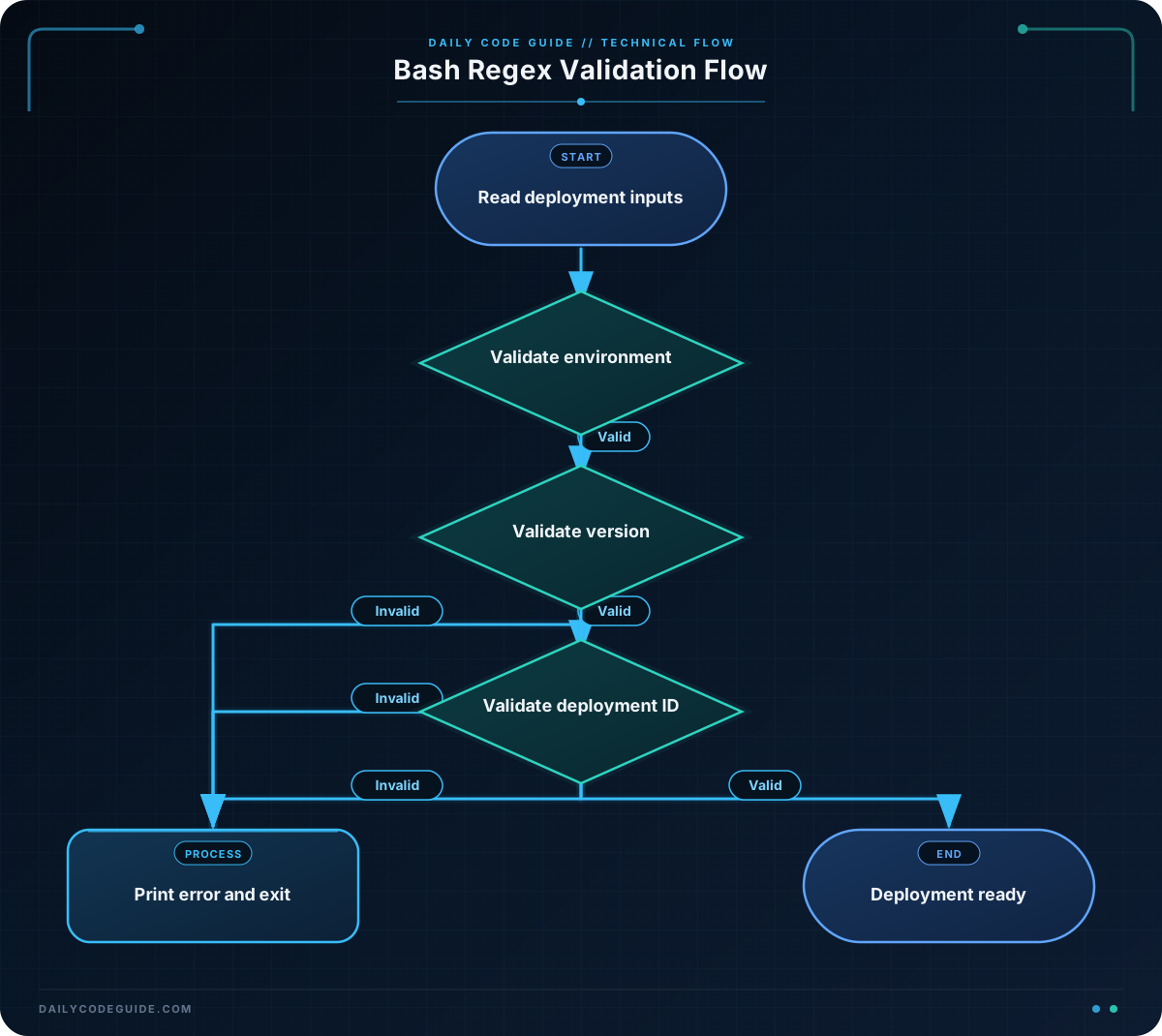
The script reads its first two positional arguments. The parameter expansions use an empty default, so a missing argument is validated and rejected rather than causing an unset-variable error from set -u.
The environment expression is:
^(dev|staging|production)$The parentheses create a group, and the vertical bars mean “or.” Therefore, the entire value must be exactly dev, staging, or production. The anchors prevent values such as production-old from being accepted.
The version expression is:
^[0-9]+\.[0-9]+\.[0-9]+$Each [0-9]+ matches one or more digits. The periods are escaped because an unescaped period in a regular expression means “any character.” This pattern validates the shape of a three-part numeric version, but it does not compare versions or enforce rules such as rejecting 0.0.0.
Each validation function returns status 0 for success and status 1 for failure. The main logic uses if ! function_call so that an invalid result immediately produces a helpful message and exits before deployment begins.
Another Example
Deployment systems often create identifiers from a service name, environment, and release number. This example validates all three components and then builds a deployment identifier. The identifier rule requires 3 to 30 lowercase characters, digits, or hyphens; it must start with a letter and end with a letter or digit.
#!/usr/bin/env bash

set -u

service_name="${1:-}"
environment="${2:-}"
release_version="${3:-}"

is_valid_service_name() {
    local value="$1"

    [[ "$value" =~ ^[a-z][a-z0-9-]{1,28}[a-z0-9]$ ]]
}

is_valid_environment() {
    local value="$1"

    [[ "$value" =~ ^(dev|staging|production)$ ]]
}

is_valid_release_version() {
    local value="$1"

    [[ "$value" =~ ^[0-9]+\.[0-9]+\.[0-9]+$ ]]
}

if ! is_valid_service_name "$service_name"; then
    printf 'Invalid service name: %s\n' "$service_name"
    exit 1
fi

if ! is_valid_environment "$environment"; then
    printf 'Invalid environment: %s\n' "$environment"
    exit 1
fi

if ! is_valid_release_version "$release_version"; then
    printf 'Invalid release version: %s\n' "$release_version"
    exit 1
fi

deployment_id="${service_name}-${environment}-${release_version//./-}"

printf 'Validated deployment identifier: %s\n' "$deployment_id"
printf 'Ready to deploy service %s.\n' "$service_name"
For example, passing payments-api, production, and 3.7.1 creates the identifier payments-api-production-3-7-1. The parameter expansion that replaces periods runs after validation, so it does not have to handle unexpected characters.
Common Mistakes
- Forgetting anchors: A pattern without
^and$may accept a valid substring inside an invalid value. Use anchors when the entire input must follow the rule. - Using an unescaped period: In a regular expression,
.matches any character. Use\.when you require a literal period in a version. - Quoting the regular expression: In Bash, quote the input variable, but generally leave the regular expression on the right side of
=~unquoted. Quoting the pattern can change how Bash interprets it. - Assuming validation compares versions: The version pattern checks format only. It accepts values such as 99.99.99 and does not determine whether one version is newer than another.
- Allowing a broad pattern for a controlled value: If only three environments are supported, an explicit alternation is safer than accepting every lowercase word.
Try It Yourself
Write a Bash function named validate_branch_name that accepts a deployment branch name and returns success only when the name:
- Starts with a lowercase letter.
- Contains only lowercase letters, digits, and hyphens.
- Ends with a lowercase letter or digit.
- Is between 3 and 25 characters long.
Call the function with several values, including release-2026, Release-2026, and release-. Use an anchored regular expression and print whether each value is valid.
Challenge
Create a complete Bash script that validates a deployment request before printing a readiness message. The script should accept three arguments:
- An environment name:
dev,staging, orproduction. - A version in the form major.minor.patch, with numeric components.
- A deployment identifier between 3 and 30 characters long.
The deployment identifier must start with a lowercase letter, contain only lowercase letters, digits, and hyphens, and end with a lowercase letter or digit. Put each rule in its own function. If any input is invalid, print a specific error and exit with status 1. If all inputs are valid, print the three validated values and a readiness message.
Solution
#!/usr/bin/env bash

set -u

environment="${1:-}"
version="${2:-}"
deployment_id="${3:-}"

validate_environment() {
    local value="$1"

    [[ "$value" =~ ^(dev|staging|production)$ ]]
}

validate_version() {
    local value="$1"

    [[ "$value" =~ ^[0-9]+\.[0-9]+\.[0-9]+$ ]]
}

validate_deployment_id() {
    local value="$1"

    [[ "$value" =~ ^[a-z][a-z0-9-]{1,28}[a-z0-9]$ ]]
}

if ! validate_environment "$environment"; then
    printf 'Invalid environment: %s\n' "$environment"
    exit 1
fi

if ! validate_version "$version"; then
    printf 'Invalid version: %s\n' "$version"
    exit 1
fi

if ! validate_deployment_id "$deployment_id"; then
    printf 'Invalid deployment identifier: %s\n' "$deployment_id"
    exit 1
fi

printf 'Environment: %s\n' "$environment"
printf 'Version: %s\n' "$version"
printf 'Deployment ID: %s\n' "$deployment_id"
printf 'Deployment request is ready for review.\n'
Each function returns the status of its Bash regular-expression comparison directly. The environment and version patterns are fully anchored, while the identifier pattern enforces both its allowed characters and its length range through the quantifier. Because the checks happen before the final readiness message, invalid input cannot reach the deployment step.
Key Takeaways
- Use Bash’s
[[ value =~ pattern ]]expression for regular-expression matching. - Anchor validation patterns with
^and$when the entire input must match. - Escape literal periods in version patterns.
- Use explicit alternatives for controlled values such as deployment environments.
- Keep validation separate from deployment actions so invalid input fails early and clearly.