What You’ll Learn
In this lesson, you will use AWS CLI Secrets Manager commands to inspect secrets, retrieve the current version, store a new value, and start rotation. The examples use a deployment workflow where credentials are fetched at runtime instead of being hard-coded in deployment scripts.
- Retrieve the current secret value with
get-secret-value. - Inspect metadata and rotation settings with
describe-secret. - Store a new secret version with
put-secret-value. - Start automatic rotation with
rotate-secret. - Avoid printing or committing secret values during automation.
The Concept
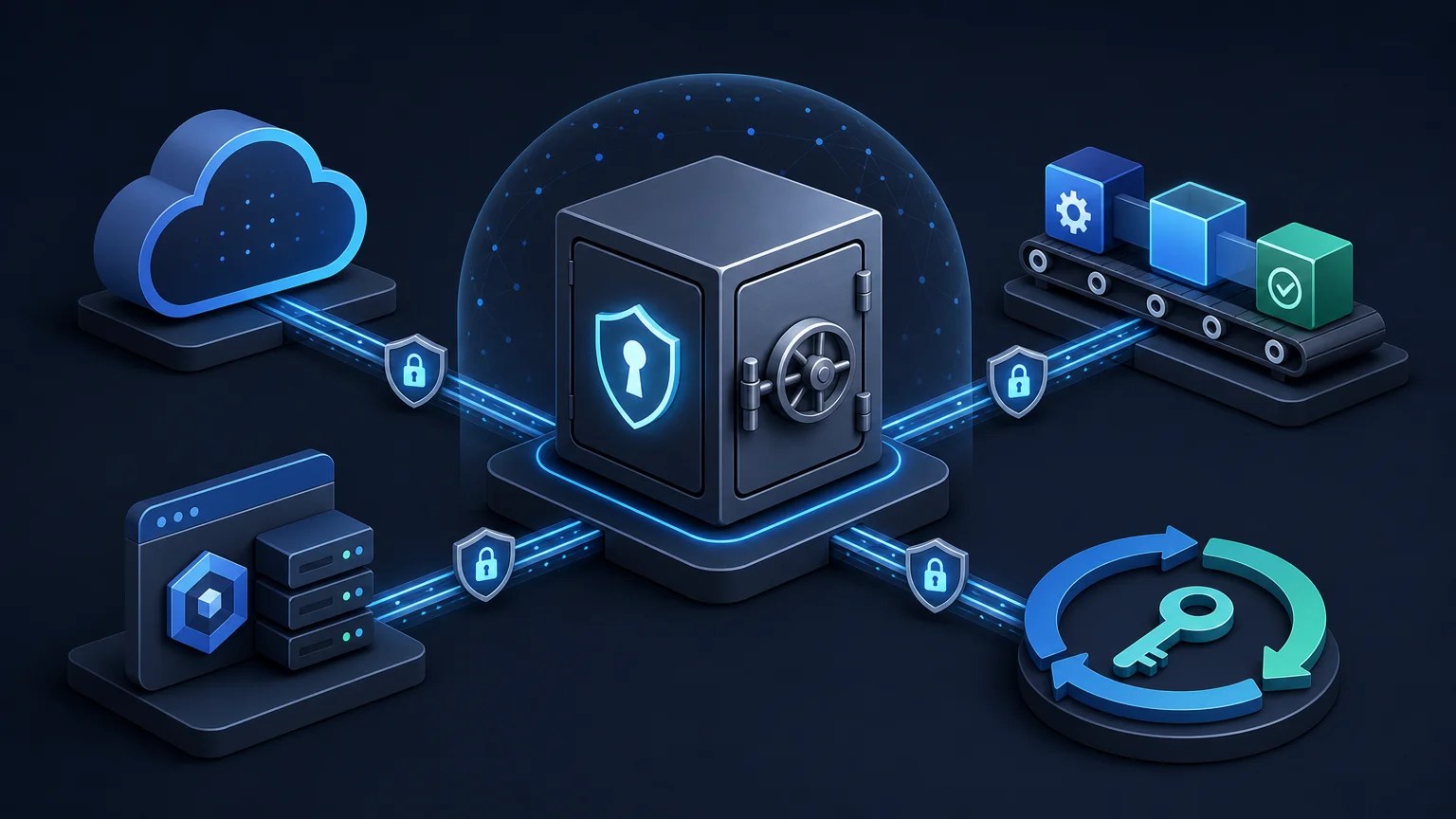
A Secrets Manager secret contains sensitive data such as database credentials, API keys, or connection strings. Instead of storing that data in a deployment script, a deployment role can retrieve it only when the deployment needs it.
The AWS CLI provides several commands for this workflow:
get-secret-value: Retrieves a secret value. Use--version-stage AWSCURRENTwhen you explicitly want the currently active version.describe-secret: Returns metadata such as the ARN, rotation status, and version staging labels. It does not return the secret value.put-secret-value: Creates a new version containing a replacement secret value.rotate-secret: Starts rotation for a secret that has rotation configured, usually through a rotation Lambda function.
The IAM principal running these commands needs appropriate permissions. For example, retrieval normally requires secretsmanager:GetSecretValue, while updating and rotating require additional permissions. If the secret uses a customer managed KMS key, the principal may also need permission to use that key. For related encryption and IAM details, see the AWS CLI KMS commands guide.
Basic Example
This Bash script checks a secret’s rotation status, retrieves the current value, and reports only its length. The value is held in a shell variable and is not printed to the terminal.
#!/usr/bin/env bash
set -euo pipefail

SECRET_ID="production/orders/database"
AWS_REGION="us-east-1"

printf '%s\n' 'Secret metadata:'
aws secretsmanager describe-secret \
    --secret-id "$SECRET_ID" \
    --region "$AWS_REGION" \
    --query '{Name:Name,RotationEnabled:RotationEnabled,LastRotatedDate:LastRotatedDate}' \
    --output json

secret_json="$(
    aws secretsmanager get-secret-value \
        --secret-id "$SECRET_ID" \
        --region "$AWS_REGION" \
        --version-stage AWSCURRENT \
        --query SecretString \
        --output text
)"

printf 'Retrieved the current secret (%s characters).\n' "${#secret_json}"
Expected Output
The metadata depends on your account and secret configuration. The final line reports the length, not the credential contents.
Secret metadata:
{
    "Name": "production/orders/database",
    "RotationEnabled": true,
    "LastRotatedDate": "2025-02-18T09:30:00+00:00"
}
Retrieved the current secret (96 characters).
How the Code Works
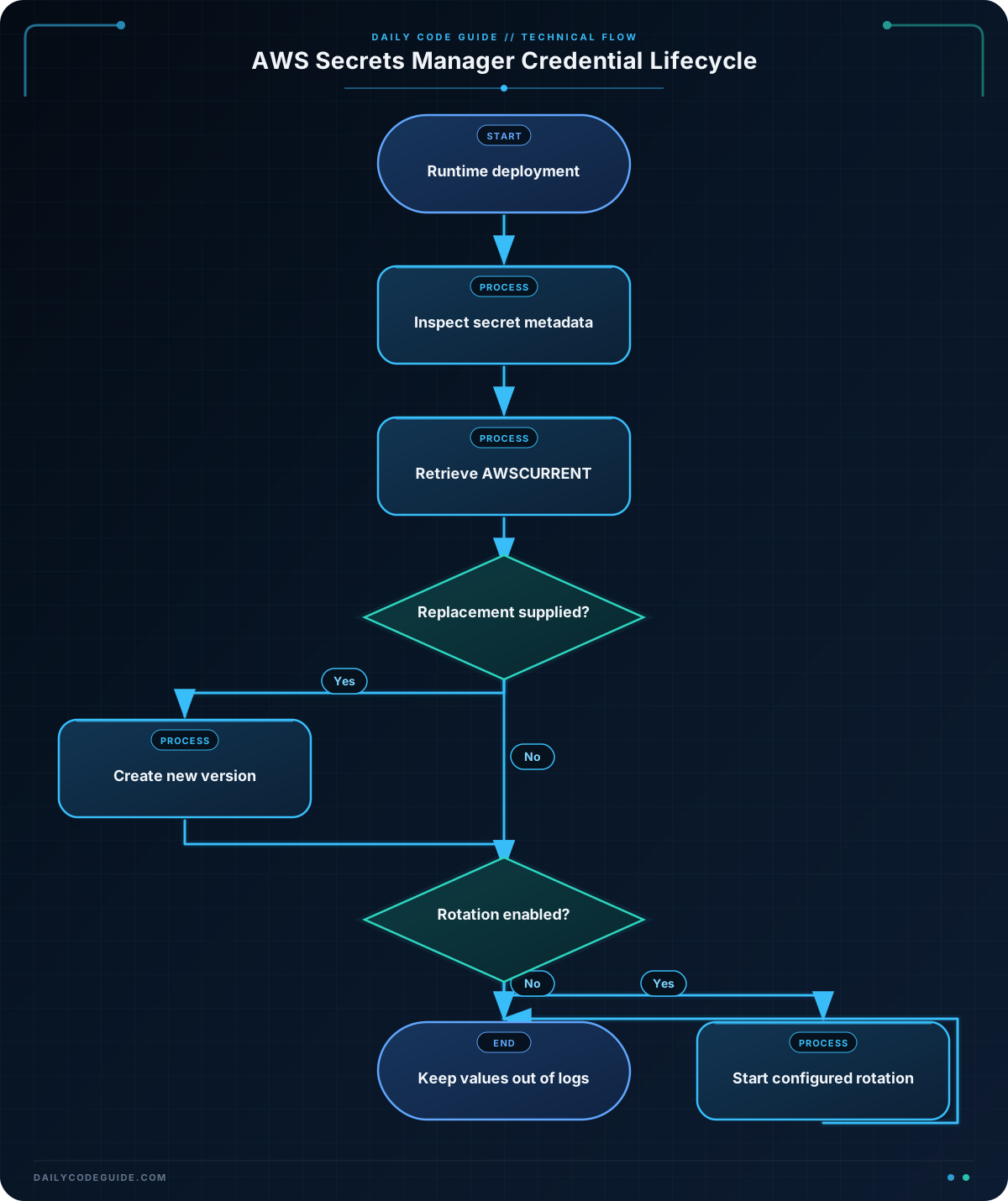
set -euo pipefail makes the script fail when a command fails, an unset variable is used, or a command in a pipeline fails. This is useful in deployment automation because continuing after a failed secret lookup could deploy an incorrectly configured application.
The describe-secret command uses --query to select only metadata fields. The secret value is not returned by this command, making it appropriate for logging carefully selected diagnostic information.
The get-secret-value command requests the version labeled AWSCURRENT. Secrets Manager uses staging labels to identify versions. During rotation, labels such as AWSPENDING, AWSCURRENT, and AWSPREVIOUS can refer to different versions.
--query SecretString --output text extracts the string stored in the secret. If the secret was stored as binary data, you would need to handle the SecretBinary field instead. The script deliberately reports only ${#secret_json}; printing the full variable would expose credentials in terminal logs or CI/CD logs.
Another Example
The following script demonstrates a controlled update and rotation workflow. It reads a replacement JSON value from the NEW_SECRET_JSON environment variable, creates a new version, and then starts rotation. The secret value is never written literally in the script.
Set NEW_SECRET_JSON through your CI/CD system’s protected secret mechanism rather than placing a credential directly in a command or source file. The secret must already have a rotation configuration before rotate-secret can perform automatic rotation.
#!/usr/bin/env bash
set -euo pipefail

SECRET_ID="production/orders/database"
AWS_REGION="us-east-1"

if [[ -z "${NEW_SECRET_JSON:-}" ]]; then
    printf '%s\n' 'NEW_SECRET_JSON is required.'
    exit 1
fi

printf 'Creating a new version for %s...\n' "$SECRET_ID"

aws secretsmanager put-secret-value \
    --secret-id "$SECRET_ID" \
    --region "$AWS_REGION" \
    --secret-string "$NEW_SECRET_JSON" \
    --version-stages AWSCURRENT \
    --query '{ARN:ARN,VersionId:VersionId}' \
    --output json

printf 'Starting configured rotation...\n'

aws secretsmanager rotate-secret \
    --secret-id "$SECRET_ID" \
    --region "$AWS_REGION" \
    --query '{ARN:ARN,VersionId:VersionId}' \
    --output json

printf '%s\n' 'Secret update and rotation request completed.'
In a deployment system, the workflow should also restrict which jobs can read or update the secret. The GitHub Actions cache access controls guide provides useful context for limiting what CI/CD workflows can access.
Common Mistakes
- Printing the retrieved value: Avoid commands such as
printf '%s\n' "$secret_json"in deployment logs. Logs may be retained, copied, or visible to more people than the application itself. - Using
describe-secretto retrieve credentials: This command returns metadata only. Useget-secret-valuewhen the application actually needs the value. - Assuming rotation is automatically available:
rotate-secretrequires rotation to be configured, including the required rotation Lambda and permissions. CheckRotationEnabledbefore depending on it. - Updating the wrong version:
put-secret-valuecreates a new version. Use staging labels intentionally, and verify which version is labeledAWSCURRENT. - Putting credentials directly in shell history: Avoid commands such as
aws secretsmanager put-secret-value --secret-string '{"password":"literal-value"}'. Use protected CI/CD variables, a secured input mechanism, or an application-level integration instead. - Confusing a JSON secret with JSON command output:
SecretStringmay itself contain JSON, but AWS CLI output formatting does not validate that JSON for you. Validate the structure before an application uses it.
Try It Yourself
Choose a non-production test secret and modify the basic script so that it:
- Uses a secret ID and region supplied as positional arguments.
- Retrieves the
AWSCURRENTversion. - Reports whether a value was retrieved without displaying the value.
Test both a valid secret ID and an invalid one. Confirm that set -euo pipefail prevents the script from claiming success after a failed AWS CLI command.
Challenge
Write a Bash deployment helper that performs these steps:
- Read the secret ID from the first command-line argument.
- Read the AWS region from the second command-line argument.
- Display the secret’s name and whether rotation is enabled.
- Retrieve the current secret without printing its contents.
- If
NEW_SECRET_JSONis set, create a newAWSCURRENTversion. - Start rotation only when the metadata reports that rotation is enabled.
- Exit with a useful error when arguments or
NEW_SECRET_JSONare missing.
Use a test account or a deliberately non-sensitive secret while developing the script.
Solution
#!/usr/bin/env bash
set -euo pipefail

if [[ "$#" -ne 2 ]]; then
    printf 'Usage: %s SECRET_ID AWS_REGION\n' "$0" >&2
    exit 2
fi

SECRET_ID="$1"
AWS_REGION="$2"

metadata="$(
    aws secretsmanager describe-secret \
        --secret-id "$SECRET_ID" \
        --region "$AWS_REGION" \
        --query '{Name:Name,RotationEnabled:RotationEnabled}' \
        --output json
)"

printf 'Secret metadata:\n%s\n' "$metadata"

current_secret="$(
    aws secretsmanager get-secret-value \
        --secret-id "$SECRET_ID" \
        --region "$AWS_REGION" \
        --version-stage AWSCURRENT \
        --query SecretString \
        --output text
)"

if [[ -z "$current_secret" || "$current_secret" == "None" ]]; then
    printf '%s\n' 'The current secret has no SecretString value.' &2
    exit 1
fi

printf 'Current secret retrieved without displaying its contents.\n'

if [[ -n "${NEW_SECRET_JSON:-}" ]]; then
    aws secretsmanager put-secret-value \
        --secret-id "$SECRET_ID" \
        --region "$AWS_REGION" \
        --secret-string "$NEW_SECRET_JSON" \
        --version-stages AWSCURRENT \
        --query VersionId \
        --output text

    printf '%s\n' 'A new AWSCURRENT version was created.'
else
    printf '%s\n' 'No replacement value supplied; leaving the secret unchanged.'
fi

rotation_enabled="$(
    aws secretsmanager describe-secret \
        --secret-id "$SECRET_ID" \
        --region "$AWS_REGION" \
        --query RotationEnabled \
        --output text
)"

if [[ "$rotation_enabled" == "True" ]]; then
    aws secretsmanager rotate-secret \
        --secret-id "$SECRET_ID" \
        --region "$AWS_REGION" \
        --query VersionId \
        --output text

    printf '%s\n' 'Rotation was requested.'
else
    printf '%s\n' 'Rotation is not enabled; no rotation was requested.'
fi
The solution validates its arguments before making AWS calls, retrieves metadata separately from the secret value, and checks that a usable SecretString was returned. It updates the secret only when NEW_SECRET_JSON is present, then checks rotation status before calling rotate-secret. The secret contents are used internally but never included in output.
Key Takeaways
- Use
get-secret-valueto retrieve a specific secret version, commonly the one labeledAWSCURRENT. - Use
describe-secretto inspect metadata and rotation configuration without retrieving credentials. - Use
put-secret-valueto create a new version androtate-secretto start configured rotation. - Keep secret values out of scripts, command history, and deployment logs.
- Give deployment roles only the Secrets Manager and KMS permissions they actually require.