What You’ll Learn
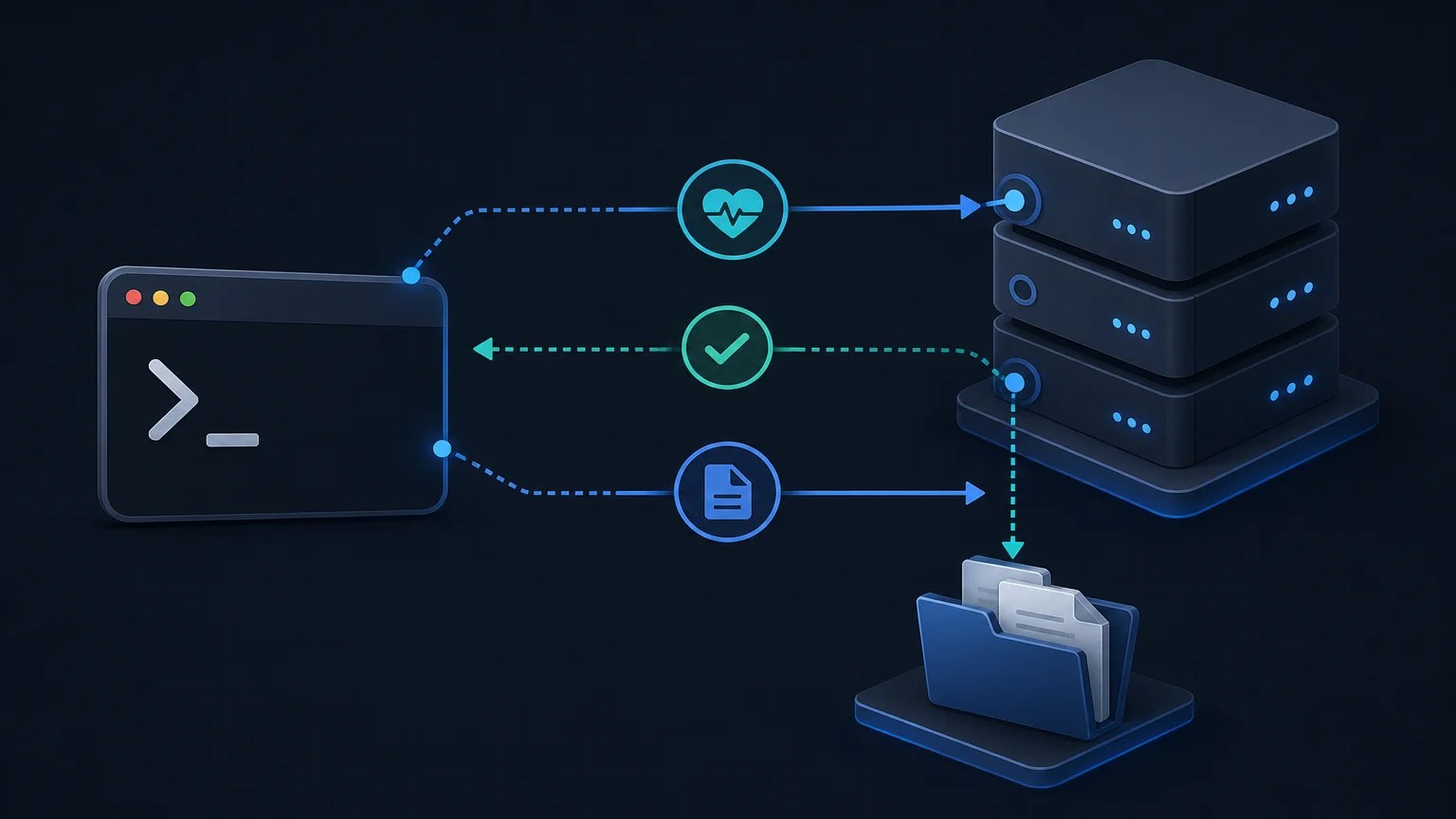
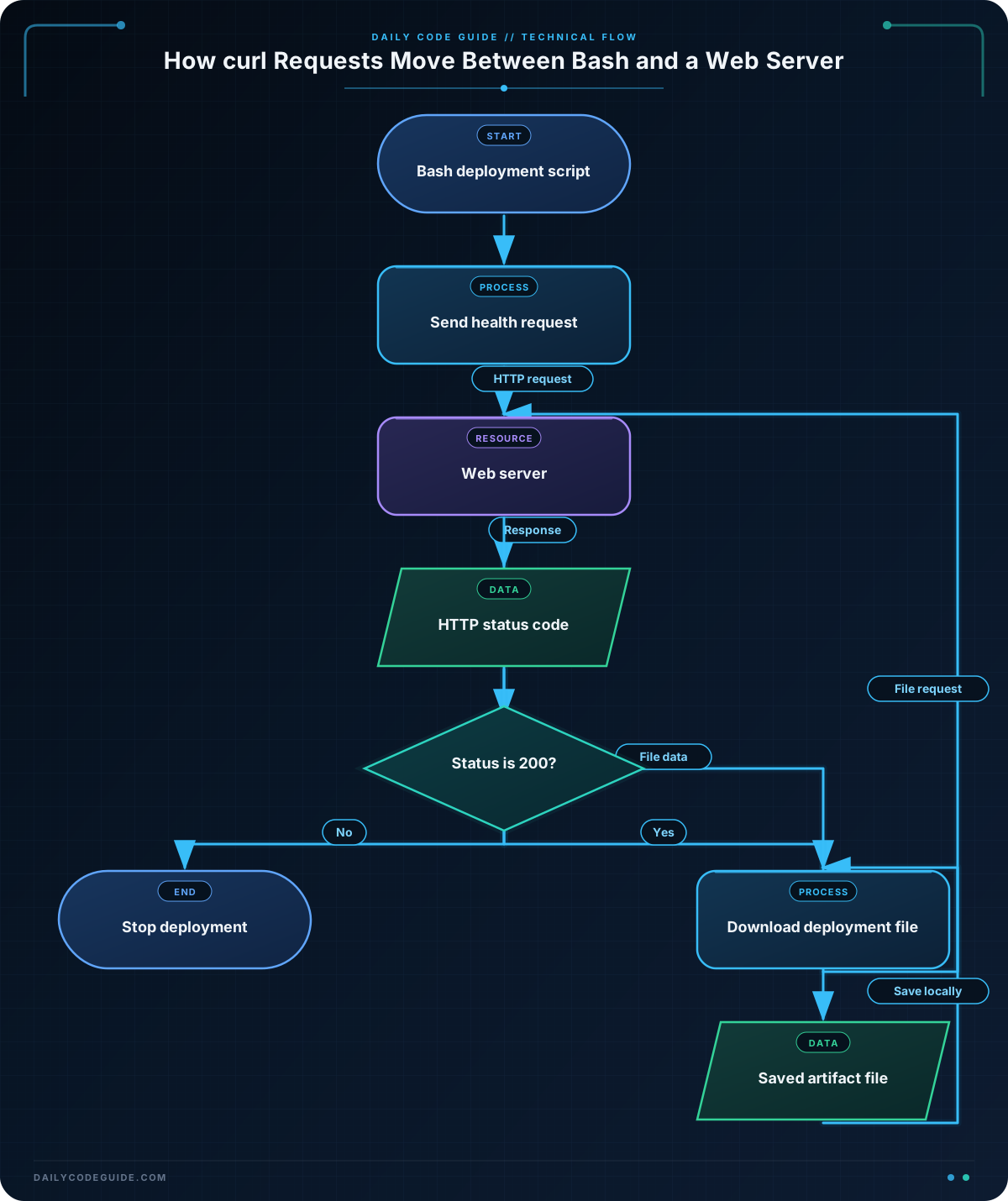
In this lesson, you’ll learn how to use curl from Bash to communicate with web servers. You will check an application’s health endpoint, read its HTTP status code, and download a deployment file.
- Understand the basic structure of a
curlrequest. - Check whether an application responds with HTTP status code
200. - Save a file downloaded from a web server.
- Use
curlin a Bash script.
The Concept
curl is a command-line tool for transferring data over network protocols, including HTTP and HTTPS. In Bash scripts, it is commonly used to call web APIs, check application endpoints, and download files.
A simple request looks like this:
curl "https://example.com"By default, curl writes the server’s response body to the terminal. For a health check, however, you usually care about the HTTP status code rather than the response body.
An HTTP status code is a number sent by the server that describes the result of a request. For example:
- 200 means the request succeeded.
- 404 means the requested resource was not found.
- 500 means the server encountered an error.
The --write-out '%{http_code}' option tells curl to print the status code. The --output /dev/null option discards the response body so that only the status code is captured.
Basic Example
This script checks a health endpoint and reports whether the application is healthy. The example uses httpbin.org, a public service useful for testing HTTP requests. In a real deployment script, replace the URL with your application’s health endpoint.
#!/usr/bin/env bash

health_url="https://httpbin.org/status/200"

status_code=$(curl --silent --show-error \
    --output /dev/null \
    --write-out '%{http_code}' \
    "$health_url")

if [[ "$status_code" == "200" ]]; then
    printf 'Application is healthy (HTTP %s).\n' "$status_code"
else
    printf 'Application health check failed (HTTP %s).\n' "$status_code"
    exit 1
fi
Expected Output
Because the endpoint returns a successful response, the script prints:
Application is healthy (HTTP 200).How the Code Works
The first line identifies Bash as the interpreter that should run the script:
#!/usr/bin/env bashlets the operating system find Bash.
The variable stores the endpoint that will be checked:
health_url="https://httpbin.org/status/200"The command substitution, written as $(...), runs curl and stores its output in status_code:
--silenthides the progress meter.--show-errorstill displays an error message if the request fails.--output /dev/nulldiscards the response body.--write-out '%{http_code}'prints the HTTP status code.
The backslash at the end of a line continues the command on the next line. This makes a long command easier to read.
The if statement compares the saved status code with 200. If they match, the script reports success. Otherwise, it reports failure and uses exit 1 to return a failure status to the shell. Other automation tools can use that exit status to detect that the health check failed.
For scripts that accept a URL from a user or another script, it is also useful to validate deployment input in Bash before making the request.
Another Example
Health checks usually inspect a response, while deployment scripts often need to save a file. The --output option writes the downloaded response to a named file instead of printing it to the terminal.
This example downloads a 1,024-byte file and verifies the resulting file size:
#!/usr/bin/env bash

artifact_url="https://httpbin.org/bytes/1024"
artifact_file="deployment-package.bin"

curl --fail --location \
    --output "$artifact_file" \
    "$artifact_url"

file_size=$(wc -c < "$artifact_file")
printf 'Downloaded %s (%s bytes).\n' "$artifact_file" "$file_size"
The --fail option makes curl return a failure status for HTTP errors such as 404 or 500. The --location option follows redirects, which are common when download URLs point to another location.
After downloading an actual deployment archive, you might need to inspect or package it. For the next step, you can learn how to compress and archive files in Bash.
Common Mistakes
Printing the entire response during a health check
A health endpoint may return a large response body. If you only need the status code, discard the body with --output /dev/null and capture the code with --write-out.
Forgetting to quote variables
Quote URL and file variables:
curl --output "$artifact_file" "$artifact_url"Quoting prevents spaces and special characters in a variable’s value from being interpreted as separate shell arguments.
Confusing an HTTP error with a curl error
By default, curl can receive an HTTP error response and still exit successfully. The --fail option is useful when a script should treat HTTP status codes from 400 through 599 as failures.
Assuming a successful connection means a healthy application
A server can respond successfully while the application itself reports a problem. A good health endpoint should be designed to return an appropriate status code, such as 200 for healthy and 503 for unavailable.
Try It Yourself
Change the health-check script so that it checks a different status endpoint:
- Use
https://httpbin.org/status/503. - Run the script.
- Observe that the script prints the failure message and exits with status
1. - Change the URL back to
https://httpbin.org/status/200and confirm that it reports success.
Challenge
Write a Bash script that performs a simple deployment verification:
- Check
https://httpbin.org/status/200as the application health endpoint. - Only if the status code is
200, downloadhttps://httpbin.org/bytes/2048. - Save the download as
release-artifact.bin. - Print a success message after the download.
- If the health check fails, do not download the file and exit with status
1.
Solution
#!/usr/bin/env bash

health_url="https://httpbin.org/status/200"
artifact_url="https://httpbin.org/bytes/2048"
artifact_file="release-artifact.bin"

status_code=$(curl --silent --show-error \
    --output /dev/null \
    --write-out '%{http_code}' \
    "$health_url")

if [[ "$status_code" != "200" ]]; then
    printf 'Deployment stopped: health check returned HTTP %s.\n' "$status_code"
    exit 1
fi

printf 'Health check passed. Downloading deployment file...\n'

if curl --fail --location \
    --output "$artifact_file" \
    "$artifact_url"; then
    printf 'Downloaded %s successfully.\n' "$artifact_file"
else
    printf 'Deployment file download failed.\n'
    exit 1
fi
The solution first captures the health endpoint’s status code. The download command runs only after the script confirms that the code is 200. The if curl ...; then structure checks whether the download command completed successfully and returns a failure status if it did not.
Key Takeaways
curllets Bash scripts make HTTP and HTTPS requests.- Use
--write-out '%{http_code}'to inspect an HTTP status code. - Use
--output /dev/nullwhen the response body is not needed. - Use
--output filenameto save a downloaded file. - Use
--failwhen an HTTP error should make the script fail.