
What You’ll Learn
In this lesson, you will use the AWS CLI to create and manage Amazon EventBridge scheduled rules. You will attach a Lambda function as a target, grant EventBridge permission to invoke it, verify the configuration, and maintain the rule safely.
- Create a scheduled EventBridge rule with a rate or cron expression.
- Attach a Lambda function by using
put-targets. - Allow EventBridge to invoke the Lambda function.
- Inspect, enable, disable, and test scheduled automation.
The Concept
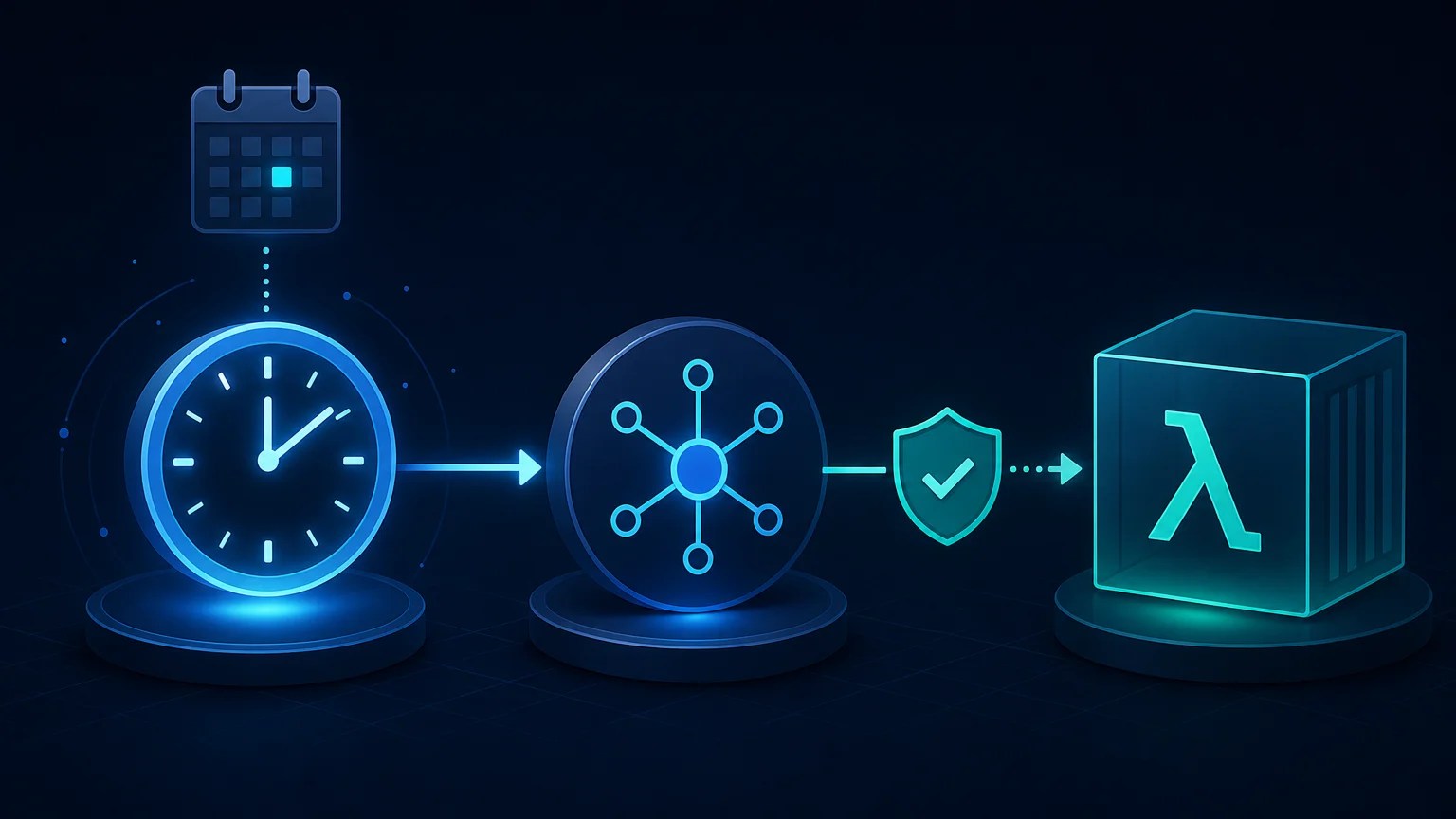
An EventBridge rule describes when an event should be delivered or which event pattern should be matched. For scheduled automation, the rule uses a rate() or cron() expression instead of waiting for an event from another AWS service.
A rule does not perform work by itself. It needs one or more targets, such as a Lambda function, an Amazon SQS queue, an SNS topic, or a Step Functions state machine. In this lesson, the primary target is a Lambda function.
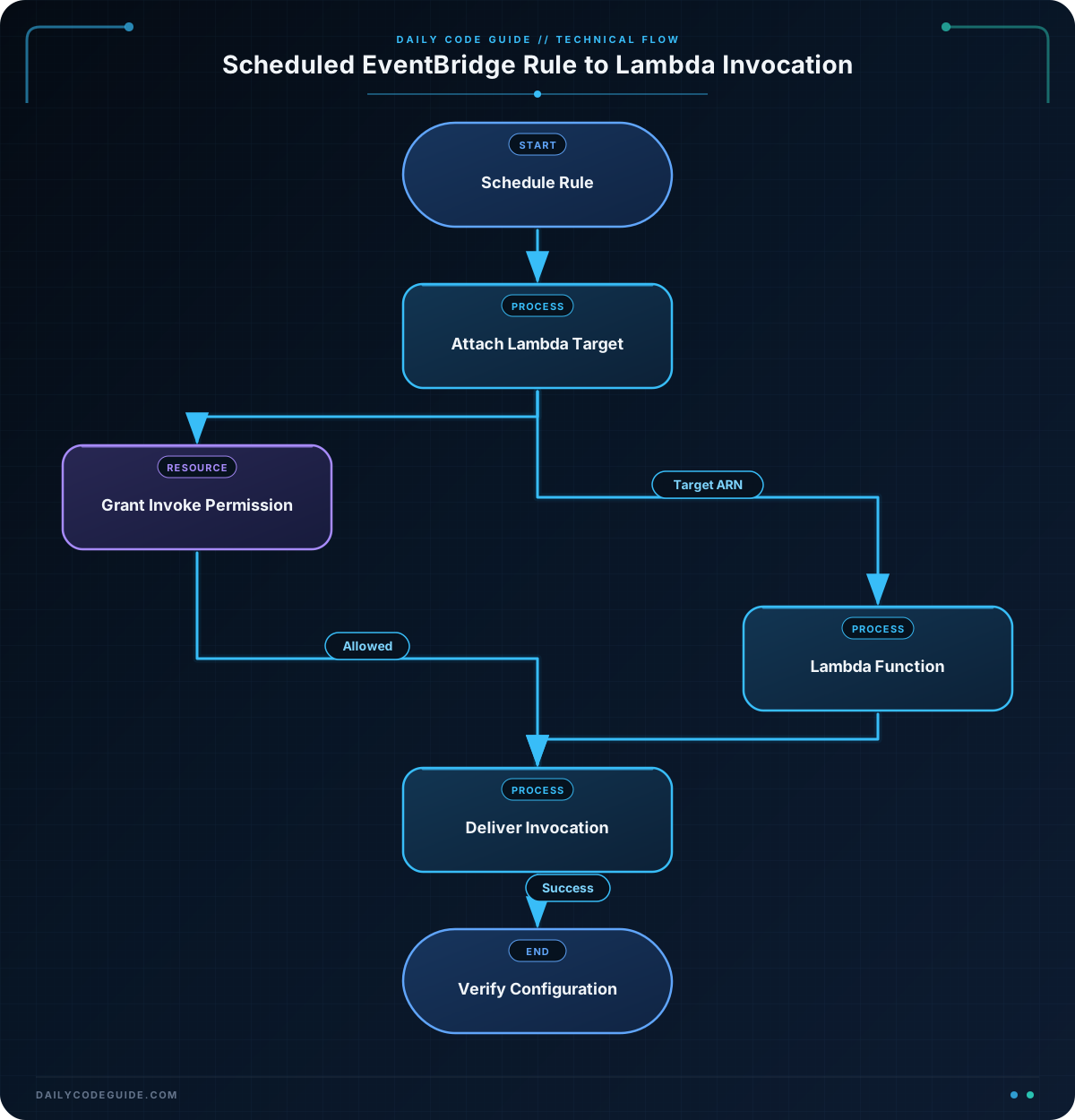
The usual AWS CLI workflow is:
- Create the rule with
aws events put-rule. - Grant the EventBridge service permission to invoke the Lambda function.
- Attach the function with
aws events put-targets. - Inspect the rule and its targets.
The permission and target are separate resources. Creating a rule does not automatically give EventBridge permission to invoke your Lambda function. This separation is important because AWS evaluates both the target configuration and the Lambda resource-based policy when delivering an invocation.
For a broader operational workflow that includes inspecting an AWS resource, performing a change, and verifying its status, see these AWS CLI resource management commands.
Basic Example
The following Bash script creates a rule that invokes a Lambda function every five minutes. Replace the example function name and region with values in your account.
#!/usr/bin/env bash
set -euo pipefail

AWS_REGION="us-east-1"
RULE_NAME="daily-code-guide-summary"
FUNCTION_NAME="daily-summary-function"
TARGET_ID="daily-summary-lambda"
STATEMENT_ID="AllowEventBridgeDailyCodeGuideSummary"

FUNCTION_ARN=$(aws lambda get-function \
    --function-name "$FUNCTION_NAME" \
    --region "$AWS_REGION" \
    --query 'Configuration.FunctionArn' \
    --output text)

RULE_ARN=$(aws events put-rule \
    --name "$RULE_NAME" \
    --schedule-expression "rate(5 minutes)" \
    --state ENABLED \
    --description "Invoke the summary Lambda every five minutes" \
    --region "$AWS_REGION" \
    --query 'RuleArn' \
    --output text)

aws lambda add-permission \
    --function-name "$FUNCTION_NAME" \
    --statement-id "$STATEMENT_ID" \
    --action lambda:InvokeFunction \
    --principal events.amazonaws.com \
    --source-arn "$RULE_ARN" \
    --region "$AWS_REGION"

TARGET_FILE=$(mktemp)
trap 'rm -f "$TARGET_FILE"' EXIT

cat > "$TARGET_FILE" <<EOF
[
  {
    "Id": "$TARGET_ID",
    "Arn": "$FUNCTION_ARN",
    "Input": "{\"job\":\"daily-summary\",\"source\":\"scheduled-rule\"}"
  }
]
EOF

aws events put-targets \
    --rule "$RULE_NAME" \
    --targets "file://$TARGET_FILE" \
    --region "$AWS_REGION"

aws events describe-rule \
    --name "$RULE_NAME" \
    --region "$AWS_REGION"

aws events list-targets-by-rule \
    --rule "$RULE_NAME" \
    --region "$AWS_REGION" \
    --query 'Targets[].{Id:Id,Arn:Arn,Input:Input}' \
    --output table
Expected Output
The exact ARN values depend on your AWS account. The final commands should show an enabled rule and a Lambda target with the configured JSON input.
------------------------------------------------------------
|                     DescribeRule                         |
+----------------------+-----------------------------------+
| State                | ENABLED                           |
| ScheduleExpression   | rate(5 minutes)                   |
| Name                 | daily-code-guide-summary          |
+----------------------+-----------------------------------+

---------------------------------------------
|              ListTargetsByRule            |
+----------------------+------------------+
| Id                   | daily-summary-lambda |
| Arn                  | arn:aws:lambda:...  |
| Input                | {"job":"daily-summary","source":"scheduled-rule"} |
+----------------------+------------------+
How the Code Works
get-function retrieves the Lambda ARN instead of requiring you to hard-code the full ARN. This makes the script easier to reuse across accounts or regions.
put-rule creates the rule. The rate(5 minutes) expression tells EventBridge to invoke matching targets at five-minute intervals. The rule name identifies the rule within the current AWS account and region.
The add-permission command adds a statement to the Lambda function’s resource-based policy. The --principal events.amazonaws.com value identifies EventBridge as the caller, while --source-arn restricts the permission to this particular rule.
The target file contains three important properties:
Idis a unique identifier for this target on the rule.Arnidentifies the Lambda function that receives the invocation.Inputis a constant JSON payload sent to the function each time the rule runs.
The input is represented as a JSON string inside the target definition, so the quotation marks within the payload must be escaped. The temporary file avoids difficult shell quoting in the put-targets command.
describe-rule verifies the schedule and state. list-targets-by-rule verifies that the target was attached. This verify-after-change pattern is especially useful in deployment scripts. You can also review related AWS CLI deployment automation practices when building repeatable command-line workflows.
Another Example
A cron expression is useful when a Lambda function should run at a specific UTC time rather than at a repeating interval. This example creates a nightly maintenance rule in a disabled state, attaches the target, and enables the rule only after the configuration is complete.
The expression cron(0 2 * * ? *) runs at 02:00 UTC every day. EventBridge rule cron expressions use six fields and are evaluated in UTC.
#!/usr/bin/env bash
set -euo pipefail

AWS_REGION="us-east-1"
RULE_NAME="nightly-maintenance-window"
FUNCTION_NAME="maintenance-lambda"
TARGET_ID="nightly-maintenance-lambda"
STATEMENT_ID="AllowEventBridgeNightlyMaintenance"

FUNCTION_ARN=$(aws lambda get-function \
    --function-name "$FUNCTION_NAME" \
    --region "$AWS_REGION" \
    --query 'Configuration.FunctionArn' \
    --output text)

RULE_ARN=$(aws events put-rule \
    --name "$RULE_NAME" \
    --schedule-expression "cron(0 2 * * ? *)" \
    --state DISABLED \
    --description "Run nightly maintenance at 02:00 UTC" \
    --region "$AWS_REGION" \
    --query 'RuleArn' \
    --output text)

aws lambda add-permission \
    --function-name "$FUNCTION_NAME" \
    --statement-id "$STATEMENT_ID" \
    --action lambda:InvokeFunction \
    --principal events.amazonaws.com \
    --source-arn "$RULE_ARN" \
    --region "$AWS_REGION"

TARGET_FILE=$(mktemp)
trap 'rm -f "$TARGET_FILE"' EXIT

cat > "$TARGET_FILE" <<EOF
[
  {
    "Id": "$TARGET_ID",
    "Arn": "$FUNCTION_ARN",
    "Input": "{\"operation\":\"nightly-maintenance\",\"environment\":\"production\"}"
  }
]
EOF

aws events put-targets \
    --rule "$RULE_NAME" \
    --targets "file://$TARGET_FILE" \
    --region "$AWS_REGION"

aws events enable-rule \
    --name "$RULE_NAME" \
    --region "$AWS_REGION"

aws events describe-rule \
    --name "$RULE_NAME" \
    --region "$AWS_REGION" \
    --query '{Name:Name,State:State,Schedule:ScheduleExpression}' \
    --output table
Creating the rule as disabled provides a small deployment safety window. The target and Lambda permission can be configured before any scheduled invocation is allowed to occur. In a production workflow, you could also leave the rule disabled until a release or maintenance process explicitly enables it.
Common Mistakes
- Forgetting Lambda permission: A target can appear correctly attached while invocations still fail because the Lambda resource policy does not allow
events.amazonaws.comto invoke it. - Using the wrong region: EventBridge rules and Lambda functions are regional. Make sure the rule, target lookup, and function belong to the intended region.
- Reusing a statement ID: Lambda statement IDs must be unique within a function policy. Re-running the script with the same statement ID can produce a resource-conflict error. Use a stable statement ID when you want idempotent deployment logic, or remove the old statement before changing it.
- Confusing UTC with local time: EventBridge rule cron expressions use UTC. Convert the desired local schedule before creating the rule.
- Attaching a duplicate target: Reusing the same target ID updates that target, but changing the ID can create multiple targets that invoke the function more than once.
- Assuming the schedule runs immediately: A rate or cron rule is not a direct test command. For a reliable test, invoke the Lambda separately or create a test event that exercises the same handler path.
Try It Yourself
Create a rule named hourly-report-rule that invokes an existing Lambda function once per hour. Give it a target ID of hourly-report-target and pass this payload:
{"report":"hourly","environment":"staging"}After attaching the target, use describe-rule and list-targets-by-rule to verify the schedule, state, function ARN, and input payload. Remember to remove the test rule when you are finished if it is not needed.
Challenge
Build a Bash script that creates a scheduled EventBridge rule with these requirements:
- Use the rule name
inventory-refresh-rule. - Run it every 15 minutes.
- Invoke an existing Lambda function named
inventory-refresh-function. - Use the target ID
inventory-refresh-target. - Send the payload
{"operation":"refresh-inventory","source":"eventbridge"}. - Add the Lambda permission restricted to the new rule ARN.
- Display the final rule state and its targets.
Solution
#!/usr/bin/env bash
set -euo pipefail

AWS_REGION="us-east-1"
RULE_NAME="inventory-refresh-rule"
FUNCTION_NAME="inventory-refresh-function"
TARGET_ID="inventory-refresh-target"
STATEMENT_ID="AllowEventBridgeInventoryRefresh"

FUNCTION_ARN=$(aws lambda get-function \
    --function-name "$FUNCTION_NAME" \
    --region "$AWS_REGION" \
    --query 'Configuration.FunctionArn' \
    --output text)

RULE_ARN=$(aws events put-rule \
    --name "$RULE_NAME" \
    --schedule-expression "rate(15 minutes)" \
    --state ENABLED \
    --description "Refresh inventory every fifteen minutes" \
    --region "$AWS_REGION" \
    --query 'RuleArn' \
    --output text)

aws lambda add-permission \
    --function-name "$FUNCTION_NAME" \
    --statement-id "$STATEMENT_ID" \
    --action lambda:InvokeFunction \
    --principal events.amazonaws.com \
    --source-arn "$RULE_ARN" \
    --region "$AWS_REGION"

TARGET_FILE=$(mktemp)
trap 'rm -f "$TARGET_FILE"' EXIT

cat > "$TARGET_FILE" <<EOF
[
  {
    "Id": "$TARGET_ID",
    "Arn": "$FUNCTION_ARN",
    "Input": "{\"operation\":\"refresh-inventory\",\"source\":\"eventbridge\"}"
  }
]
EOF

aws events put-targets \
    --rule "$RULE_NAME" \
    --targets "file://$TARGET_FILE" \
    --region "$AWS_REGION"

aws events describe-rule \
    --name "$RULE_NAME" \
    --region "$AWS_REGION" \
    --query '{Name:Name,State:State,Schedule:ScheduleExpression,Arn:Arn}' \
    --output table

aws events list-targets-by-rule \
    --rule "$RULE_NAME" \
    --region "$AWS_REGION" \
    --query 'Targets[].{Id:Id,Arn:Arn,Input:Input}' \
    --output table
The solution resolves the Lambda ARN, creates the enabled fifteen-minute rule, grants invocation permission using the exact rule ARN, and attaches one target with the requested payload. The final two commands verify both sides of the configuration.
Key Takeaways
put-rulecreates the EventBridge schedule, whileput-targetsattaches work to perform.- A Lambda target also requires a resource-based permission for the EventBridge service principal.
- Use
rate()for repeating intervals and six-fieldcron()expressions for specific UTC times. - Use
describe-ruleandlist-targets-by-ruleafter changes to verify the deployed configuration. - Stable target IDs and statement IDs make scheduled automation easier to maintain, but they must be handled carefully when scripts are run repeatedly.