


What You’ll Learn
In this lesson, you’ll learn how Bash uses pathname expansion, also called globbing, to match groups of files. This is useful when working with log files, backup archives, and other files that follow naming patterns.
- Use
*,?, and character ranges in file patterns. - Preview the files a pattern matches before running a batch command.
- Use matched filenames safely in a Bash loop.
- Avoid common quoting and unmatched-pattern mistakes.
The Concept
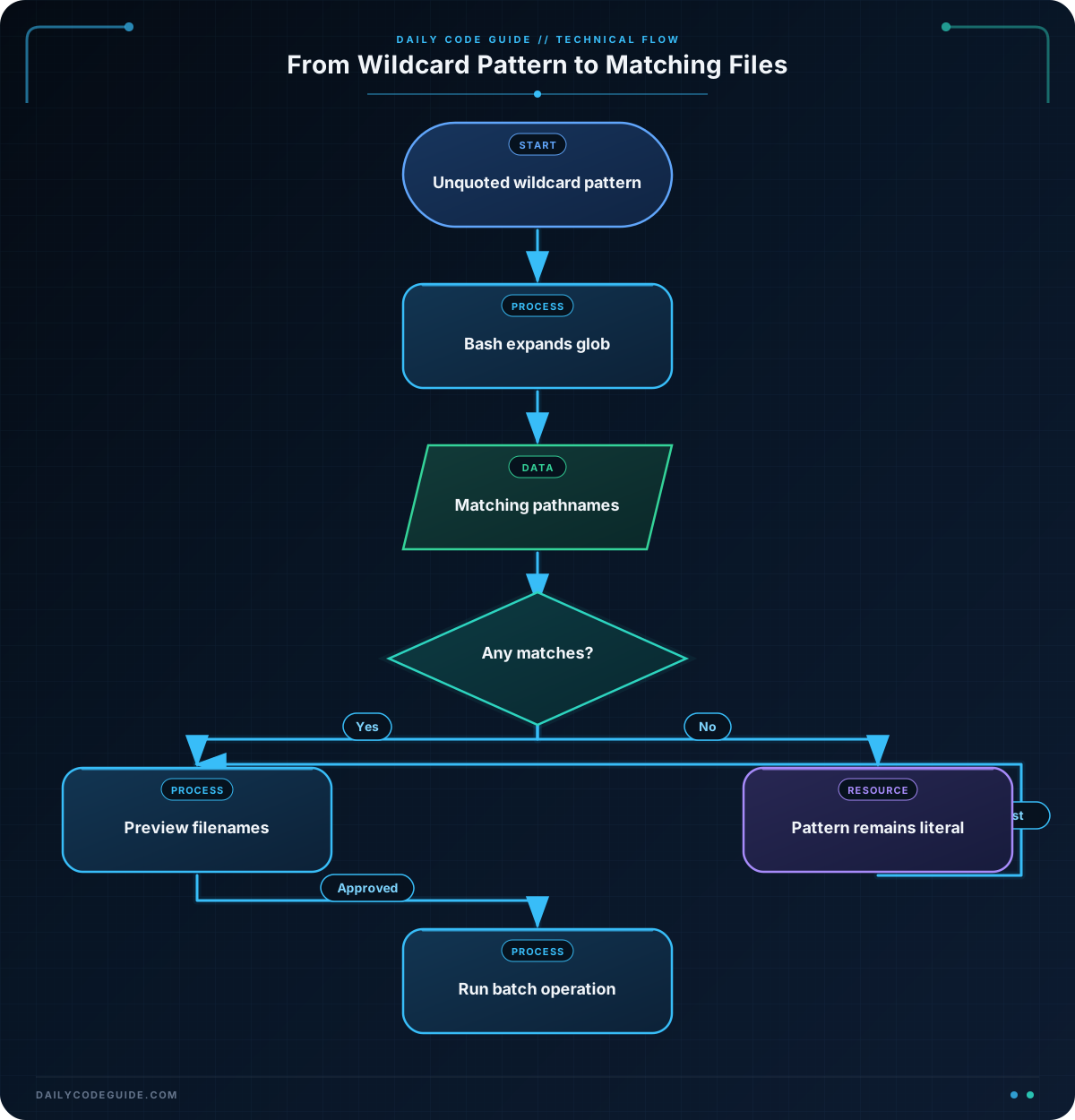
Globbing is Bash’s process of expanding a wildcard pattern into matching pathnames before a command runs. For example, if a directory contains server.log and worker.log, the pattern *.log matches both files.
The most common wildcard characters are:
*matches zero or more characters.?matches exactly one character.[abc]matches one character from the listed characters.[0-9]matches one character in the specified range.
For example, app-*.log can match every log file whose name begins with app- and ends with .log. The pattern is not a regular expression. It is a filename pattern handled by the shell.
Globbing is useful for batch operations because you can select a group of files without typing every filename. Always preview a pattern before using it with a command that changes or deletes files.
Basic Example
The following script creates a temporary folder containing sample logs and backups. It then uses two glob patterns to display the matching groups.
#!/usr/bin/env bash
set -e

demo_dir=$(mktemp -d)
trap 'rm -rf "$demo_dir"' EXIT

cd "$demo_dir"
touch app-2026-08-18.log app-2026-08-19.log
touch backup-2026-08-18.tar.gz backup-2026-08-19.tar.gz
touch notes.txt

printf 'Log files:\n'
printf '%s\n' app-*.log

printf '\nBackup files:\n'
printf '%s\n' backup-*.tar.gz
Expected Output
The temporary directory has a random name, but the matched filenames are predictable:
Log files:
app-2026-08-18.log
app-2026-08-19.log

Backup files:
backup-2026-08-18.tar.gz
backup-2026-08-19.tar.gz
How the Code Works
mktemp -dcreates a temporary directory and stores its path indemo_dir.trap 'rm -rf "$demo_dir"' EXITremoves the temporary directory when the script finishes.touchcreates empty sample files for the demonstration.app-*.logmatches filenames beginning withapp-and ending with.log.backup-*.tar.gzmatches filenames beginning withbackup-and ending with.tar.gz.
When Bash reaches printf '%s\n' app-*.log, it expands the pattern first. The command that actually runs is effectively:
printf '%s\n' app-2026-08-18.log app-2026-08-19.logThe quotes around "$demo_dir" protect the directory path if it contains spaces. The wildcard itself remains outside the quotes so Bash can expand it. Quoting the entire pattern, such as "$demo_dir/*.log", would prevent globbing.
Another Example
Character patterns can select a narrower group. This example copies only the January, February, and March backups into a review directory. The pattern backup-2026-0[1-3].tar.gz matches a month digit from 1 through 3.
#!/usr/bin/env bash
set -e

demo_dir=$(mktemp -d)
trap 'rm -rf "$demo_dir"' EXIT

cd "$demo_dir"
mkdir selected
touch backup-2026-01.tar.gz backup-2026-02.tar.gz
touch backup-2026-03.tar.gz backup-2026-04.tar.gz
touch backup-2026-11.tar.gz

for backup in backup-2026-0[1-3].tar.gz; do
    cp "$backup" selected/
done

printf 'Backups selected for review:\n'
printf '%s\n' selected/*
The loop receives one matching pathname at a time. The variable is quoted in cp "$backup" selected/, which safely handles filenames containing spaces. The files from April and November are not copied because their month portions do not match 0[1-3].
Common Mistakes
Quoting the wildcard
Do not quote the wildcard when you want Bash to expand it:
printf '%s\n' "*.log"This prints the literal text *.log instead of matching log files. Quote variables and individual filenames, but leave the wildcard portion unquoted.
Using ls to feed a loop
Avoid constructing loops with command output such as for file in $(ls *.log). Filenames containing spaces can be split incorrectly. Use the glob directly:
for file in *.log; do
    printf 'Reviewing: %s\n' "$file"
done
Forgetting to preview a destructive command
Before using a pattern with rm, mv, or another changing command, first print the matches. A pattern that is broader than expected can affect more files than intended.
Assuming every pattern always matches
If no filename matches a pattern, Bash commonly passes the pattern itself to the command. For example, printf '%s\n' missing-*.log may print missing-*.log. Check the directory contents before performing a batch operation.
Try It Yourself
Create a folder containing these files:
app-error-2026-08-18.logapp-error-2026-08-19.logapp-info-2026-08-18.logbackup-2026-08.tar.gzbackup-2026-09.tar.gzreadme.txt
Write Bash commands that print only the error logs and then print only the two-digit backups. Use app-error-*.log for the first group and backup-2026-??.tar.gz for the second group.
Challenge
Build a small script that simulates a daily archive review:
- Create a temporary directory with three error logs, two information logs, and two backup archives.
- Print only the error logs using a glob.
- Print only the backup archives using a glob with
?. - Use a
forloop to print each selected backup with the labelReviewing:.
Do not use ls to create either file list.
Solution
#!/usr/bin/env bash
set -e

demo_dir=$(mktemp -d)
trap 'rm -rf "$demo_dir"' EXIT

cd "$demo_dir"
touch app-error-2026-08-18.log app-error-2026-08-19.log
touch app-error-2026-08-20.log app-info-2026-08-18.log
touch app-info-2026-08-19.log
touch backup-2026-08.tar.gz backup-2026-09.tar.gz

printf 'Error logs:\n'
printf '%s\n' app-error-*.log

printf '\nBackup archives:\n'
for backup in backup-2026-??.tar.gz; do
    printf 'Reviewing: %s\n' "$backup"
done
The first pattern selects only filenames beginning with app-error-. The second pattern uses two question marks, so it selects backup filenames with exactly two characters after backup-2026-. The loop handles each matched backup separately and quotes the variable when printing it.
Key Takeaways
- Bash globbing expands wildcard patterns into matching pathnames before a command runs.
- Use
*for zero or more characters,?for one character, and brackets for a character set or range. - Leave the wildcard unquoted so it can expand, but quote variables when using the resulting filenames.
- Preview matches before running commands that move, copy, or delete files.
- Use a direct glob in a
forloop instead of parsing the output ofls.

