What You’ll Learn
In this lesson, you will learn how to use CASE expressions inside SUM and COUNT to calculate several order-status metrics in one SQL query.
- Count completed, pending, and cancelled orders.
- Add the order totals for each status.
- Understand why conditional aggregation is useful for summary reports.
- Group conditional totals by a date or another column.
The Concept
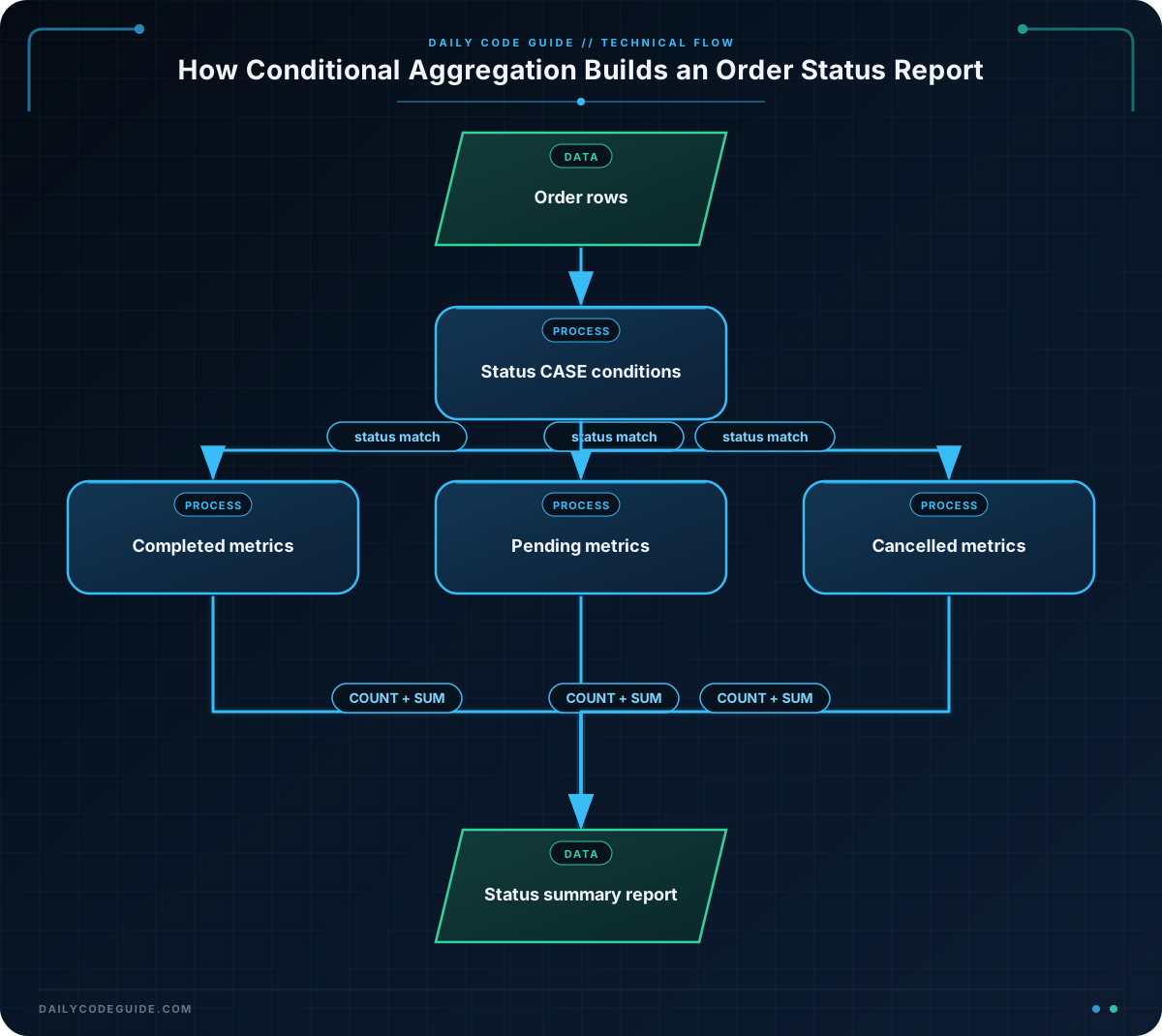
Conditional aggregation means using a condition inside an aggregate function such as SUM or COUNT. This lets one query calculate several related values at the same time.
For example, an order report might need to show:
- The number of completed orders.
- The total value of completed orders.
- The number of pending orders.
- The total value of pending orders.
- The number of cancelled orders.
- The total value of cancelled orders.
Without conditional aggregation, you might write a separate query for each status. With conditional aggregation, you can calculate all of these values in one report.
The general pattern uses CASE to return a value only when a condition is true:
SUM(CASE WHEN ... THEN order_total ELSE 0 END)adds values that match a condition.COUNT(CASE WHEN ... THEN 1 END)counts rows that match a condition.
When the condition is false, the COUNT expression returns NULL. Since COUNT(expression) ignores NULL values, only matching rows are counted.
Basic Example
The following query creates a small set of orders and produces one summary row. The WITH orders AS part is sample data for this lesson. In a real report, you would usually query an existing orders table.
WITH orders (order_id, status, order_total) AS (
    VALUES
        (101, 'completed', 125.00),
        (102, 'pending', 80.00),
        (103, 'completed', 210.00),
        (104, 'cancelled', 65.00),
        (105, 'pending', 150.00),
        (106, 'completed', 95.00)
)
SELECT
    COUNT(*) AS total_orders,
    COUNT(CASE WHEN status = 'completed' THEN 1 END) AS completed_orders,
    SUM(CASE WHEN status = 'completed' THEN order_total ELSE 0 END) AS completed_total,
    COUNT(CASE WHEN status = 'pending' THEN 1 END) AS pending_orders,
    SUM(CASE WHEN status = 'pending' THEN order_total ELSE 0 END) AS pending_total,
    COUNT(CASE WHEN status = 'cancelled' THEN 1 END) AS cancelled_orders,
    SUM(CASE WHEN status = 'cancelled' THEN order_total ELSE 0 END) AS cancelled_total
FROM orders;
Expected Output
The query returns one row containing separate counts and totals for each order status.
total_orders | completed_orders | completed_total | pending_orders | pending_total | cancelled_orders | cancelled_total
6            | 3                | 430.00           | 2              | 230.00         | 1                 | 65.00
How the Code Works
The first part defines six sample orders:
WITH orders (order_id, status, order_total) AS (
    VALUES
        (101, 'completed', 125.00),
        (102, 'pending', 80.00),
        (103, 'completed', 210.00),
        (104, 'cancelled', 65.00),
        (105, 'pending', 150.00),
        (106, 'completed', 95.00)
)
The column names are order_id, status, and order_total. The WITH query gives the sample data a temporary name, orders, so the main query can read it.
COUNT(*) counts every row, so it returns the total number of orders:
COUNT(*) AS total_ordersTo count only completed orders, place a CASE expression inside COUNT:
COUNT(CASE WHEN status = 'completed' THEN 1 END) AS completed_ordersFor a completed row, the CASE expression returns 1. For another status, it returns NULL because there is no ELSE value. COUNT counts the returned 1 values and ignores the NULL values.
To add the value of completed orders, use SUM instead:
SUM(CASE WHEN status = 'completed' THEN order_total ELSE 0 END) AS completed_totalFor completed orders, the expression returns order_total. For all other orders, it returns 0. The sum is therefore calculated only from completed orders.
The pending and cancelled expressions use the same pattern with a different status value. Because there is no GROUP BY in this query, all orders are summarized into one row.
Another Example
Conditional aggregation is also useful when you want one row per day. Add the date to the SELECT list and group by that date. Each row will then contain status metrics for one day.
WITH orders (order_id, order_date, status, order_total) AS (
    VALUES
        (201, DATE '2025-03-01', 'completed', 120.00),
        (202, DATE '2025-03-01', 'pending', 45.00),
        (203, DATE '2025-03-02', 'cancelled', 75.00),
        (204, DATE '2025-03-02', 'completed', 210.00),
        (205, DATE '2025-03-03', 'pending', 60.00)
)
SELECT
    order_date,
    COUNT(*) AS total_orders,
    COUNT(CASE WHEN status = 'completed' THEN 1 END) AS completed_orders,
    SUM(CASE WHEN status = 'completed' THEN order_total ELSE 0 END) AS completed_total,
    COUNT(CASE WHEN status = 'pending' THEN 1 END) AS pending_orders,
    SUM(CASE WHEN status = 'pending' THEN order_total ELSE 0 END) AS pending_total,
    COUNT(CASE WHEN status = 'cancelled' THEN 1 END) AS cancelled_orders,
    SUM(CASE WHEN status = 'cancelled' THEN order_total ELSE 0 END) AS cancelled_total
FROM orders
GROUP BY order_date
ORDER BY order_date;
Here, GROUP BY order_date creates one summary row for each date. The conditional expressions are then calculated separately within each date group.
Common Mistakes
Forgetting the ELSE 0 in a SUM expression
For a clear numeric result, include ELSE 0 in a conditional sum:
SUM(CASE WHEN status = 'completed' THEN order_total ELSE 0 END)If no rows in a group match the condition, some database systems can return NULL when there is nothing to add. Returning zero explicitly makes the report easier to read and use.
Using COUNT(*) for a conditional count
COUNT(*) counts every row in the group. It does not apply a condition by itself. Use a CASE expression inside COUNT when you need to count only one status.
Using the wrong column for the sum
For a money total, sum the numeric amount column, such as order_total. Do not sum an order ID or count column by mistake.
Inconsistent status values
Conditional aggregation compares text exactly. A status stored as 'Completed' will not necessarily match a condition checking for 'completed'. Keep status values consistent in the table and in the query.
Try It Yourself
Write a query using an orders table that returns one row with these columns:
total_orderscompleted_totalpending_totalcancelled_total
Use SUM with a CASE expression for each status. Then add completed, pending, and cancelled order counts using COUNT.
Challenge
Create a one-row report for the sample orders below. Your report must include:
- The total number of orders.
- The number of completed, pending, and cancelled orders.
- The total value of completed, pending, and cancelled orders.
Use conditional aggregation rather than separate queries for each status.
Solution
WITH orders (order_id, status, order_total) AS (
    VALUES
        (301, 'pending', 55.00),
        (302, 'completed', 175.00),
        (303, 'cancelled', 40.00),
        (304, 'completed', 90.00),
        (305, 'pending', 125.00),
        (306, 'cancelled', 30.00),
        (307, 'completed', 60.00)
)
SELECT
    COUNT(*) AS total_orders,
    COUNT(CASE WHEN status = 'completed' THEN 1 END) AS completed_orders,
    SUM(CASE WHEN status = 'completed' THEN order_total ELSE 0 END) AS completed_total,
    COUNT(CASE WHEN status = 'pending' THEN 1 END) AS pending_orders,
    SUM(CASE WHEN status = 'pending' THEN order_total ELSE 0 END) AS pending_total,
    COUNT(CASE WHEN status = 'cancelled' THEN 1 END) AS cancelled_orders,
    SUM(CASE WHEN status = 'cancelled' THEN order_total ELSE 0 END) AS cancelled_total
FROM orders;
The query uses one COUNT and one SUM for each status. The completed orders total 325.00, the pending orders total 180.00, and the cancelled orders total 70.00. All metrics are returned in a single row.
Key Takeaways
- Conditional aggregation places a
CASEexpression inside an aggregate function. - Use
COUNT(CASE WHEN ... THEN 1 END)to count rows matching a condition. - Use
SUM(CASE WHEN ... THEN amount ELSE 0 END)to add values matching a condition. - Use
GROUP BYwhen you need separate conditional reports for dates, customers, or other groups. - One conditional aggregation query can replace several separate status queries.