


What You’ll Learn
SQL string functions let you clean, format, search, and extract text directly in query results. In this lesson, you will work with customer names and product codes using PostgreSQL syntax.
- Remove extra spaces from customer names.
- Change text to uppercase or lowercase.
- Extract sections of a product code.
- Search text values with
LIKEandLOWER().
The Concept
A string is a text value, such as a customer name, product description, or product code. SQL string functions process those values while a query runs. This is useful when stored data is inconsistent but you need clean, readable results.
For example, a database may contain names with spaces at the beginning or end, or names written with inconsistent capitalization. Product codes may also contain several pieces of information separated by hyphens.
Common string functions include:
TRIM(text)removes spaces from the beginning and end of text.UPPER(text)converts text to uppercase.LOWER(text)converts text to lowercase.SUBSTRING(text FROM start FOR length)extracts a section of text.REPLACE(text, old_text, new_text)replaces one piece of text with another.LENGTH(text)counts the characters in a string.
These functions usually change how values appear in the query result. They do not permanently change the data in the table unless you use a separate UPDATE statement.
Basic Example
The following query creates temporary sample data and cleans customer names while extracting parts of each product code. The product code format is department-year-item-color, such as ELC-2025-BLK.
WITH customer_orders(customer_name, product_code) AS (
    VALUES
        ('  maria lopez ', 'ELC-2025-BLK'),
        ('JORDAN KIM', 'HOM-1042-WHT'),
        ('  Priya Shah', 'TOY-7788-RED')
)
SELECT
    UPPER(TRIM(customer_name)) AS cleaned_name,
    SUBSTRING(product_code FROM 1 FOR 3) AS department_code,
    SUBSTRING(product_code FROM 5 FOR 4) AS item_number
FROM customer_orders
ORDER BY cleaned_name;
Expected Output
cleaned_name  | department_code | item_number
--------------+-----------------+-----------
JORDAN KIM    | HOM             | 1042
MARIA LOPEZ   | ELC             | 2025
PRIYA SHAH    | TOY             | 7788
How the Code Works
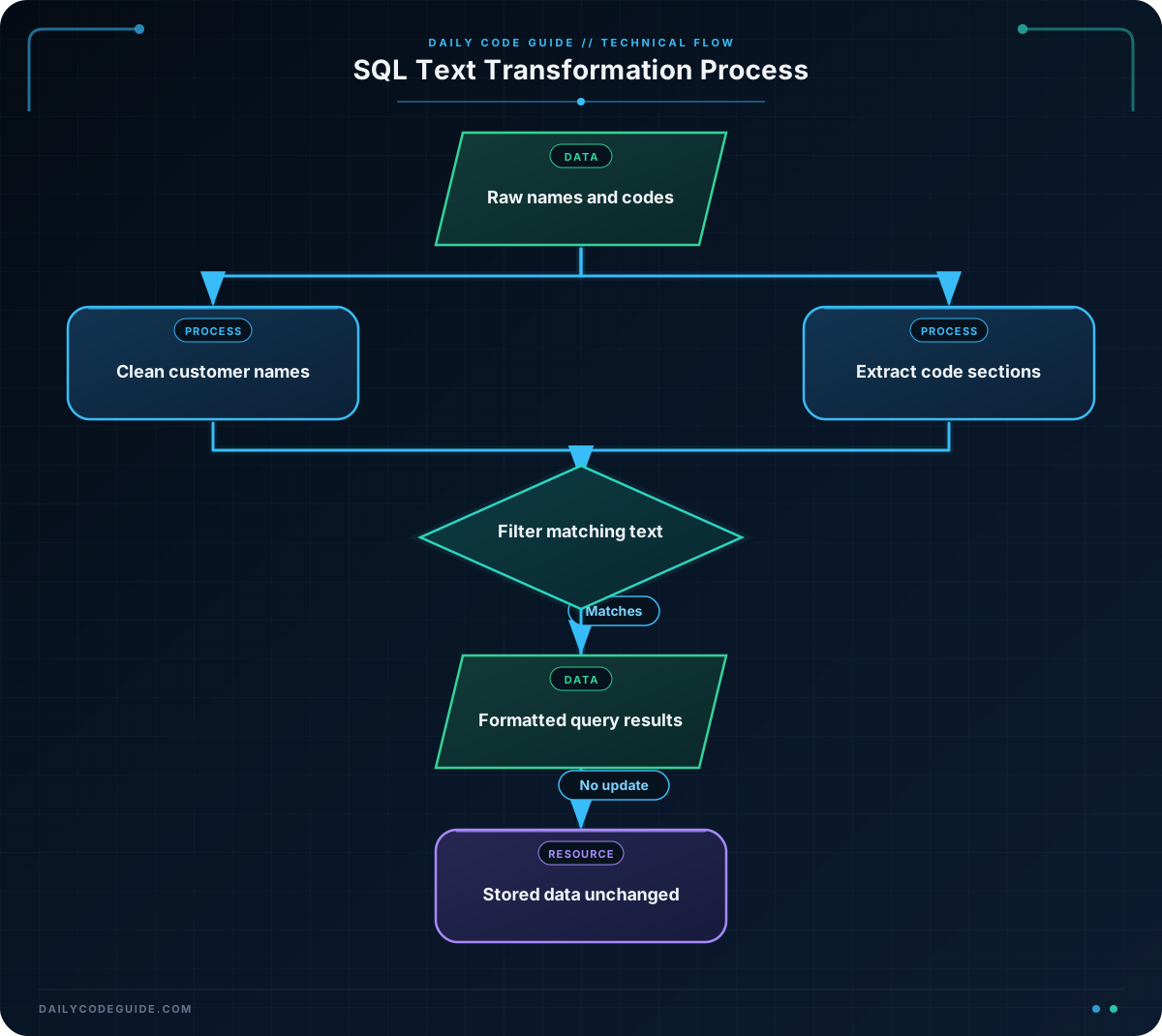
The WITH section creates a small temporary result named customer_orders. In a real query, you would usually select from an existing table instead.
This expression removes extra spaces and then converts the remaining name to uppercase:
UPPER(TRIM(customer_name)) AS cleaned_nameFunctions can be nested, which means one function receives the result of another function. First, TRIM(customer_name) removes spaces. Then, UPPER(...) converts the trimmed value to uppercase. The alias cleaned_name gives the calculated column a readable name.
The first part of each product code is extracted with:
SUBSTRING(product_code FROM 1 FOR 3) AS department_codeSQL character positions start at 1. This expression starts at position 1 and takes 3 characters, producing values such as ELC and HOM.
The item number begins at position 5 because the first three characters are followed by a hyphen:
SUBSTRING(product_code FROM 5 FOR 4) AS item_numberFor ELC-2025-BLK, positions 5 through 8 contain 2025.
Another Example
String functions can also help you search product data and prepare product names for display. This example finds products containing the word “wireless”, regardless of capitalization, and extracts the department and item number from each product code.
WITH products(product_code, product_name) AS (
    VALUES
        ('ELEC-3145-US', '  Wireless Mouse  '),
        ('ELEC-8271-US', 'WIRELESS Keyboard'),
        ('HOME-5520-US', 'USB Cable')
)
SELECT
    product_code,
    SUBSTRING(product_code FROM 1 FOR POSITION('-' IN product_code) - 1) AS department,
    SUBSTRING(
        product_code
        FROM POSITION('-' IN product_code) + 1
        FOR 4
    ) AS item_number,
    TRIM(REPLACE(product_name, '  ', ' ')) AS display_name
FROM products
WHERE LOWER(product_name) LIKE '%wireless%';
LOWER(product_name) makes the comparison lowercase, so the search matches both Wireless and WIRELESS. The LIKE pattern '%wireless%' matches the word anywhere in the text.
POSITION('-' IN product_code) finds the location of the first hyphen. The query uses that location to extract everything before the hyphen as the department. This approach is helpful when the department length can vary.
REPLACE(product_name, ' ', ' ') changes two consecutive spaces into one space. The surrounding TRIM() then removes spaces at the beginning and end.
Common Mistakes
- Forgetting that positions start at 1: In PostgreSQL, the first character is position 1, not position 0.
- Using the wrong substring length: If a product code changes format, fixed positions may no longer extract the correct value.
- Expecting a query to permanently clean data: String functions in a
SELECTstatement change the displayed result only. - Searching without handling capitalization: Use
LOWER()on the column and the search value when you want a case-insensitive comparison. - Confusing
TRIM()with removing every internal space:TRIM()removes spaces at the ends, not between words.
Try It Yourself
Use the following data to write a query that:
- Removes extra spaces from each customer name.
- Converts each name to lowercase.
- Extracts the first three characters of each product code.
- Names the calculated columns
customer_name_cleanandproduct_group.
WITH orders(customer_name, product_code) AS (
    VALUES
        ('  Alex Morgan  ', 'BOOK-4412-BLU'),
        ('Taylor Reed', 'GAME-2098-GRN'),
        ('  Sam Patel', 'HOME-6301-GRY')
)
SELECT
    -- Add your expressions here
FROM orders;
Challenge
Create a query using the sample data below. Your query should:
- Return only products whose name contains
backpack, regardless of capitalization. - Display the product name with leading and trailing spaces removed.
- Extract the first three characters of the product code as
category_code. - Extract the four characters after the first hyphen as
item_number.
Use LOWER(), LIKE, TRIM(), SUBSTRING(), and POSITION() in your solution.
Solution
WITH products(product_code, product_name) AS (
    VALUES
        ('BAG-4830-BLK', '  Travel Backpack  '),
        ('BAG-7712-RED', 'School Backpack'),
        ('CAMP-1904-GRN', 'Camping Tent'),
        ('TECH-6205-GRY', 'Laptop Stand')
)
SELECT
    TRIM(product_name) AS display_name,
    SUBSTRING(product_code FROM 1 FOR 3) AS category_code,
    SUBSTRING(
        product_code
        FROM POSITION('-' IN product_code) + 1
        FOR 4
    ) AS item_number
FROM products
WHERE LOWER(product_name) LIKE '%backpack%';
The WHERE clause keeps only the two backpack products. TRIM() cleans the displayed name, while the two SUBSTRING() expressions extract the category and item number from each code.
For more complex or reusable text-processing logic, you can later explore PostgreSQL functions.
Key Takeaways
- Use
TRIM()andUPPER()orLOWER()to make text results consistent. - Use
SUBSTRING()to extract a known section of a text value. - Use
POSITION()when a separator can appear at a variable position. - Use
LOWER()withLIKEfor a simple case-insensitive text search. - String functions in a
SELECTquery format results without changing the stored table data.

