


What You’ll Learn
In this lesson, you will learn how to use a SQL WHERE clause to return only the rows that match a condition. We will use an orders table to find specific orders instead of displaying every order in the table.
- Understand what a WHERE clause does.
- Write a basic condition using the equals sign.
- Filter orders by status and amount.
- Avoid common mistakes when writing filter conditions.
The Concept
A WHERE clause filters the rows returned by a SQL query. It tells the database which rows should be included in the result.
Without a WHERE clause, a query can return every row in a table:
SELECT order_id, customer_name, status
FROM orders;
To return only matching rows, place WHERE after the FROM clause:
SELECT order_id, customer_name, status
FROM orders
WHERE status = 'shipped';
This query returns only orders whose status value is exactly 'shipped'. Text values use single quotation marks in SQL.
You can use WHERE with many types of conditions, including:
=to find an exact match>to find values greater than another value<to find values less than another value>=or<=to include the boundary value
Basic Example
The following example creates an orders table, adds sample orders, and selects only the orders that have been shipped.
CREATE TABLE orders (
    order_id INTEGER,
    customer_name VARCHAR(50),
    status VARCHAR(20),
    total_amount DECIMAL(10, 2)
);

INSERT INTO orders (order_id, customer_name, status, total_amount)
VALUES
    (1001, 'Ava Patel', 'shipped', 89.99),
    (1002, 'Liam Chen', 'processing', 145.50),
    (1003, 'Noah Smith', 'shipped', 210.00),
    (1004, 'Mia Garcia', 'cancelled', 35.75);

SELECT order_id, customer_name, status
FROM orders
WHERE status = 'shipped';
Expected Output
order_id  customer_name  status
1001      Ava Patel      shipped
1003      Noah Smith     shipped
How the Code Works
The CREATE TABLE statement defines four columns for each order:
order_idstores the order number.customer_namestores the customer’s name.statusstores the current order status.total_amountstores the order price.
The INSERT INTO statement adds four sample rows. Each row has a different order status or amount.
The final query has three important parts:
SELECT order_id, customer_name, status
FROM orders
WHERE status = 'shipped';SELECTchooses the columns to display.FROM orderstells SQL which table to search.WHERE status = 'shipped'keeps only rows where the status is'shipped'.
The database checks the status value in each row. The first and third rows match the condition, so those rows appear in the result. The processing and cancelled orders do not match, so they are left out.
Another Example
You can also filter numeric columns. This query finds orders with a total amount greater than 100:
SELECT order_id, customer_name, total_amount
FROM orders
WHERE total_amount > 100;
The result includes the orders for Liam Chen and Noah Smith because their totals are greater than 100. An order totaling exactly 100 would not match this condition because the operator is >, not >=.
Common Mistakes
Forgetting quotation marks around text
Text values should normally be written inside single quotation marks:
SELECT *
FROM orders
WHERE status = 'processing';
Using status = processing makes SQL treat processing as a column or identifier instead of text.
Using quotation marks around numbers
Numeric values should be compared as numbers:
SELECT *
FROM orders
WHERE total_amount > 100;
Do not add quotation marks around 100 unless you are intentionally working with a text column.
Using the wrong comparison operator
> means greater than, while >= means greater than or equal to. Choose the operator that matches the question you are asking.
Filtering on a column that does not exist
Check the table’s column names before writing the condition. For example, this table has total_amount, not price. A condition using the wrong name will cause a database error.
Try It Yourself
Using the orders table from the basic example, write a query that displays the order_id, customer_name, and total_amount for orders with a total amount less than 100.
There should be two matching orders: Ava Patel’s and Mia Garcia’s.
Challenge
Write a query that finds shipped orders worth more than 100. Display these columns:
order_idcustomer_nametotal_amount
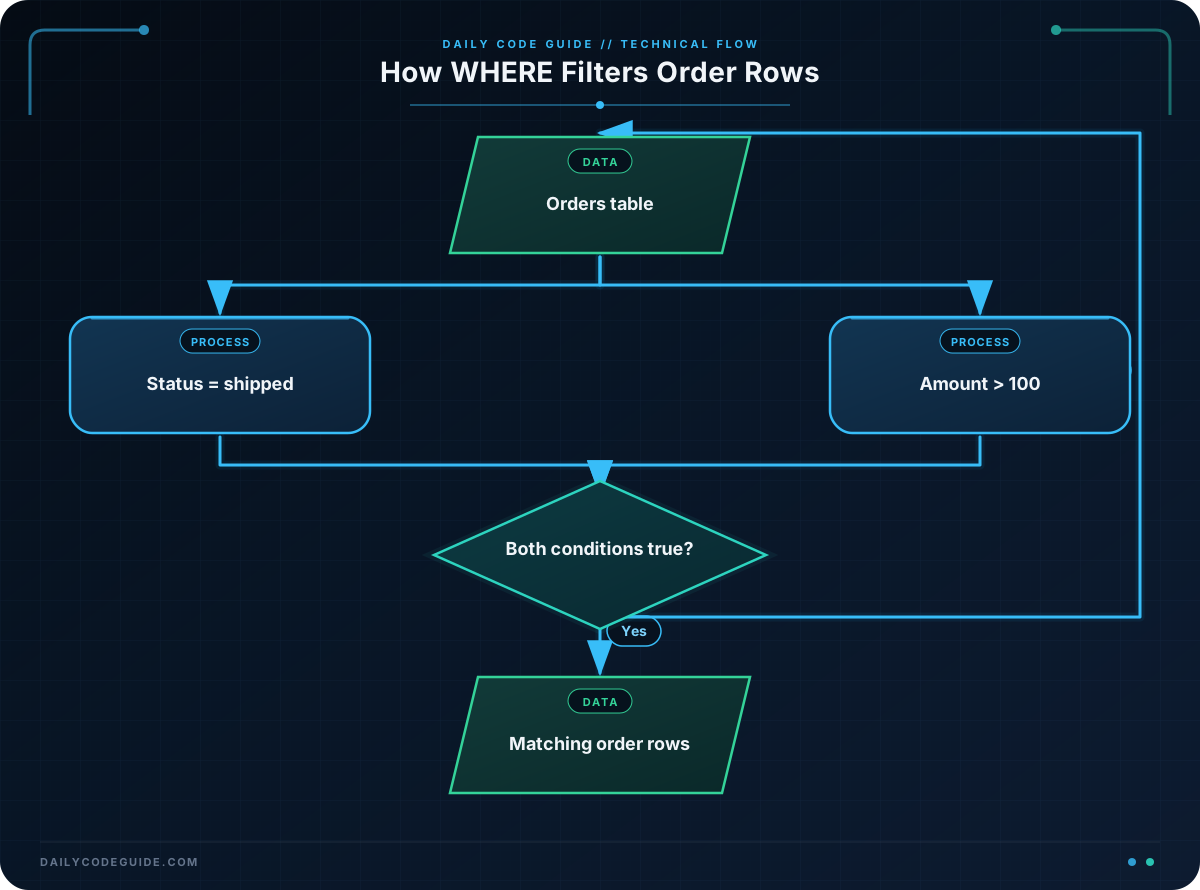
You will need to combine two conditions with AND. Both conditions must be true for a row to appear in the result.
Solution
SELECT order_id, customer_name, total_amount
FROM orders
WHERE status = 'shipped'
  AND total_amount > 100;
The first condition keeps shipped orders. The second condition keeps orders worth more than 100. Only rows that satisfy both conditions are returned, so the result contains Noah Smith’s order:
order_id  customer_name  total_amount
1003      Noah Smith     210.00
Key Takeaways
- A
WHEREclause filters the rows returned by a SQL query. - Use single quotation marks around text values such as
'shipped'. - Use comparison operators such as
=,>, and<to create conditions. - Use
ANDwhen every condition must be true. - Check column names and choose comparison operators carefully.

