


What You’ll Learn
In this lesson, you’ll learn how to summarize rows in a database using GROUP BY and aggregate functions. You will use monthly sales data to calculate totals and other useful statistics for each product category.
- Understand how
GROUP BYcreates groups of related rows. - Use
SUM(),COUNT(),AVG(),MIN(), andMAX(). - Combine
WHEREwithGROUP BY. - Avoid common grouping mistakes in SQL queries.
The Concept
An aggregate function combines values from multiple rows into one result. For example, SUM() can add all sales amounts, while COUNT() can count the number of sales.
By itself, an aggregate function summarizes an entire table. However, you often need separate summaries. A store might want to know the total sales for each product category in each month.
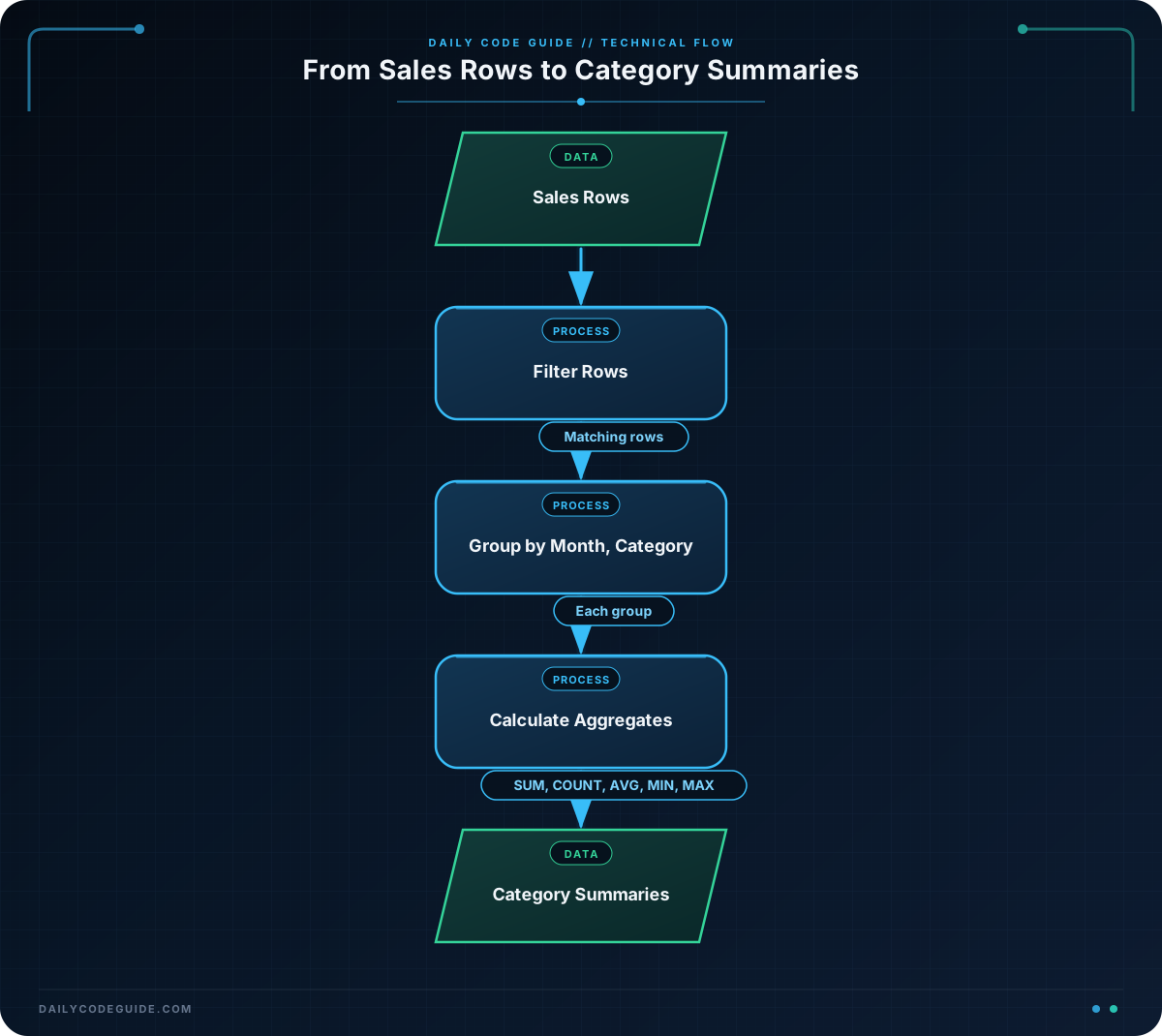
GROUP BY tells SQL how to divide rows into groups before calculating the aggregate values.
SUM(column)adds values.COUNT(*)counts rows.AVG(column)calculates an average.MIN(column)finds the smallest value.MAX(column)finds the largest value.
For example, GROUP BY sale_month, category creates one group for every month-and-category combination. The aggregate functions then calculate values separately for each group.
Basic Example
Suppose a sales table stores one row for each order. The sale_month column stores the first day of the month so that it can be grouped easily.
CREATE TABLE sales (
    sale_id INTEGER,
    sale_month DATE,
    category VARCHAR(50),
    sale_amount DECIMAL(10, 2)
);

INSERT INTO sales (sale_id, sale_month, category, sale_amount)
VALUES
    (1, '2024-01-01', 'Electronics', 1200.00),
    (2, '2024-01-01', 'Electronics', 800.00),
    (3, '2024-01-01', 'Clothing', 500.00),
    (4, '2024-02-01', 'Electronics', 1500.00),
    (5, '2024-02-01', 'Clothing', 700.00),
    (6, '2024-02-01', 'Clothing', 300.00);

SELECT
    sale_month,
    category,
    SUM(sale_amount) AS total_sales,
    COUNT(*) AS order_count,
    AVG(sale_amount) AS average_sale,
    MIN(sale_amount) AS smallest_sale,
    MAX(sale_amount) AS largest_sale
FROM sales
GROUP BY sale_month, category
ORDER BY sale_month, category;
Expected Output
sale_month  category     total_sales  order_count  average_sale  smallest_sale  largest_sale
2024-01-01   Clothing     500.00       1            500.00         500.00         500.00
2024-01-01   Electronics  2000.00      2            1000.00        800.00         1200.00
2024-02-01   Clothing     1000.00      2            500.00         300.00         700.00
2024-02-01   Electronics  1500.00      1            1500.00        1500.00        1500.00
The exact spacing and decimal formatting may vary slightly between database systems, but the values should be the same.
How the Code Works
The query begins with a list of columns to return:
sale_monthidentifies the month.categoryidentifies the product category.- The aggregate functions calculate statistics for each group.
SUM(sale_amount) AS total_sales adds the sales amounts in each group. The AS total_sales part gives the result a readable column name.
COUNT(*) AS order_count counts every row in each group. Since each row represents one order, this gives the number of orders.
The other functions provide additional information:
- In January, Electronics has two orders totaling $2,000.
- The average Electronics order is $1,000.
- The smallest Electronics order is $800, and the largest is $1,200.
The important part is:
GROUP BY sale_month, categoryThis creates groups such as January Electronics, January Clothing, February Electronics, and February Clothing. SQL calculates each aggregate separately for every group.
The ORDER BY clause sorts the final results by month and then by category. It does not create groups; it only controls the display order.
When you use GROUP BY, every selected column that is not inside an aggregate function normally needs to appear in the GROUP BY list. Here, both sale_month and category are included.
Another Example
You can use a WHERE clause before grouping to summarize only the rows that match a condition. This query reports category totals for February only.
SELECT
    category,
    SUM(sale_amount) AS february_sales,
    COUNT(*) AS order_count
FROM sales
WHERE sale_month = '2024-02-01'
GROUP BY category
ORDER BY february_sales DESC;
The WHERE clause first keeps only February rows. Then GROUP BY category creates one group for Clothing and one group for Electronics.
Common Mistakes
Forgetting a grouped column
If you select sale_month and category, but group only by category, the query may fail or return an unclear result because SQL does not know which month to display for a category.
Include both non-aggregated columns:
GROUP BY sale_month, categoryUsing WHERE to filter an aggregate result
WHERE filters individual rows before grouping. It cannot normally filter a result such as SUM(sale_amount). For this beginner example, calculate the groups first and inspect the results. Later, you can learn about HAVING, which filters groups after aggregation.
Grouping by the wrong columns
If you group only by sale_month, you get one total for each month across all categories. If you need separate category totals, include both sale_month and category.
Try It Yourself
Write a query that summarizes January sales by category. Return the category, total sales, and number of orders. Sort the results alphabetically by category.
Use the existing sales table and the following requirements:
- Filter rows to January 2024.
- Group the remaining rows by category.
- Use
SUM()for the total. - Use
COUNT(*)for the order count. - Sort by category in ascending order.
Challenge
Extend the previous exercise so that the January summary includes:
- The category.
- Total sales, named
total_sales. - Number of orders, named
order_count. - Average sale, named
average_sale. - The smallest sale, named
smallest_sale. - The largest sale, named
largest_sale.
Group by category and sort the results from the highest total sales to the lowest total sales.
Solution
SELECT
    category,
    SUM(sale_amount) AS total_sales,
    COUNT(*) AS order_count,
    AVG(sale_amount) AS average_sale,
    MIN(sale_amount) AS smallest_sale,
    MAX(sale_amount) AS largest_sale
FROM sales
WHERE sale_month = '2024-01-01'
GROUP BY category
ORDER BY total_sales DESC;
The WHERE clause limits the rows to January. The query then creates one group for each category and calculates all five aggregate values within each group. Finally, ORDER BY total_sales DESC places the category with the highest January sales first.
Key Takeaways
GROUP BYdivides rows into groups so each group can be summarized separately.SUM(),COUNT(),AVG(),MIN(), andMAX()are common aggregate functions.- Use multiple columns in
GROUP BYwhen each combination should have its own summary. WHEREfilters rows before the grouping takes place.- Columns selected without an aggregate function generally need to appear in the
GROUP BYlist.

