


What You’ll Learn
In this lesson, you will learn how to change the data stored in a database table. Using customer contact records, you will practice adding new rows, modifying existing rows, and removing rows with SQL.
- Use INSERT to add customer records.
- Use UPDATE to change existing contact information.
- Use DELETE to remove records.
- Use WHERE safely so you change or remove only the intended rows.
The Concept
A database table stores information in rows and columns. For example, a customers table might have columns for a customer’s ID, name, email address, and phone number.
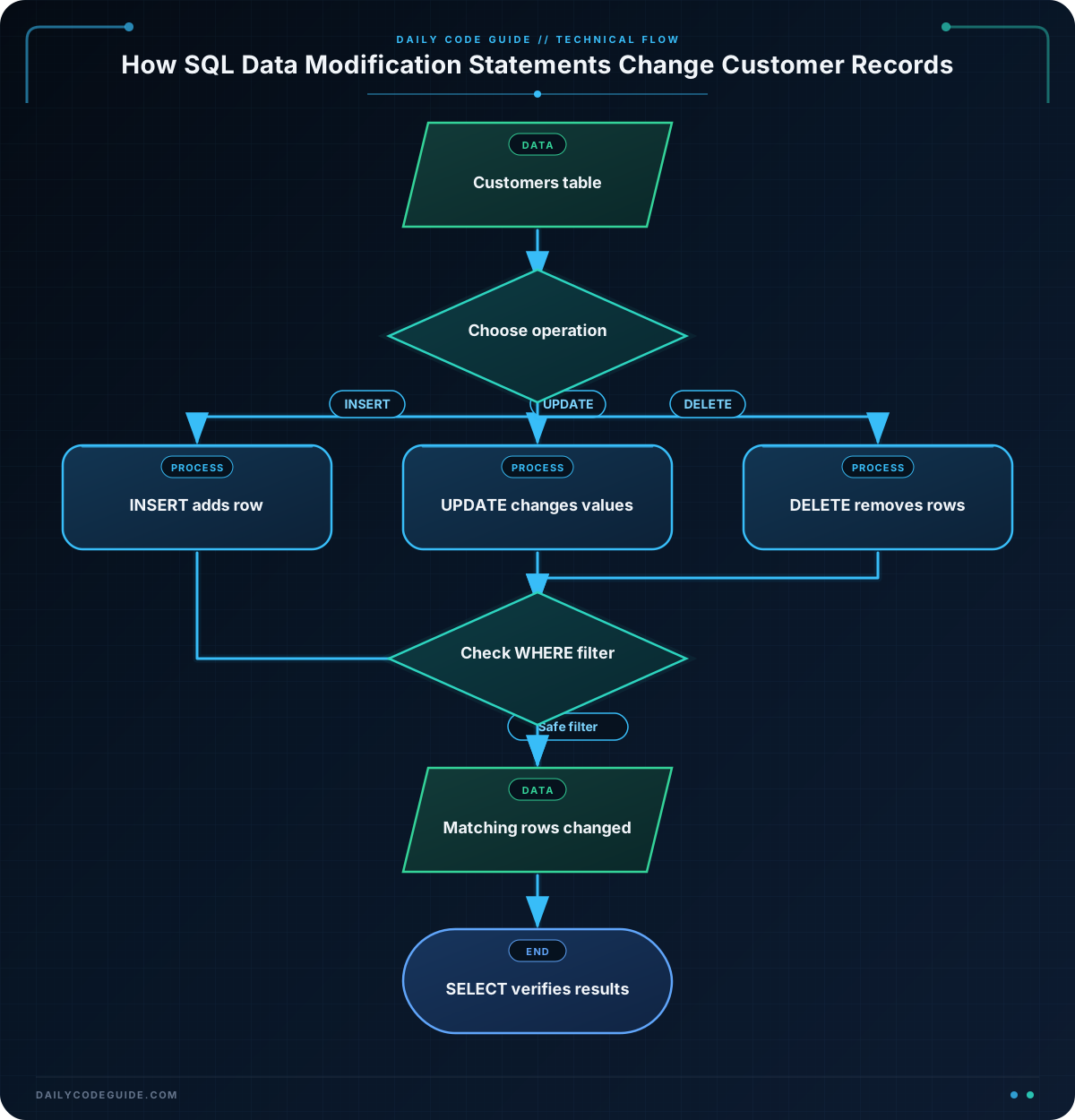
SQL provides three statements for changing table data:
- INSERT adds one or more new rows.
- UPDATE changes values in existing rows.
- DELETE removes existing rows.
These statements are different from SELECT, which reads data without changing it.
A WHERE clause tells SQL which rows should be affected. This is especially important with UPDATE and DELETE. Without a WHERE clause, an UPDATE can change every row, and a DELETE can remove every row in the table.
Basic Example
The following example creates a small customer table, adds three customers, updates one email address, removes one customer, and then displays the remaining records.
CREATE TABLE customers (
    customer_id INTEGER PRIMARY KEY,
    full_name VARCHAR(100) NOT NULL,
    email VARCHAR(150) NOT NULL,
    phone VARCHAR(30)
);

INSERT INTO customers (customer_id, full_name, email, phone)
VALUES (1, 'Maya Patel', 'maya@example.com', '555-0101');

INSERT INTO customers (customer_id, full_name, email, phone)
VALUES (2, 'Jordan Lee', 'jordan@example.com', '555-0102');

INSERT INTO customers (customer_id, full_name, email, phone)
VALUES (3, 'Sam Rivera', 'sam@example.com', '555-0103');

UPDATE customers
SET email = 'maya.patel@example.com'
WHERE customer_id = 1;

DELETE FROM customers
WHERE customer_id = 2;

SELECT customer_id, full_name, email, phone
FROM customers
ORDER BY customer_id;
Expected Output
After the statements run, Jordan’s record has been deleted, and Maya’s email address has been updated.
customer_id  full_name    email                      phone
1             Maya Patel   maya.patel@example.com     555-0101
3             Sam Rivera   sam@example.com            555-0103
How the Code Works
The CREATE TABLE statement defines the table structure. The customer_id column identifies each customer, and PRIMARY KEY means that each ID must be unique.
Each INSERT statement names the columns receiving values:
INSERT INTO customers (customer_id, full_name, email, phone)
VALUES (1, 'Maya Patel', 'maya@example.com', '555-0101');
The first list contains column names, and the VALUES list contains the matching values in the same order. The first value goes into customer_id, the second goes into full_name, and so on.
The UPDATE statement changes one or more columns:
UPDATE customers
SET email = 'maya.patel@example.com'
WHERE customer_id = 1;
SET specifies the new value. The WHERE clause limits the change to the customer whose ID is 1.
The DELETE statement removes matching rows:
DELETE FROM customers
WHERE customer_id = 2;
Only Jordan’s row matches customer_id = 2, so only that row is removed. The final SELECT confirms what remains in the table.
Another Example
A customer may have more than one contact method. This example stores separate email and phone records in a customer_contacts table. It inserts several contact methods, updates a phone number, and deletes an outdated contact record.
CREATE TABLE customer_contacts (
    contact_id INTEGER PRIMARY KEY,
    customer_id INTEGER NOT NULL,
    contact_type VARCHAR(20) NOT NULL,
    contact_value VARCHAR(150) NOT NULL,
    status VARCHAR(20) NOT NULL
);

INSERT INTO customer_contacts
    (contact_id, customer_id, contact_type, contact_value, status)
VALUES
    (101, 1, 'email', 'maya.patel@example.com', 'active');

INSERT INTO customer_contacts
    (contact_id, customer_id, contact_type, contact_value, status)
VALUES
    (102, 1, 'phone', '555-0101', 'active');

INSERT INTO customer_contacts
    (contact_id, customer_id, contact_type, contact_value, status)
VALUES
    (103, 1, 'phone', '555-0199', 'outdated');

UPDATE customer_contacts
SET contact_value = '555-0111'
WHERE contact_id = 102
  AND contact_type = 'phone';

DELETE FROM customer_contacts
WHERE contact_id = 103
  AND status = 'outdated';

SELECT contact_id, customer_id, contact_type, contact_value, status
FROM customer_contacts
ORDER BY contact_id;
Here, the WHERE clause uses two conditions. The update must find contact ID 102 and confirm that it is a phone record. The delete must find contact ID 103 and confirm that its status is 'outdated'.
Common Mistakes
- Forgetting the WHERE clause:
UPDATE customers SET phone = '555-0000';changes every customer’s phone number. Always check that an update or delete has the intended filter. - Using the wrong column: Updating by
full_namecan affect multiple people if names are not unique. A primary key such ascustomer_idis usually safer. - Mixing up column and value order: The columns in an
INSERTstatement must match the values in the same order. - Expecting DELETE to be reversible automatically: A deleted row is gone unless your database operation is inside a transaction that you can roll back or you have a backup.
Before running an important UPDATE or DELETE, run a SELECT with the same WHERE clause. This lets you inspect the rows that would be affected.
Try It Yourself
Using the customers table from the basic example, write SQL statements to:
- Add a customer named Elena Garcia with customer ID
4, emailelena@example.com, and phone555-0104. - Change Elena’s phone number to
555-0144. - Display Elena’s record with a
SELECTquery.
Challenge
Maintain the customer list with three statements:
- Add a customer named Chris Morgan with ID
4, emailchris@example.com, and phone555-0104. - Change Chris’s email address to
chris.morgan@example.com. - Remove the customer whose ID is
3.
Use a WHERE clause for both the update and the delete. Finish with a query that displays the remaining customers.
Solution
INSERT INTO customers (customer_id, full_name, email, phone)
VALUES (4, 'Chris Morgan', 'chris@example.com', '555-0104');

UPDATE customers
SET email = 'chris.morgan@example.com'
WHERE customer_id = 4;

DELETE FROM customers
WHERE customer_id = 3;

SELECT customer_id, full_name, email, phone
FROM customers
ORDER BY customer_id;
The INSERT adds Chris as a new row. The UPDATE changes only the row with ID 4, and the DELETE removes only the row with ID 3. The final query verifies the result.
Key Takeaways
- Use
INSERTto add new rows to a table. - Use
UPDATEwithSETto modify existing values. - Use
DELETE FROMto remove rows. - Always use a carefully checked
WHEREclause withUPDATEandDELETE. - Use a matching
SELECTquery first when you need to confirm which rows will be affected.

