


What You’ll Learn
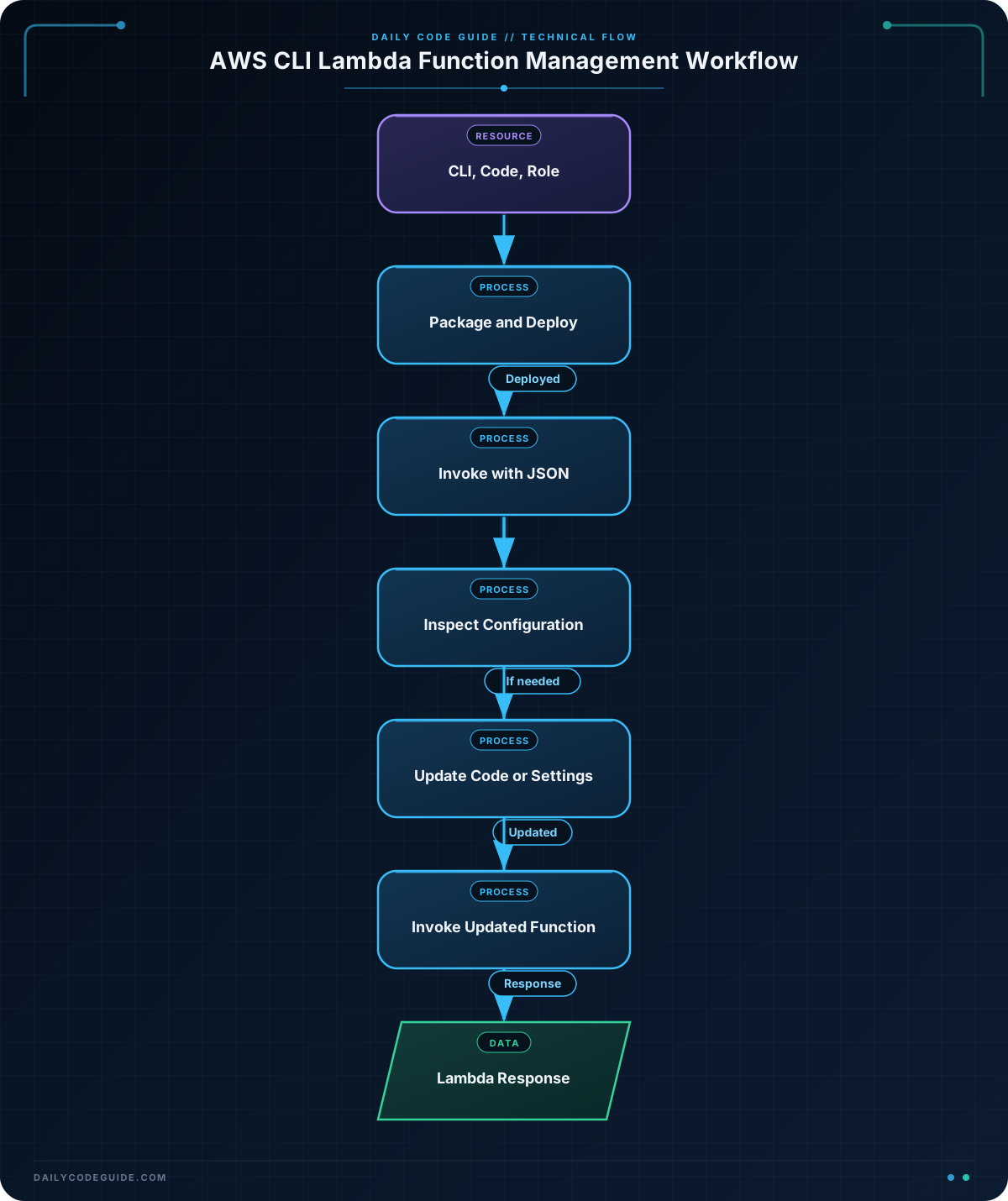
In this lesson, you will use AWS CLI Lambda commands to deploy a serverless function, invoke it with JSON data, inspect its configuration, and update basic settings.
- Create a Lambda function from a ZIP package.
- Invoke the function with a payload file.
- Inspect runtime, handler, timeout, and memory settings.
- Update function code and environment variables.
The Concept
AWS Lambda runs code without requiring you to manage servers. A Lambda function contains your code, a runtime such as Python, and configuration such as its memory size, timeout, and execution role.
The AWS Command Line Interface, or AWS CLI, lets you manage Lambda from a terminal. This is useful when you want to repeat deployments, automate cloud tasks, or work without opening the AWS Management Console.
For a basic deployment, you need:
- A configured AWS CLI installation.
- A Python file containing the function code.
- A ZIP file containing that Python file.
- An IAM execution role ARN that Lambda can use.
The execution role gives the function permission to access AWS services. In the examples below, replace the sample role ARN with a role from your AWS account.
Basic Example
Suppose an order-processing application needs a function that reports the current status of an order. Create a file named lambda_function.py with this code:
def lambda_handler(event, context):
    order_id = event.get("orderId", "unknown")
    status = event.get("status", "processing")

    return {
        "statusCode": 200,
        "body": f"Order {order_id} is {status}."
    }
The function expects an event containing orderId and status. Next, create a ZIP package and deploy it with the AWS CLI:
export AWS_REGION="us-east-1"
export FUNCTION_NAME="order-status-demo"
export ROLE_ARN="arn:aws:iam::123456789012:role/lambda-basic-execution-role"

zip function.zip lambda_function.py

aws lambda create-function \
    --function-name "$FUNCTION_NAME" \
    --runtime python3.12 \
    --role "$ROLE_ARN" \
    --handler lambda_function.lambda_handler \
    --zip-file fileb://function.zip \
    --timeout 10 \
    --memory-size 128 \
    --region "$AWS_REGION"
Create a JSON payload for an order and invoke the function:
{
    "orderId": "A-1042",
    "status": "ready for pickup"
}
Save that JSON as order-event.json, then run the invocation command. The response is written to response.json.
aws lambda invoke \
    --function-name "$FUNCTION_NAME" \
    --payload fileb://order-event.json \
    --cli-binary-format raw-in-base64-out \
    --region "$AWS_REGION" \
    --query "StatusCode" \
    --output text \
    response.json

cat response.json
Expected Output
The first command reports the HTTP-style invocation status, and the second displays the function’s returned payload.
200
{"statusCode": 200, "body": "Order A-1042 is ready for pickup."}
How the Code Works
The Python function must contain a handler. In this example, the handler is named lambda_handler. The –handler option uses the format file.function, so lambda_function.lambda_handler means that AWS should call the lambda_handler function from lambda_function.py.
The event parameter contains the JSON data sent during invocation. The event.get() calls read values while providing defaults if a value is missing.
The zip command packages the source file. The fileb:// prefix tells the AWS CLI to read the ZIP file as binary data.
- –function-name identifies the Lambda function.
- –runtime selects the language runtime.
- –role supplies the IAM execution role.
- –timeout sets the maximum execution time in seconds.
- –memory-size sets the memory available to the function in megabytes.
The –payload option sends the contents of the JSON file to Lambda. AWS CLI version 2 requires –cli-binary-format raw-in-base64-out when sending raw JSON this way.
The invoke command writes the function response to the output file named at the end of the command. The –query “StatusCode” option displays only the invocation status instead of the full metadata response.
You can inspect the deployed function’s important settings with:
aws lambda get-function-configuration \
    --function-name "$FUNCTION_NAME" \
    --region "$AWS_REGION" \
    --query "{Runtime:Runtime,Handler:Handler,Timeout:Timeout,MemorySize:MemorySize}" \
    --output table
Another Example
After deploying a function, you will often update it rather than create a new function. This example changes the function so it reports which deployment stage processed a notification.
Replace the contents of lambda_function.py with:
import os


def lambda_handler(event, context):
    destination = event.get("destination", "unknown")
    stage = os.environ.get("STAGE", "development")

    return {
        "statusCode": 200,
        "body": f"Notification for {destination} processed in {stage}."
    }
Package the updated code, upload it, and configure environment variables:
rm -f function.zip
zip function.zip lambda_function.py

aws lambda update-function-code \
    --function-name "$FUNCTION_NAME" \
    --zip-file fileb://function.zip \
    --region "$AWS_REGION"

aws lambda update-function-configuration \
    --function-name "$FUNCTION_NAME" \
    --environment "Variables={STAGE=staging,LOG_LEVEL=INFO}" \
    --region "$AWS_REGION"

aws lambda get-function-configuration \
    --function-name "$FUNCTION_NAME" \
    --region "$AWS_REGION" \
    --query "Environment.Variables" \
    --output json
The update-function-code command replaces the deployed ZIP package. The update-function-configuration command changes settings without changing the code. Here, the function reads the STAGE environment variable at runtime.
Invoke the updated function with a different event:
printf '%s' '{"destination":"warehouse-team","message":"Inventory received"}' > notification-event.json

aws lambda invoke \
    --function-name "$FUNCTION_NAME" \
    --payload fileb://notification-event.json \
    --cli-binary-format raw-in-base64-out \
    --region "$AWS_REGION" \
    response.json

cat response.json
Common Mistakes
- Using the wrong handler name: If the file is lambda_function.py and the function is lambda_handler, the handler must be lambda_function.lambda_handler.
- Forgetting to package the file: create-function and update-function-code need a ZIP file when using –zip-file.
- Using the wrong AWS Region: Lambda functions exist in a specific Region. Include –region or configure the correct default Region.
- Using an invalid role ARN: The role must exist and be trusted by Lambda. A misspelled or unrelated role causes deployment to fail.
- Leaving out the CLI binary format option: With AWS CLI version 2, raw JSON payloads may fail without –cli-binary-format raw-in-base64-out.
- Overwriting environment variables accidentally: The –environment option sets the function’s environment variable collection. Include every variable you want to keep when updating it.
Try It Yourself
Use the deployed function to do the following:
- Inspect its runtime, handler, timeout, and memory settings.
- Change its timeout to 15 seconds.
- Invoke it with an order ID of C-7781 and a status of shipped.
- Save and display the response.
Use the same function name and Region variables from the basic example.
Challenge
Update the order-status-demo function so that it has 256 MB of memory and a 15-second timeout. Then invoke it with this event:
- orderId: B-2099
- status: shipped
Save the response in challenge-response.json and display it in the terminal.
Solution
aws lambda update-function-configuration \
    --function-name "$FUNCTION_NAME" \
    --memory-size 256 \
    --timeout 15 \
    --region "$AWS_REGION"

printf '%s' '{"orderId":"B-2099","status":"shipped"}' > challenge-event.json

aws lambda invoke \
    --function-name "$FUNCTION_NAME" \
    --payload fileb://challenge-event.json \
    --cli-binary-format raw-in-base64-out \
    --region "$AWS_REGION" \
    challenge-response.json

cat challenge-response.json
The configuration command updates both settings on the existing function. The payload file contains valid JSON, and the invoke command writes the returned Lambda payload to challenge-response.json.
Key Takeaways
- Use create-function to deploy a new Lambda function from a ZIP package.
- Use update-function-code to upload a new version of an existing function.
- Use invoke with a JSON payload file to test a function from the command line.
- Use get-function-configuration to inspect settings such as the runtime, handler, timeout, and memory.
- Use update-function-configuration to manage settings such as memory, timeout, and environment variables.

