

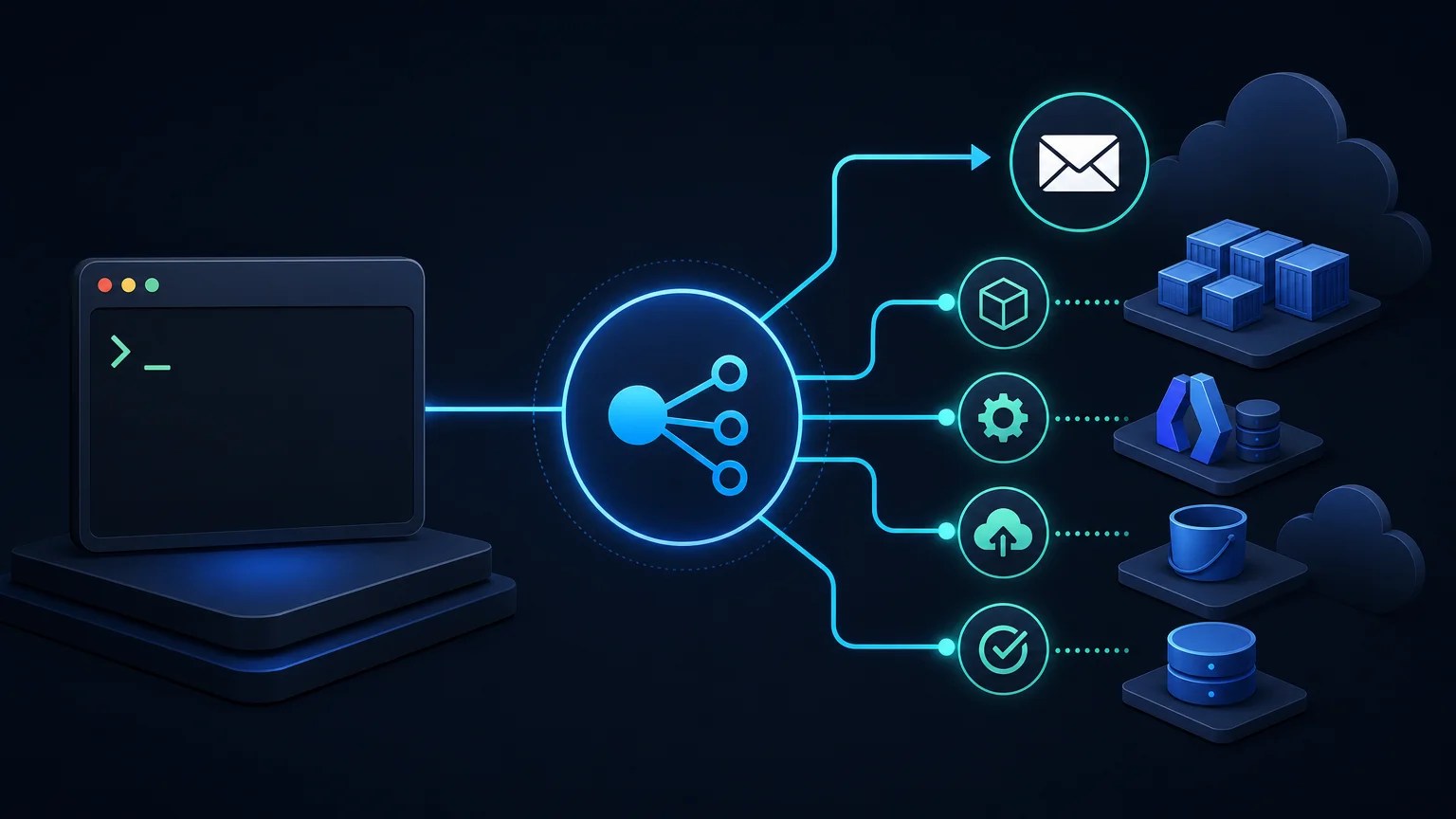
What You’ll Learn
In this lesson, you will learn how to use AWS CLI SNS topic and subscription commands to create a notification topic, add an email subscription, inspect its settings, publish a deployment alert, and remove the resources when they are no longer needed.
- Understand the difference between an SNS topic and a subscription.
- Create and inspect an SNS topic from the command line.
- Subscribe an email address to the topic.
- Publish a deployment notification.
- Remove a subscription and delete a topic.
The Concept
Amazon Simple Notification Service, or SNS, delivers messages to subscribers. An SNS topic is a named channel for messages. A subscription connects a delivery endpoint, such as an email address, to that topic.
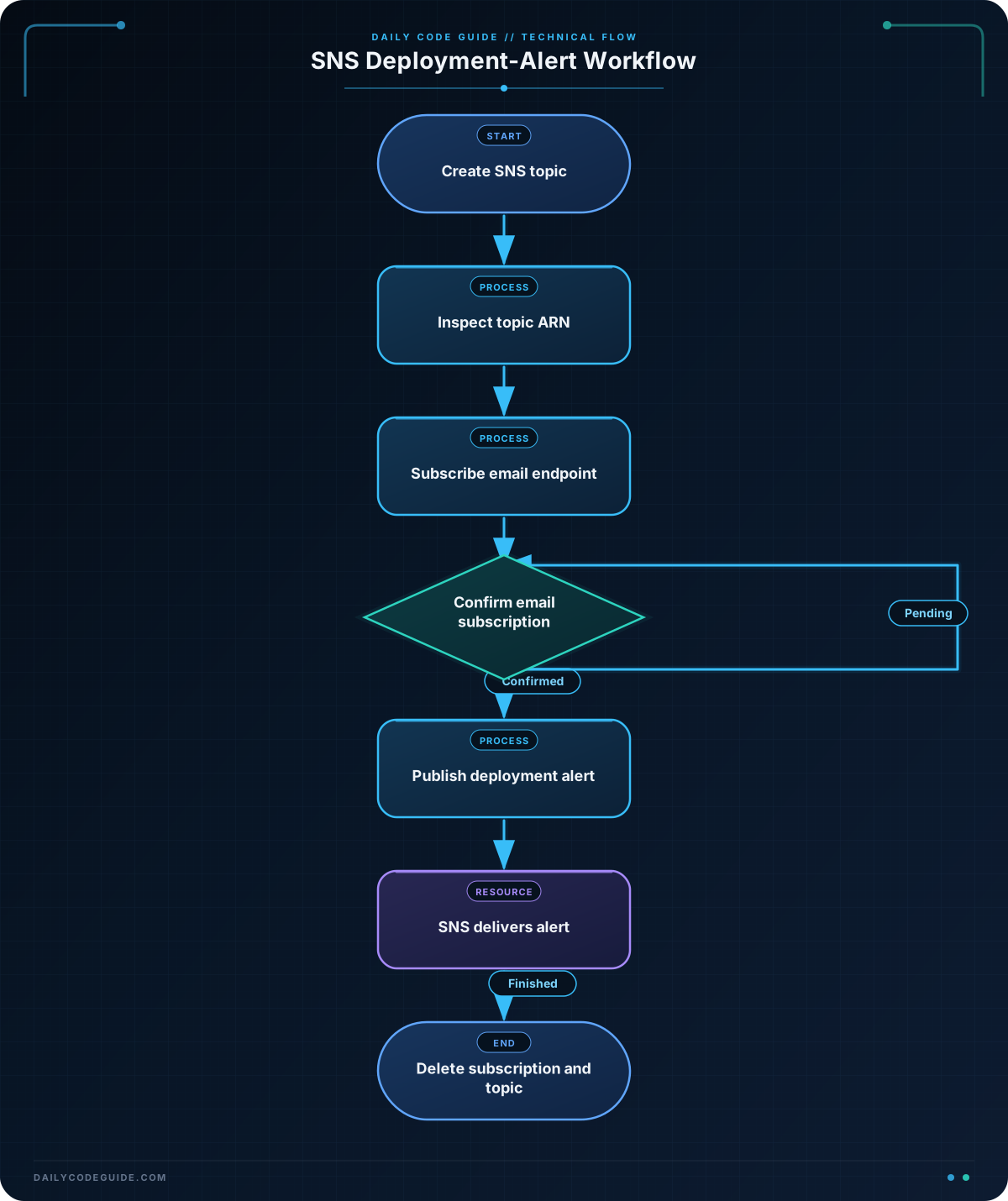
A typical deployment notification flow looks like this:
- A deployment script creates or uses an SNS topic.
- The topic has one or more subscribers.
- The script publishes a message such as “Deployment completed.”
- SNS delivers the message to the subscribed endpoints.
With the AWS CLI, the main commands are:
aws sns create-topiccreates a topic.aws sns list-topicsdisplays topics in the selected region.aws sns get-topic-attributesdisplays details about one topic.aws sns subscribeadds an endpoint to a topic.aws sns list-subscriptions-by-topicdisplays subscriptions for a topic.aws sns publishsends a message to a topic.aws sns delete-subscriptionremoves a subscription.aws sns delete-topicremoves a topic.
An email subscription normally requires confirmation. After running the subscribe command, the recipient must open the confirmation message and approve the subscription before receiving published alerts.
Basic Example
The following Bash script creates a topic named deployment-alerts, subscribes an email address, inspects the topic, and publishes an alert. Replace the example email address with an address you can access.
#!/usr/bin/env bash
set -e

region="us-east-1"
topic_name="deployment-alerts"
email_address="ops@example.com"

topic_arn=$(aws sns create-topic \
    --name "$topic_name" \
    --region "$region" \
    --query "TopicArn" \
    --output text)

echo "Created topic: $topic_arn"

aws sns subscribe \
    --topic-arn "$topic_arn" \
    --protocol email \
    --notification-endpoint "$email_address" \
    --region "$region"

aws sns get-topic-attributes \
    --topic-arn "$topic_arn" \
    --region "$region"

aws sns publish \
    --topic-arn "$topic_arn" \
    --subject "Deployment alert" \
    --message "The web application deployment completed successfully." \
    --region "$region"
Expected Output
The exact ARN and account-specific attributes will be different in your environment. The command creates the topic, sends a subscription confirmation email, displays topic attributes, and publishes the message.
Created topic: arn:aws:sns:us-east-1:123456789012:deployment-alerts
{
    "Attributes": {
        "TopicArn": "arn:aws:sns:us-east-1:123456789012:deployment-alerts",
        "SubscriptionsConfirmed": "0",
        "SubscriptionsPending": "1"
    }
}
{
    "MessageId": "4f7b8f2e-1234-5678-9abc-0123456789ab"
}
The sample output is representative. The subscription count remains pending until the recipient confirms the email subscription.
How the Code Works
region tells the AWS CLI where to create and find the topic. SNS topics are regional, so use the same region for every command in this example.
The create-topic command returns information about the new topic. The --query "TopicArn" option selects only the topic ARN, and --output text removes JSON formatting so the result can be stored in the Bash variable topic_arn.
An ARN, or Amazon Resource Name, is the unique identifier for an AWS resource. SNS commands generally use the topic ARN after the topic has been created.
The subscribe command uses three important options:
--topic-arnidentifies the topic.--protocol emailselects email delivery.--notification-endpointidentifies the recipient.
The get-topic-attributes command inspects the topic. It can show attributes such as the topic ARN and the number of confirmed or pending subscriptions.
Finally, publish sends the deployment message. The --subject is a short title, while --message contains the notification text. The command returns a message ID when SNS accepts the message.
The script uses set -e, which stops the script when a command fails. This is useful in deployment automation because a failed topic or subscription command should not be silently ignored. For more techniques for writing robust Bash deployment scripts, see our Bash strict-mode guide.
Another Example
A deployment process can publish a different message after a service update. This example assumes that the topic already exists and uses list-topics to inspect available topics before publishing an alert.
If you are deploying an Amazon ECS service, SNS can report whether the deployment started or completed. You can combine this notification step with the AWS CLI ECS deployment commands used to update and verify an ECS service.
#!/usr/bin/env bash
set -e

region="us-east-1"
topic_arn="arn:aws:sns:us-east-1:123456789012:deployment-alerts"
service_name="web-service"
cluster_name="production-cluster"

printf '%s\n' 'Available SNS topics:'
aws sns list-topics \
    --region "$region" \
    --query "Topics[].TopicArn" \
    --output table

aws sns publish \
    --topic-arn "$topic_arn" \
    --subject "ECS deployment started" \
    --message "Deployment started for service ${service_name} in cluster ${cluster_name}." \
    --region "$region" \
    --query "MessageId" \
    --output text

echo "Deployment alert published."
This example does not create a second topic. Instead, it reuses the existing topic and sends a deployment-started event. Reusing one topic makes it possible for the same operations team to receive alerts from several deployment steps.
Common Mistakes
- Forgetting the region: A topic created in
us-east-1will not appear when you list topics inus-west-2. Use the same--regionvalue consistently. - Expecting email delivery immediately: The recipient must confirm the subscription. Check the confirmation email before testing delivery.
- Using a topic name where an ARN is required: Commands such as
publishandget-topic-attributesrequire the complete topic ARN, not onlydeployment-alerts. - Publishing to the wrong topic: Copy the ARN from
create-topicor inspect it withlist-topicsbefore publishing. - Deleting the wrong resource: Topic deletion removes the topic and its subscriptions. Verify the ARN before running
delete-topic. - Insufficient IAM permissions: The AWS identity needs permissions such as
sns:CreateTopic,sns:Subscribe,sns:Publish, and the relevant inspection or deletion permissions.
Try It Yourself
Create a topic named staging-deployment-alerts in your configured AWS region. Subscribe an email address, confirm the subscription from the email message, and publish a message with the subject Staging deployment.
Then use list-subscriptions-by-topic to check whether the subscription is confirmed.
aws sns list-subscriptions-by-topic \
    --topic-arn "YOUR_TOPIC_ARN" \
    --region "us-east-1"
Replace YOUR_TOPIC_ARN and the region with values from your environment. Look for a subscription whose SubscriptionArn is no longer shown as pending.
Challenge
Write a Bash script that performs a complete cleanup for the staging-deployment-alerts topic:
- Store the topic ARN in a variable.
- Find the subscription ARN for
ops@example.com. - Delete that subscription.
- Delete the topic.
Use set -e so the script stops if a deletion command fails. The topic ARN is provided as an input variable because the topic may already exist.
Solution
The solution first lists subscriptions for the topic and uses a JMESPath query to select the subscription whose endpoint matches the email address. It then removes the subscription and deletes the topic.
#!/usr/bin/env bash
set -e

region="us-east-1"
topic_arn="arn:aws:sns:us-east-1:123456789012:staging-deployment-alerts"
email_address="ops@example.com"

subscription_arn=$(aws sns list-subscriptions-by-topic \
    --topic-arn "$topic_arn" \
    --region "$region" \
    --query "Subscriptions[?Endpoint=='$email_address'].SubscriptionArn | [0]" \
    --output text)

if [ "$subscription_arn" = "None" ] || [ -z "$subscription_arn" ]; then
    echo "No subscription found for $email_address."
else
    aws sns delete-subscription \
        --subscription-arn "$subscription_arn" \
        --region "$region"
    echo "Subscription deleted."
fi

aws sns delete-topic \
    --topic-arn "$topic_arn" \
    --region "$region"

echo "Topic deleted."
The query checks the subscription endpoint and returns its ARN. The conditional prevents the script from trying to delete an empty or nonexistent subscription. After that, delete-topic removes the topic itself. Replace the example account ID and region with the values from your AWS environment.
Key Takeaways
- An SNS topic is a message channel, while a subscription connects a delivery endpoint to that channel.
- Use
create-topic,subscribe, andpublishto create a basic deployment-alert workflow. - Email subscriptions must be confirmed before they receive published messages.
- Use topic ARNs and consistent AWS regions when inspecting or publishing to SNS.
- Use
delete-subscriptionanddelete-topicto clean up resources that are no longer needed.

