


What You’ll Learn
In this lesson, you will learn how to use Python list comprehensions to create a new list by filtering values from an existing list. You will use product prices to find items that fit within a budget.
- Understand what a list comprehension is.
- Filter product prices with a condition.
- Read the parts of a list comprehension.
- Avoid common list comprehension mistakes.
The Concept
A list comprehension is a short way to create a new list from an existing sequence, such as a list. It can replace a simple loop when you want to select or transform values.
For filtering, the general pattern is:
[value for value in items if condition]Python checks each item in the original list. If the condition is true, that item is added to the new list. If the condition is false, Python skips it.
List comprehensions are useful when you need a new list containing only values that meet a rule. For example, an online store might use one to find products priced below a customer’s budget.
Basic Example
This program filters a list of product prices and keeps only prices that are no more than 50 dollars.
product_prices = [24.99, 59.99, 12.50, 89.00, 45.00, 120.00]
maximum_price = 50.00

affordable_prices = [
    price for price in product_prices
    if price <= maximum_price
]

print(affordable_prices)
Expected Output
[24.99, 12.5, 45.0]How the Code Works
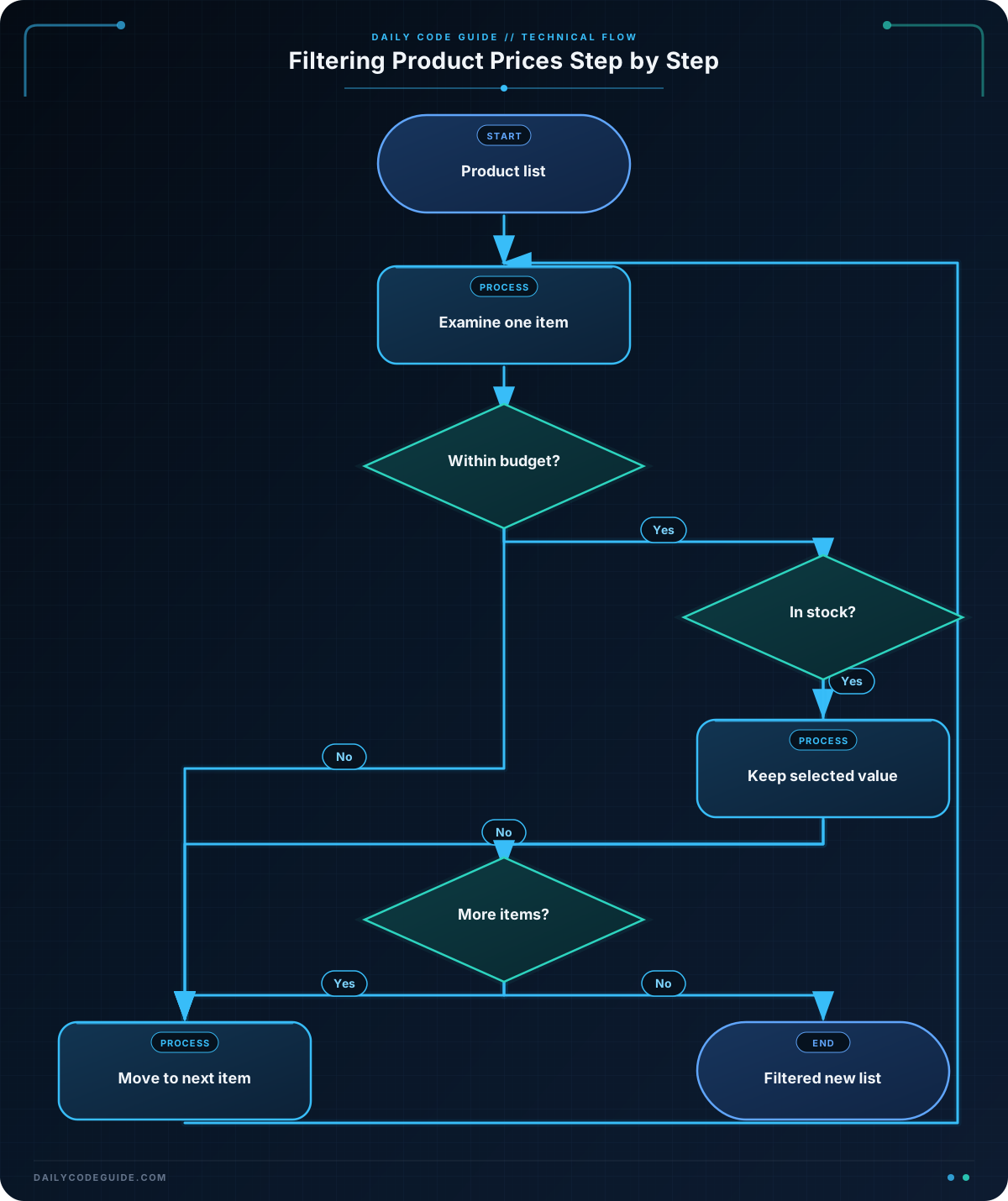
The first line creates a list named product_prices. Each value represents the price of a product.
The second line stores the customer’s budget in maximum_price. Keeping the budget in a separate variable makes the filtering rule easy to change.
The list comprehension has three important parts:
- price is the temporary variable that represents one price at a time.
- for price in product_prices tells Python to examine every price in the original list.
- if price <= maximum_price keeps a price only when it is less than or equal to the budget.
The result is assigned to affordable_prices. This creates a new list; it does not change the original product prices.
The line breaks inside the brackets are optional. They make a longer list comprehension easier to read. Python treats the expression as one list comprehension because it is inside square brackets.
Another Example
Product data often contains more than just prices. This example keeps the names of products that are both in stock and under a customer’s budget.
products = [
    {"name": "Wireless Mouse", "price": 29.99, "in_stock": True},
    {"name": "Mechanical Keyboard", "price": 79.99, "in_stock": True},
    {"name": "USB-C Cable", "price": 14.99, "in_stock": False},
    {"name": "Laptop Stand", "price": 39.99, "in_stock": True},
]

budget = 50.00

available_products = [
    product["name"]
    for product in products
    if product["in_stock"] and product["price"] <= budget
]

print(available_products)
This time, the value placed in the new list is the product name rather than the entire product dictionary. The condition has two requirements: the product must be in stock, and its price must be within the budget.
Common Mistakes
- Forgetting the condition: A comprehension without an if condition includes every item. Make sure the condition describes exactly what should be kept.
- Using the wrong comparison: Less than excludes products at exactly the budget limit, while less than or equal to includes them. Choose the comparison that matches the requirement.
- Filtering the wrong value: When working with dictionaries, check the price field rather than comparing the whole dictionary to a number.
- Making a comprehension too complicated: List comprehensions are best for short, clear operations. If the condition becomes difficult to read, a regular loop may be easier to maintain.
Try It Yourself
Create a list comprehension that selects product prices between 20 and 75 dollars, including both limits. Use this list as your starting data:
product_prices = [8.99, 20.00, 34.50, 75.00, 89.99, 110.00]Store the filtered prices in a new variable and print the result. The expected result should contain 20.0, 34.5, and 75.0.
Challenge
An online store wants to advertise products priced below 60 dollars. Given the product list below:
- Create a list named sale_prices containing only prices below 60.
- Print the resulting list.
- Do not include the price of 60 itself, because the requirement says below 60.
Use a list comprehension rather than a regular loop.
Solution
product_prices = [15.99, 42.50, 60.00, 74.99, 9.99, 58.00]

sale_prices = [price for price in product_prices if price < 60]

print(sale_prices)
The condition uses a less-than comparison, so the price of 60.00 is excluded. The other prices below 60 are added to sale_prices in their original order.
Key Takeaways
- A list comprehension creates a new list from an existing sequence.
- Use an if condition inside the comprehension to filter values.
- The value before the for keyword determines what goes into the new list.
- A list comprehension does not change the original list unless you assign the result back to that same variable.
- Use list comprehensions for short, readable filtering tasks.

